Why This Matters?

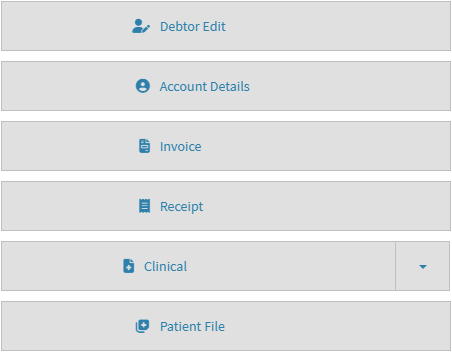
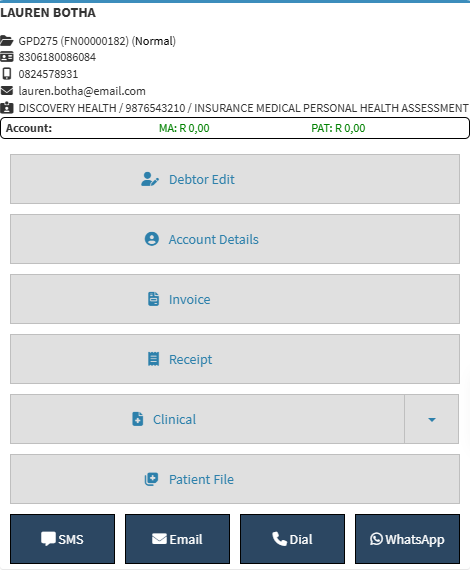
The Debtor Sidebar brings together the key information and functions related to the selected debtor. It displays important details such as the debtor's contact information, medical aid information, and outstanding account balances, while providing quick access to functions such as Debtor Edit, Account Details, Invoice, Receipt, Clinical, and Patient File.

Having this information and these functions available in one place makes it easier to manage the debtor's account and access related patient information without navigating through different areas of GoodX. This saves time, keeps the workflow organised, and makes it easier to move between account, clinical, and patient file information when needed.
  • Start on the Debtor sidebar.

Sections

  • Debtor Information
  • Debtor Sidebar Buttons
  • Communication Buttons

Debtor Information

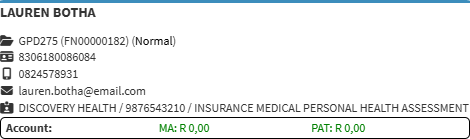
  • Debtor's Name: The patient's title, name, and surname.
  • Debtor Number, File Number and Type: The debtor number, file number, and type of case.
  • ID Number: The debtor's identification number.
  • Cellphone Number: The debtor's cellphone number.
  • Email Address: The debtor's email address.
  • Medical Aid Details: The name, membership number, and plan name of the debtor's medical aid.
  • Medical Aid Outstanding: The amount outstanding and payable by the medical aid.
  • Patient Outstanding: The amount outstanding and payable by the debtor.

Debtor Sidebar Buttons


Communication Buttons

  • SMS: Send an SMS to the debtor. For details, see Send an SMS.
  • WhatsApp: Send a WhatsApp message to the debtor from GoodX Web.
  • Dial: Make a VoIP phone call to the debtor. For details, see Making a VoIP Call.
  • Email: Send an email to the debtor. For details, see Send an Email.

💡Please Note: Some features will have to be set up by your practice. For setup details, see Services.

Last modified: Tuesday, 27 October 2026, 12:53 PM