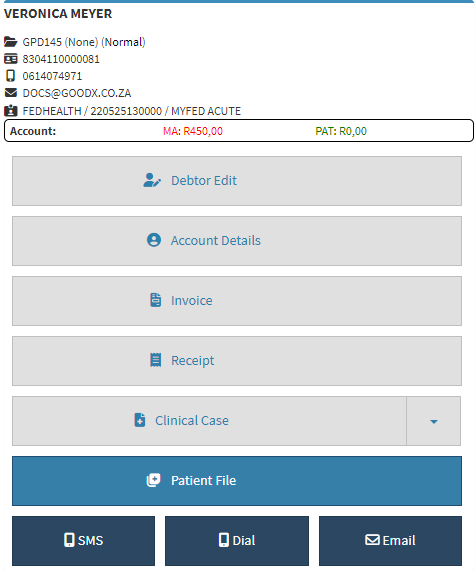
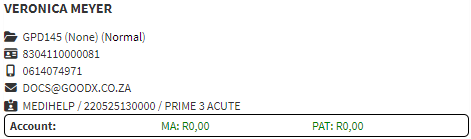
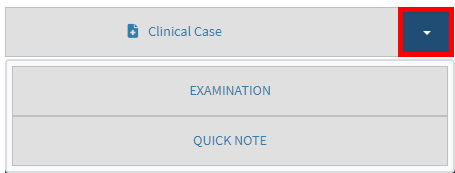
The Sidebar is an extended screen with shortcut buttons on the right-hand side, where more functions and information is shown of the Debtor/Patient. Different screens can be accessed from the Sidebar. The information shown on the Sidebar can be switched off by using the Sidebar Widgets. For more information on how to switch off Sidebar Widgets, please refer to the user manual: General Settings.
The contents of this user manual will consist of the following information:
Debtor Demographic Details
Sidebar Accessibility Screen Buttons
Communication Buttons
This user manual will start on the Debtors screen.
Click on the desiredDebtor to access the functionality of the Debtor's sidebar.
The Debtor Sidebar will open.
Debtor Demographic Information
The top of the Debtor's sidebar contains the Debtor's Demographic Information, such as their File number, ID Number, Contact Details and Medical Aid Information.
An explanation will be given for the information that appears in the Debtor Demographic section:
Debtor's Name (VERONICA MEYER): The Full Name and Surname of the Debtor.
Debtor File Number (GPD145 (None) (Normal)): The File Number of the Debtor, the Debtor's hard copy File Number as well as the Status of the Debtor.
ID Number (8304110000081): The Identification Number of the Debtor.
Cellphone Number (0614074971): The Cellphone Number where the Debtor can be reached.
Email Address (DOCS@GOODX.CO.ZA): The Debtor's Email Address.
Medical Aid Details (FEDHEALTH/220525130000/MYFED ACUTE): The Name, Membership Number and the Plan Name of the Debtor's Medical Aid.
Sidebar Buttons
Using the buttons on the Sidebar, gives the user the ability to navigate to the most important screens regarding the Debtor's Information on the system.
Click the Debtor Edit button, in order to Edit the Debtor's account.