A Receipt Written Back is used when a Receipt has been captured incorrectly. By processing a Receipt write-back, the system adjusts the account with a corresponding positive amount, effectively cancelling out the original incorrect Receipt and restoring the account to its correct state.
? Please Note: Using a Receipt Written Back will also automatically correct the Cashbooks and the Cashflow. Never use a Journal to correct a Receipt, as this will cause significant issues in your cash flow and financial records.
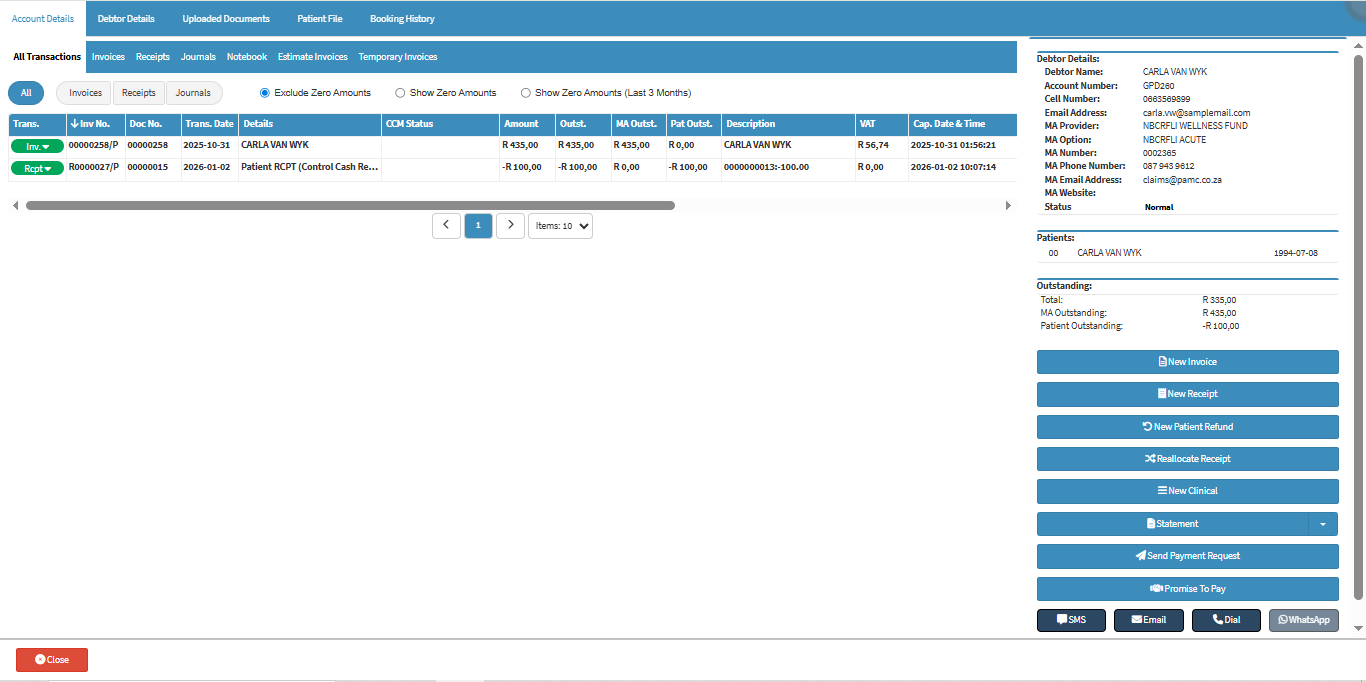
This user manual will start on the Account Details screen of the desired Debtor.
For more information on how to navigate to the Account Details screen, please refer to Account Details Overview.
Clickon the Receipts tab.
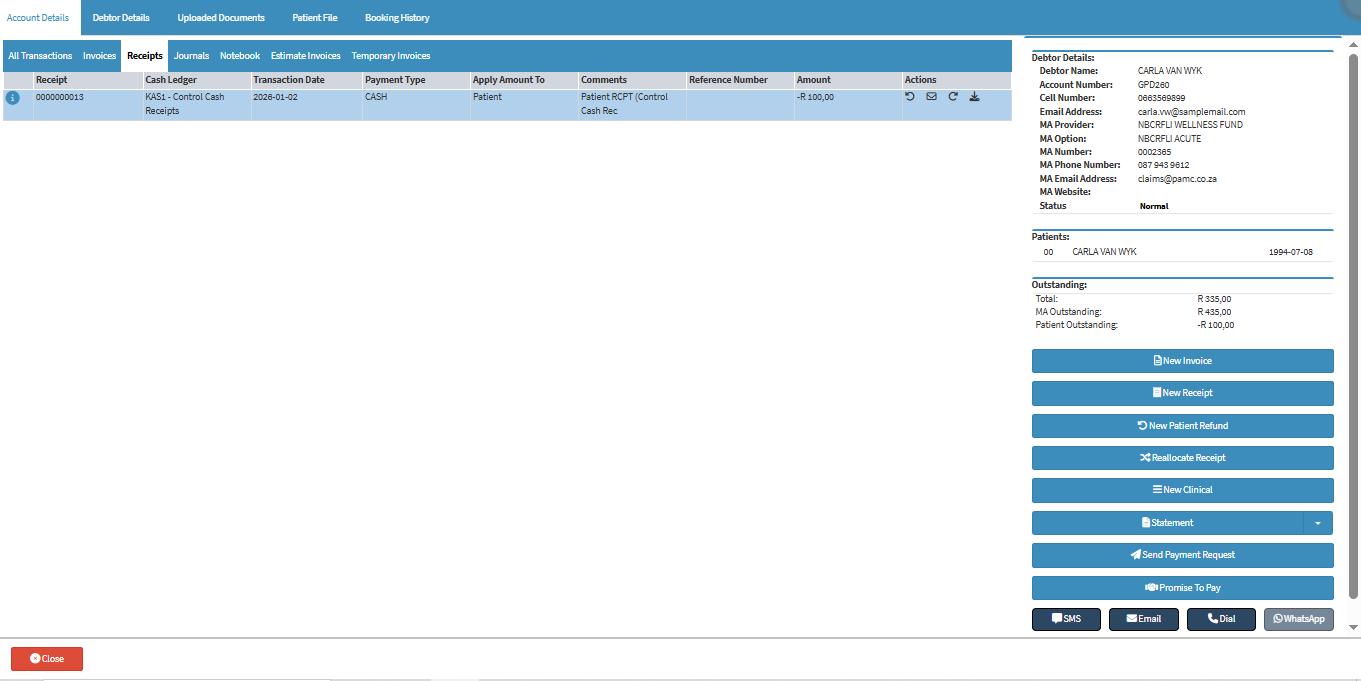
The Receipts screen will open.
Click on the Reverse Receipt button of the desired Receipt.
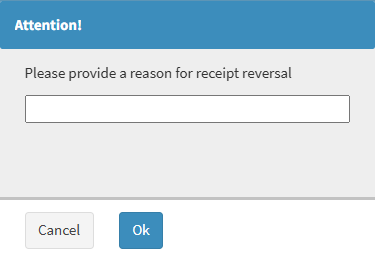
An Attention! pop up will appear, to advise you that a reason needs to be given as to why the reversal is being done.
Click on the Please Provide a Reason for the Receipt Reversal field and enter a reason why the Receipt will be reversed.
Click on the Ok button to save and return to the Account Details screen.
The Receipt will be reversed, and the amount will be reset.
For more information regarding the Receipt screen, please refer to the user manual: Receipt Screen Overview.