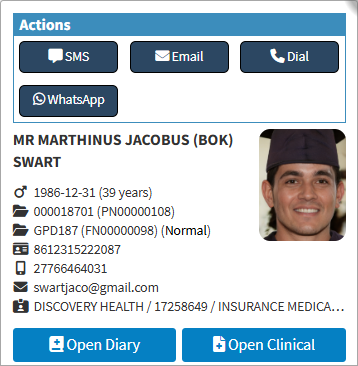
The Booking Search Sidebar provides quick access to key patient and debtor information, along with commonly used communication and account functions. From the sidebar, you can contact patients or debtors, send invoices and statements, view account details, and follow up on outstanding matters.
Using the Booking Search Sidebar saves time by bringing frequently used actions together in one place, reducing the need to navigate between different screens. This supports faster communication, more efficient account management, and smoother day-to-day workflows.
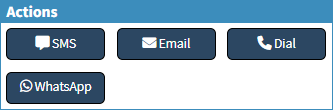
SMS: This button opens the SMS screen to quickly send booking confirmations, reminders, or updates to the Patient or Debtor. For navigation and details, see Send an SMS.
Email: The Email button opens the Email Add/Edit Workflow Event screen with the Patient's or Debtor's email address pre-filled, allowing you to quickly send reminders, Invoices, Statements, or other communications. For navigation and details, see Send an Email.
Dial: The Dial button opens the Call Event screen, allowing you to manage and document calls with the Patient, Debtor, or relevant contact, including contact details, account information, and call notes. For navigation and details, see Making a VoIP Call.
WhatsApp: The WhatsApp screen allows you to send templated messages to the Patient, Debtor, or relevant contact, ensuring quick, consistent, and traceable communication. For navigation and details, see Inbox Screen: Navigation and Use.
💡Please Note: Some features will have to be set up by your practice. For setup details, see Services.
Debtor Details
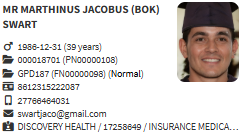
Patient's Details: Patient's title, name, and surname.
Gender, Date of Birth, Age: Patient's gender, date of birth, and age.
Account Number and Patient's File Number: Main debtor's account number and the patient's individual file number.
Debtor Number: System-generated debtor identifier assigned to the patient.
File Number: System file number assigned upon record creation.
ID Number: The patient's official identification number.
Cellphone Number: Patient's cellphone number.
Email Address: Email address of the patient.
Medical Aid Provider, Option and Number: Medical scheme name, selected plan, and membership number.