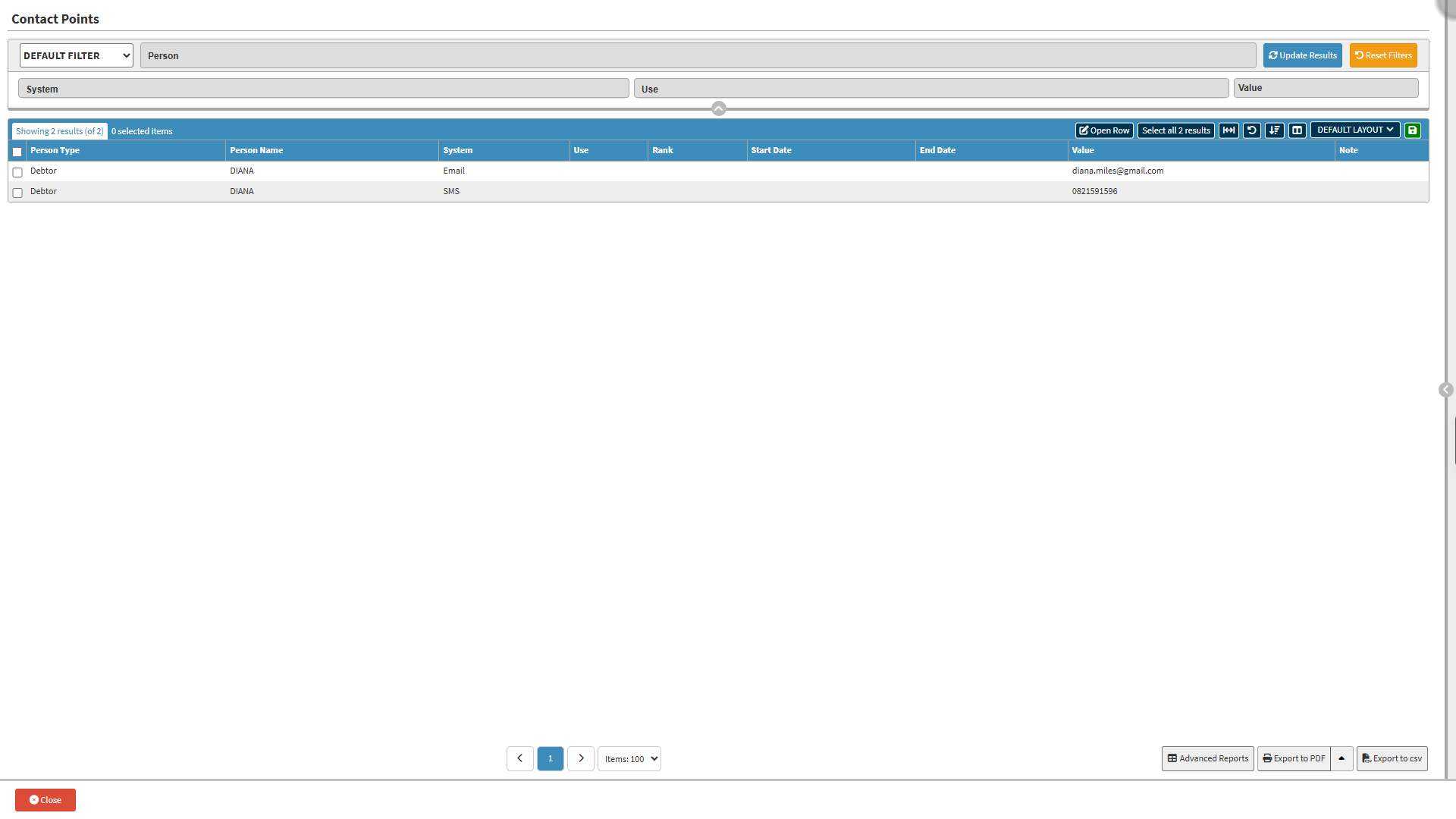
Using the Contact Points screen provides a structured way to manage every contact method linked to a Debtor or related person. Accurate contact details are essential for communication, billing, follow-ups, and resolving account matters efficiently. By viewing, filtering, and editing Contact Points in one central area, you ensure that each Debtor has up-to-date and reliable information assigned to the correct person. This improves workflow accuracy, supports proper recordkeeping, and allows users to quickly identify, update, and maintain the contact details needed for smooth account and communication processes.
Other: Miscellaneous or non-standard contact channel.
Use: Indicates the purpose of the contact point.
Home: Personal contact detail for non-work or private use.
Work: Contact detail for place of employment or business.
Mobile: Portable contact detail attached to a mobile device.
Temp: Contact detail intended for short-term or temporary use.
Value: Filter by the actual contact details assigned to the entry,
Reset Filters button: Clear all entered filter criteria.
Update Results button: Apply the completed filter criteria to update the Results list.
Screen Columns Action Buttons
Screen Column Action Buttons: Provides tools to customise displayed columns and save preferred layouts for future use. For details, see Screen Column Action Buttons Navigation.
Columns
Person Type: Indicates the category of the person linked to the address.
Person Name: Name of the person associated with the address.
System: Specifies the communication channel or medium type.
Use: Indicates the purpose of the address.
Rank: Priority order for reaching the contact.
Start Date: Date when the contact detail became active.
End Date: Date the contact detail was deactivated or replaced.
Value: Actual contact information linked to the entry.
Note: Additional context or comments.
Page Options
Page Options: Provides tools to navigate between pages, adjust the number of Items displayed, and export or save data for further use. For details, see Page Options Navigation.