The Available Bookings feature provides quick access to all available time slots across all Diaries on the current Entity for a specific day or range of days. This eliminates the need to open each Diary individually to check for available times.
This user manual will start on the Diary screen.
Click on the Available Bookings button on the Navigation bar.
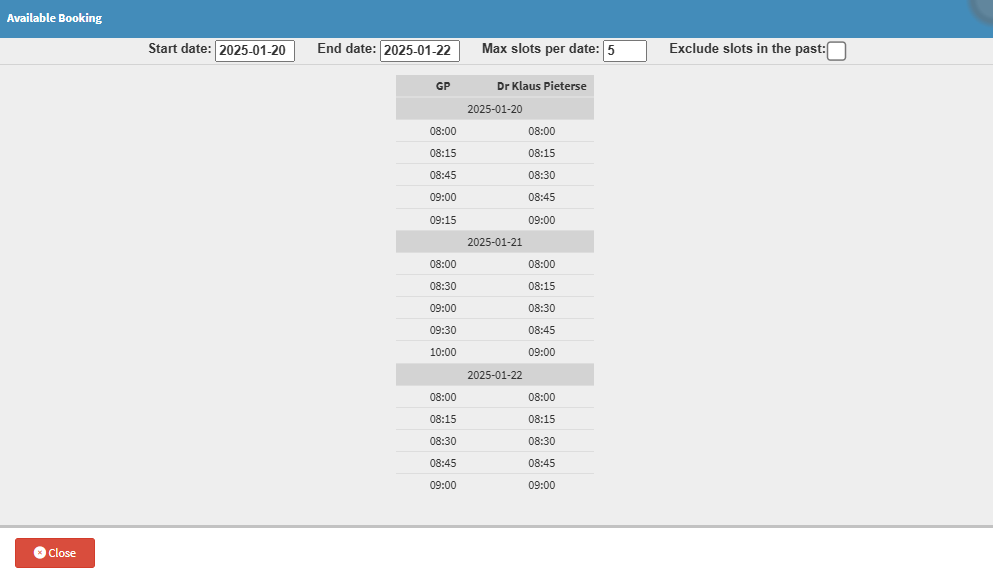
The Available Booking screen will open with all the available Bookings for today.
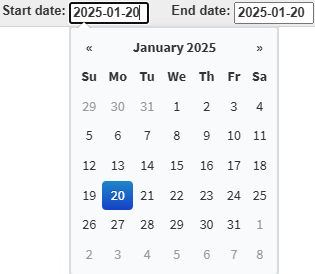
Click on the Start Date and End Date fields to select the date range from the available Date Picker.
?Please Note: When a Date range is selected, the time slots for those dates will be added to the Available Booking screen starting from the earliest date.
Click on the Max Slots Per Date field to enter the maximum number of available slots that you wish to view.
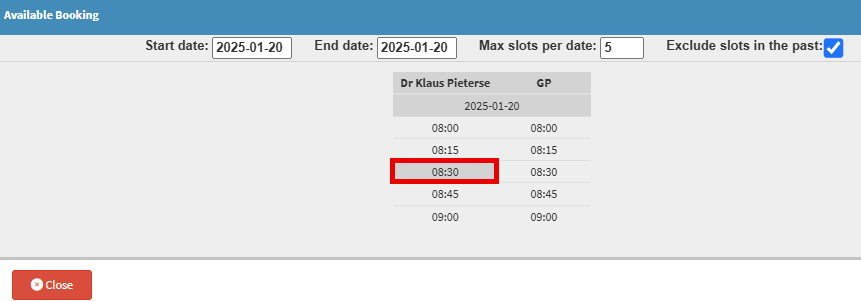
Click on the Exclude Slots in the Past checkbox to avoid viewing slots that have already passed.
Double-click on the desired time slot on the Diary of choice.