Why This Matters?

A Hospital Rounds Admission is used to add a patient to the Hospital Rounds list when the practitioner needs to visit and manage the patient during their hospital stay. It creates the Hospital Round Case used to track the patient's Hospital Round visits and related information.

Using a Hospital Rounds Admission provides the practitioner with a central place to manage patients requiring Hospital Rounds, making it easier to track their visits, clinical information, and progress throughout the patient's hospital stay.

💡 Please Note: Hospital Rounds Admission refers to adding a patient to the Hospital Rounds list and does not refer to the patient's actual admission to the hospital.

  • Start on the Hospital Admission screen.

Sections

  • Case Details
  • Hospital Admission Tabs

Case Details

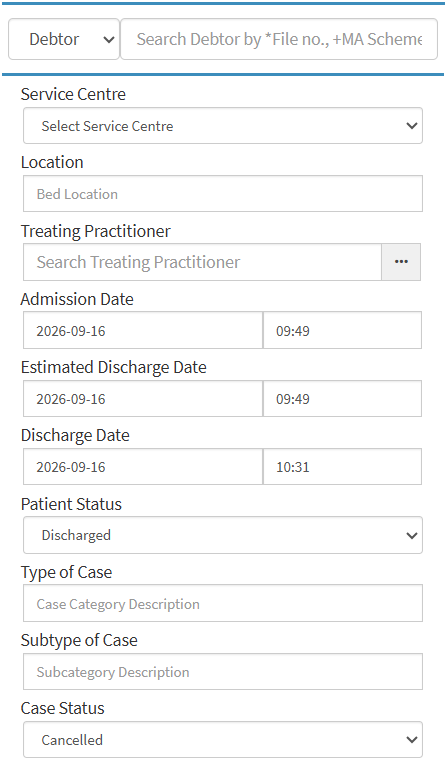
  • Debtor: The person responsible for the patient's account and payment. For details and navigation, see Debtors Screen Navigation.
  • Search Field: Search for a patient using their File No., ID Number, Medical Aid Number, Surname, or Name.
  • Service Centre: The Service Centre linked to the Hospital Case and used for the patient's treatment. For details and navigation, see General Settings Navigation and Use.
  • Location: The ward, room, or bed where the patient is located.
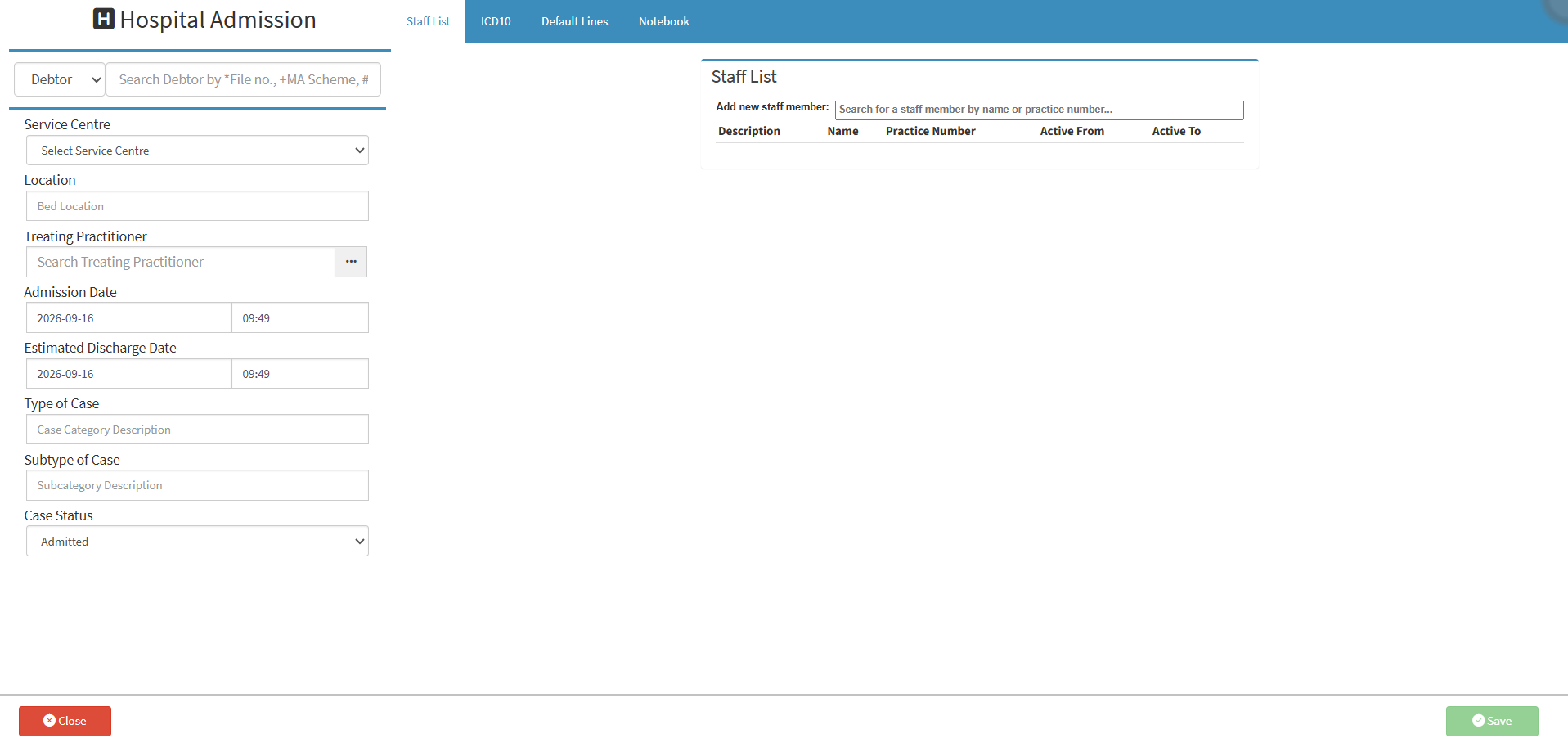
  • Treating Practitioner: The practitioner responsible for treating the patient during the Hospital Case. For details and navigation, see Adding a Treating Practitioner from the Settings Screen.
  • Admission Date: The date and time when the patient was admitted to the facility.
  • Estimated Discharge Date: The expected date and time when the patient will be discharged from the facility.
  • Type of Case: The type or classification assigned to the Hospital Case.
  • Subtype of Case: The specific category assigned to the Hospital Case.
  • Case Status: Indicates the current status of the patient's Hospital Case.
    • Pre-Admitted: Registered for admission but has not yet been admitted.
    • Admitted: Admitted to the facility and the Hospital Case is active.
    • Discharged: Patient has left the facility.
    • Finalised: Billing and admin are complete.
    • Cancelled: The planned admission has been cancelled and will not proceed.

Hospital Admission Tabs

Last modified: Friday, 16 October 2026, 11:53 AM