Why This Matters?

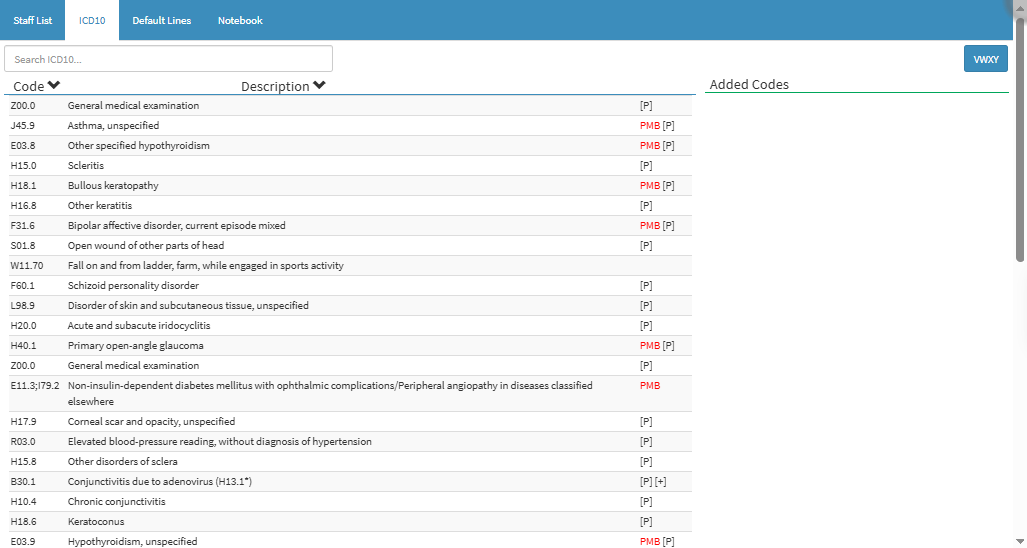
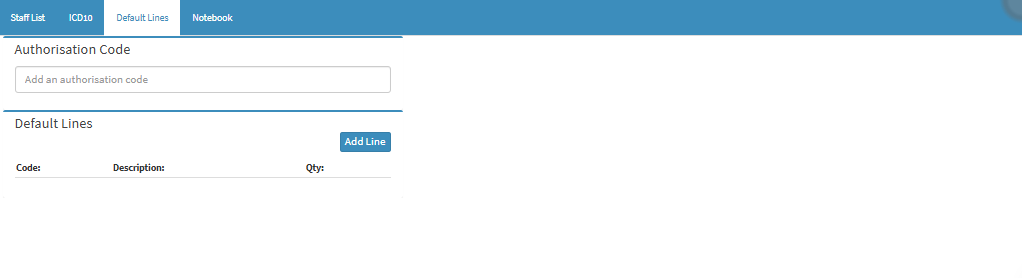
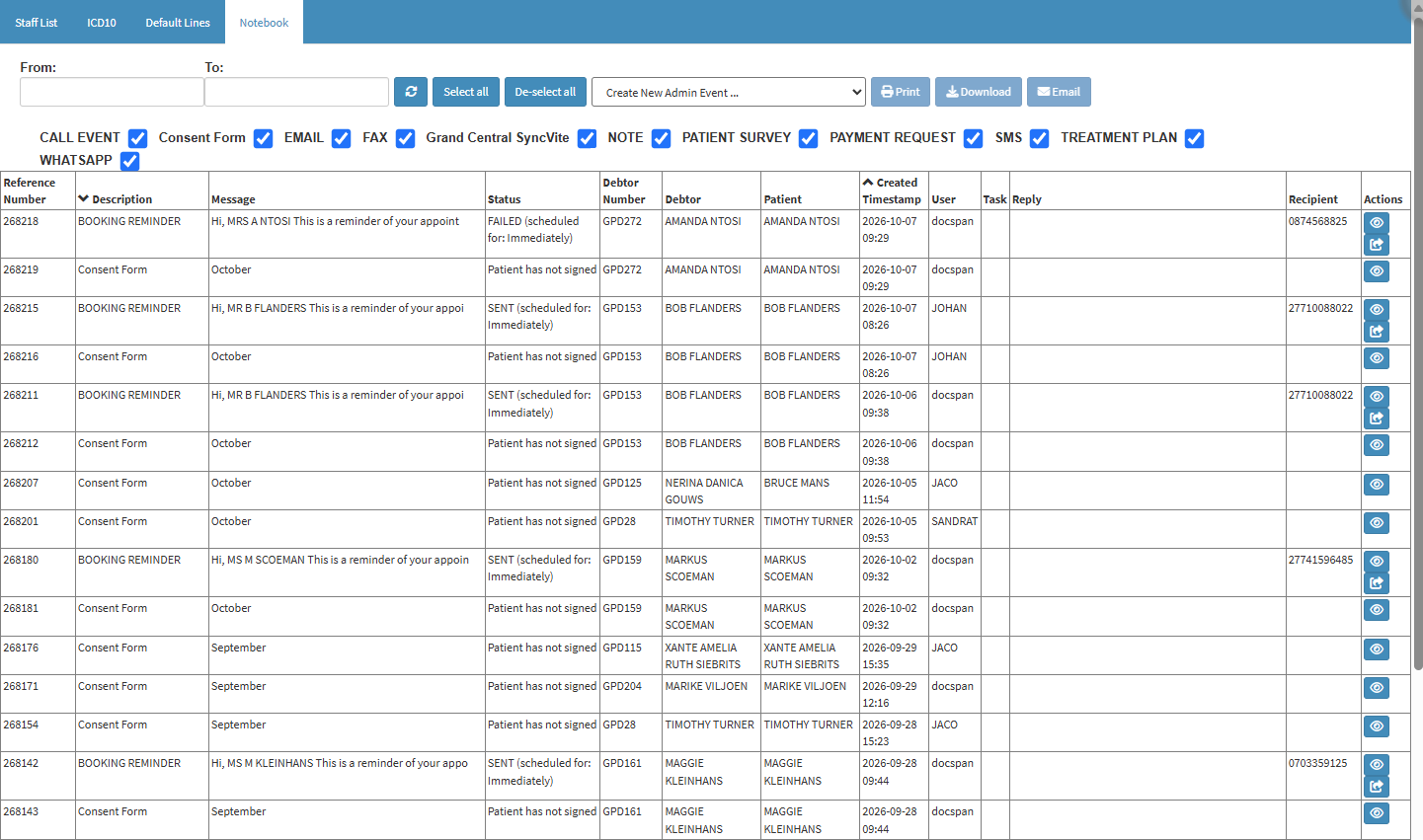
The Hospital Admission Tabs organise the information associated with the selected Hospital Admission into separate sections, including Staff List, ICD10, Default Lines, and Notebook.

The tabs provide quick access to the different sections while working with the Hospital Admission, keeping the related information together and reducing the need to navigate through different areas of the system.

Grouping the information into clearly defined tabs makes it easier to find and review what you need during the patient's hospital stay. This saves time, keeps the Hospital Admission organised, and helps the practitioner manage the admission more efficiently.
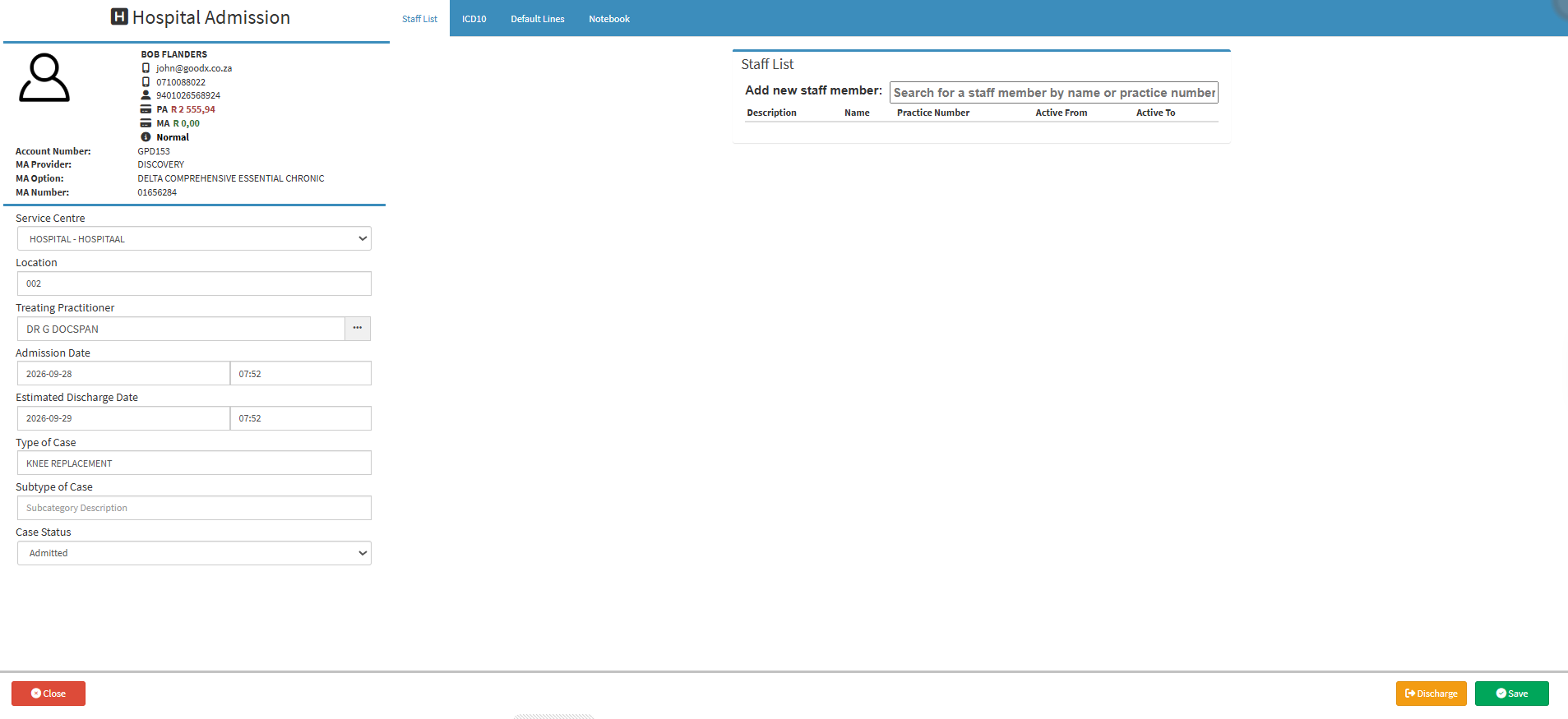

 
  • Start on the Hospital Admission screen.

Sections

  • Staff List
  • ICD10
  • Default Lines
  • Notebook

Staff List

  • Staff List: A comprehensive directory of all healthcare practitioners, administrative staff, and support personnel registered within the practice. For details, see Staff List Navigation.

ICD10

  • ICD10: Search, select, and assign diagnostic ICD-10 codes to a patient's case for clinical tracking, billing, and medical scheme authorisation. For details, see Hospital Case: ICD10. 

Default Lines

  • Default Lines: View and manage standard billing items, codes, descriptions, and quantities pre-set for a hospital admission, making it quicker and more consistent to capture billing information. For details, see Default Lines Tab Navigation.

Notebook

  • Notebook: Stores administrative notes, system-generated logs, and a history of patient communications, including sent SMS messages. For details, see Case Screen - Notebook Tab.

Last modified: Monday, 12 October 2026, 7:25 AM