Text size
Line height
Text spacing
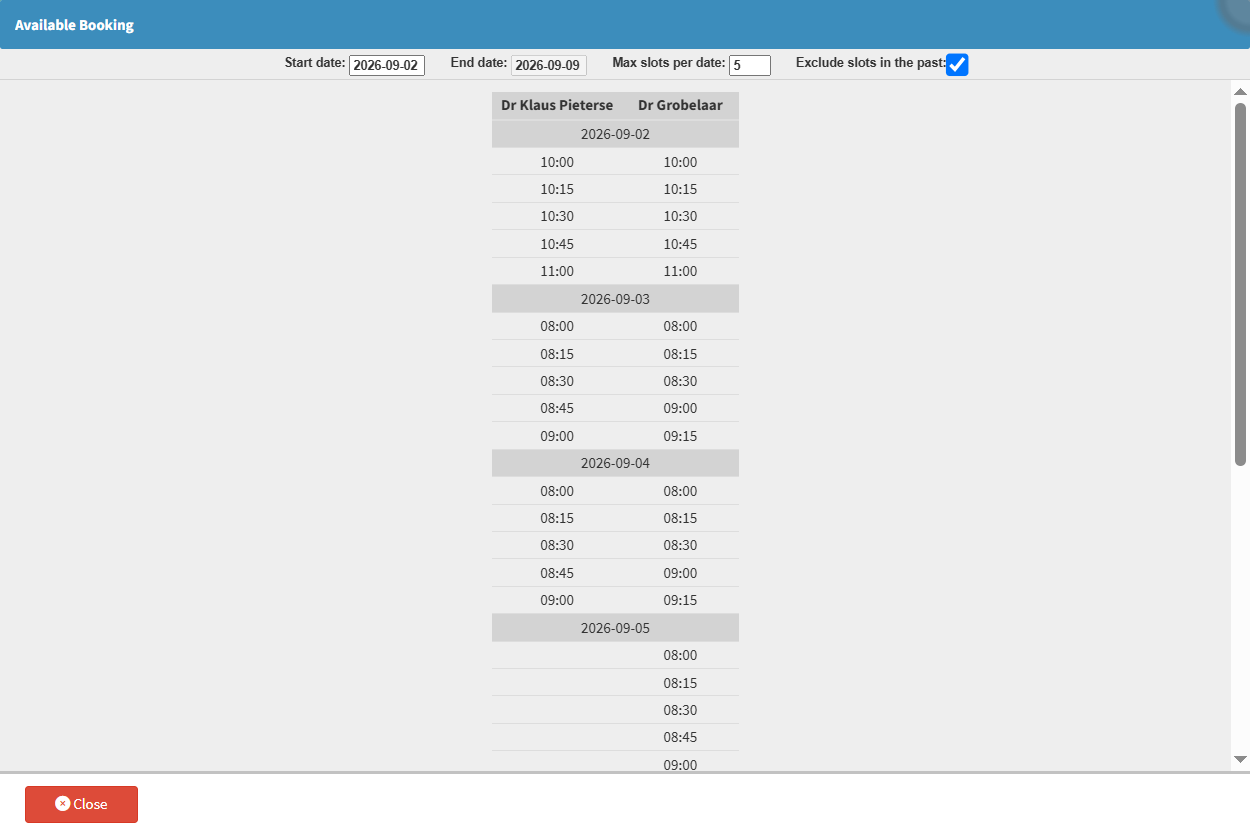
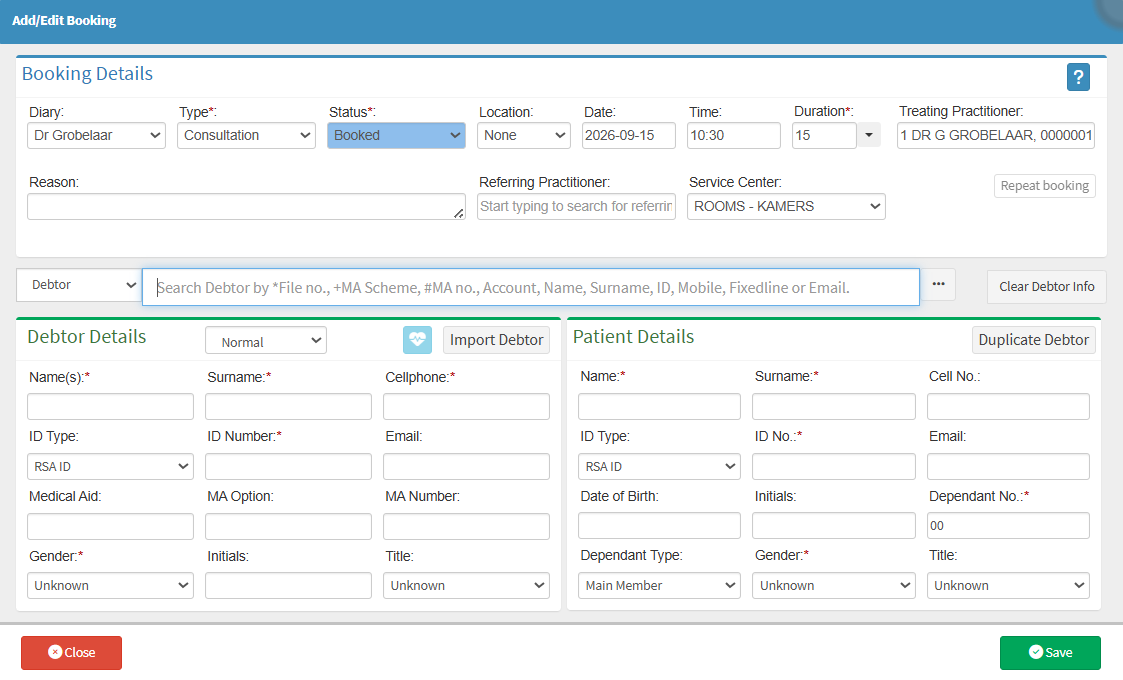
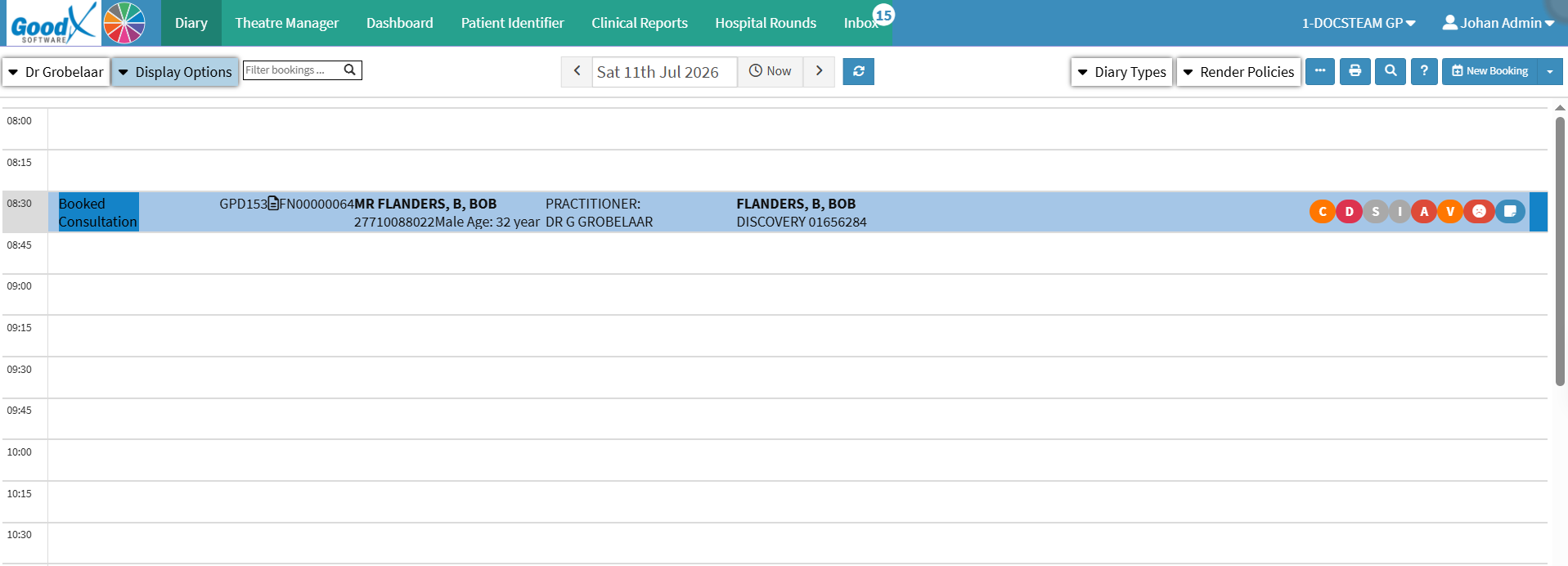
Creating a Booking from the Available Booking Screen lets you create an appointment directly from the selected available time slot. Once a suitable time has been identified, the booking can be created without leaving the Available Booking Screen.
Creating the booking directly from the selected time slot keeps the process simple and efficient, reducing unnecessary navigation and helping you quickly secure the selected appointment time for the Patient.