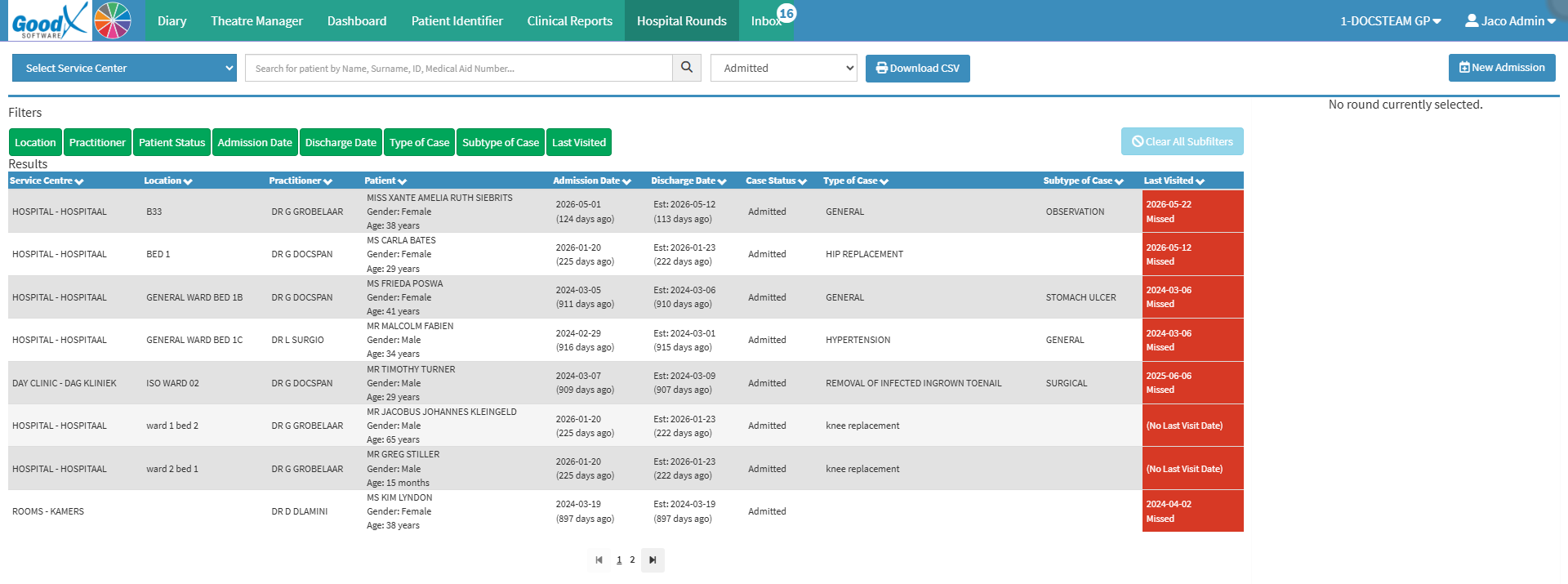
The Hospital Round List is a list of patients admitted to hospital who require regular visits from the practitioner. It provides the practitioner with an organised view of their hospital patients and the information needed to manage each patient's daily Hospital Round.
During each visit, the practitioner can record the relevant clinical information, creating a record of the patient's progress throughout their hospital stay. This information can then be used to review the patient's case and generate admission reports.
💡 Please Note: The Hospital Round List can be accessed directly from the Diary Segment, making it easier to coordinate Hospital Rounds with the practitioner's Diary bookings.
Service Centre: Facility where the patient is currently receiving medical care.
Location: Areawhere the patient is receiving medical care within the hospital.
Practitioner: Treating practitioner who is linked to the hospital round case.
Patient: Name, gender, and current age of the patient.
Admission Date: Year, month, and day the patient was admitted.
Discharge Date: Year, month, and day the practitioner discharged the patient.
Case Status: Indicates the current case status of the patient.
Type of Case: Type of admissionfor the patient.
Subtype of Case: Indicates the proceduredone.
Last Visited: Datethe patient was lastvisited by the practitioner.
Green: Patient was last seen today.
Orange: Patient was last seen yesterday.
Red: Patient has not been seen in more than three days.
Grey: The patient’s visit was cancelled because either the practitioner or the patient was unavailable.
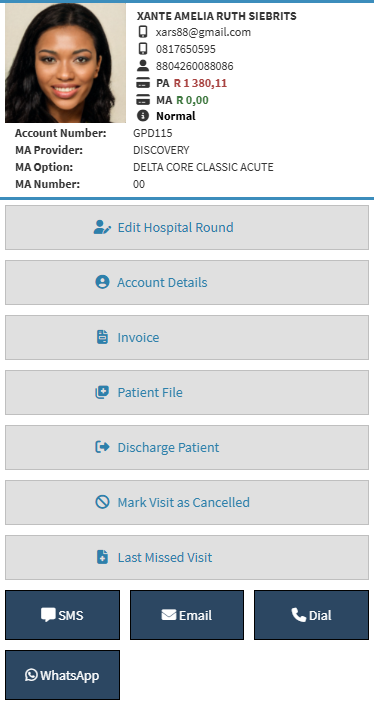
Hospital Round List Sidebar
Hospital Round List Sidebar: Provides additional patient information and quick access to relevant features. For details, see Hospital Round List Sidebar Navigation.
Page Options
Previous: Navigate to the previous page.
Page Number: Jump directly to a specific page number.
Next: Navigate to the next page.
Last modified: Friday, 25 September 2026, 10:34 AM