Text size
Line height
Text spacing
Questionnaire Form Settings are configured to allow the Practice to control how each Patient questionnaire operates. These settings determine whether or not a questionnaire will appear alongside the booking icons, its title on the booking timeslots, which questionnaire is displayed on the booking line, and how the system responds to Patient answers. Threshold values can be set to trigger warning or critical alerts based on Patient responses.
💡Please Note: Questionnaires must be configured correctly before they can operate, and threshold values should be carefully set to reflect the desired level of urgency.
💡Please Note: Questionnaire Settings are done at an Entity level, ensuring that they are the same for all Users across the Practice.




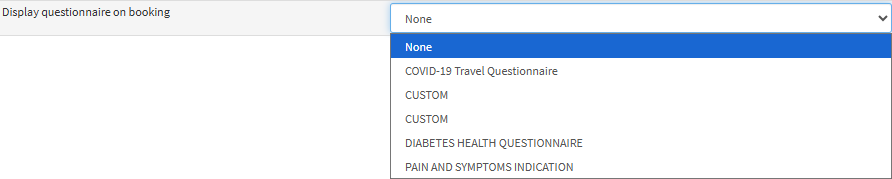
💡 Please Note: Once you select a Questionnaire form from the drop-down menu, it will display as an additional booking icon from that moment onwards.



💡Please Note: You can set up Questionnaires so that specific answers award a set number of points. When a Patient’s total score goes above the pre-defined threshold value, the booking icon will change to orange, and when the total score is higher than the Warning Threshold value, the booking icon will change to red.

