Why This Matters:

purpose

  • Start on the ... screen.

Sections:

  • ...
  • ...
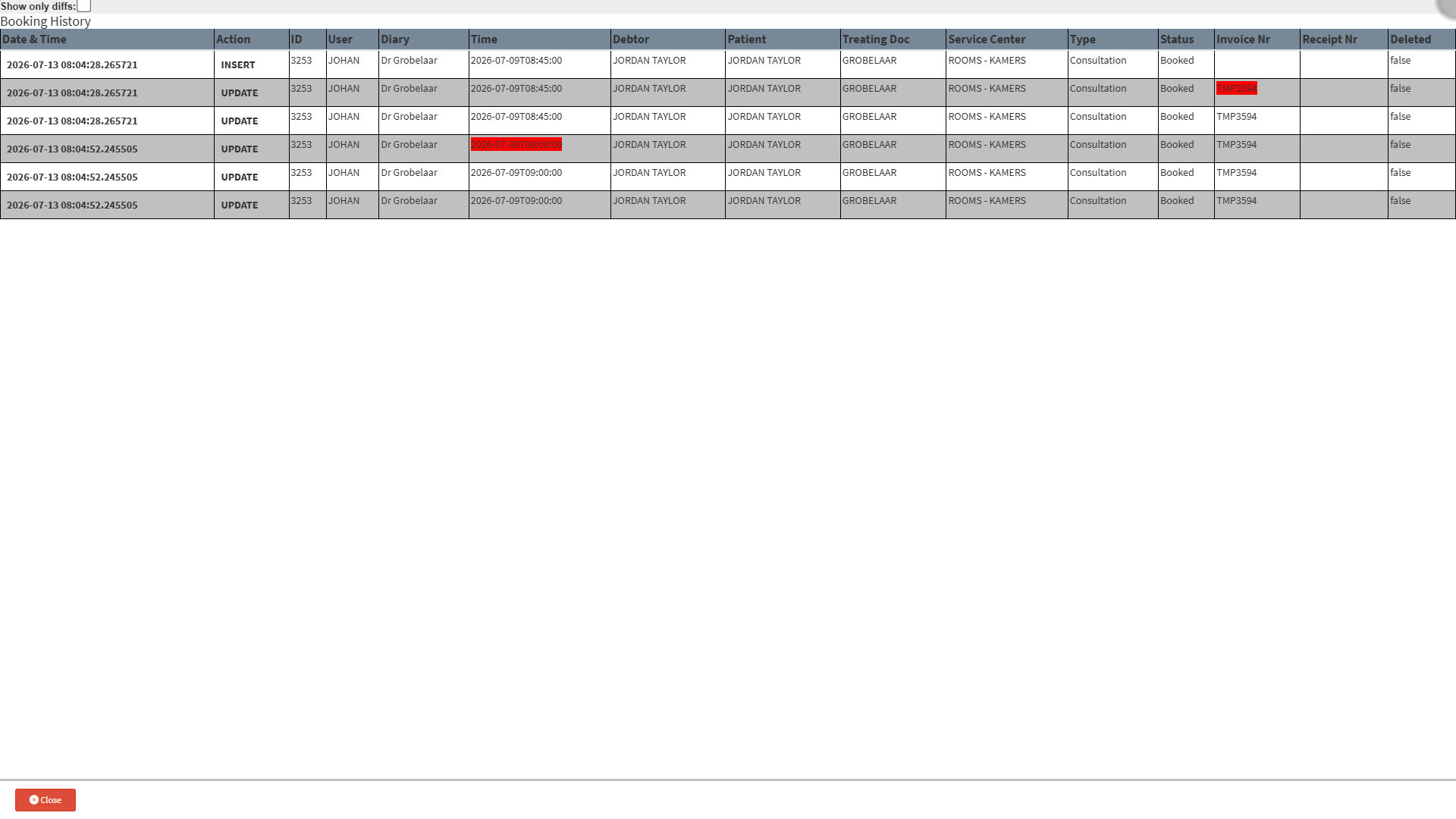
  • The information will be displayed in columns; an explanation will be provided for each.

      • Date & Time: A date and time stamp that indicates when changes were made to the timeslot. 
      • Action: Displays changes that have occurred on the timeslot, for example :
        • Insert: The first time a booking was added to a specific timeslot.
        • Updated: Any changes that have been made to the booking.
      • User: Refers to the person with a login name and user details used to access the GoodX Web App. The user displayed here is the individual who was logged in and made the changes at that specific time.
      • Time: The date and timestamp of the specific timeslot currently being viewed.
      • Duration: The amount of time that is allocated towards the appointment.
      • Debtor: The person who is responsible for the account.
      • Patient: The Patient's details that were booked for this appointment.
      • Deleted: This field will display whether or not an appointment was deleted or not, for example:
        • True: The appointment was deleted. 
        • False: The appointment is still booked. 
    • Tick the Show only diffs checkbox to display only the changes made to that specific booking, not all the booking details.

💡Please Note: When the Show only diffs checkbox is ticked, only the changes made to that specific booking will be displayed, not all the booking details.


Last modified: Wednesday, 12 August 2026, 12:02 PM