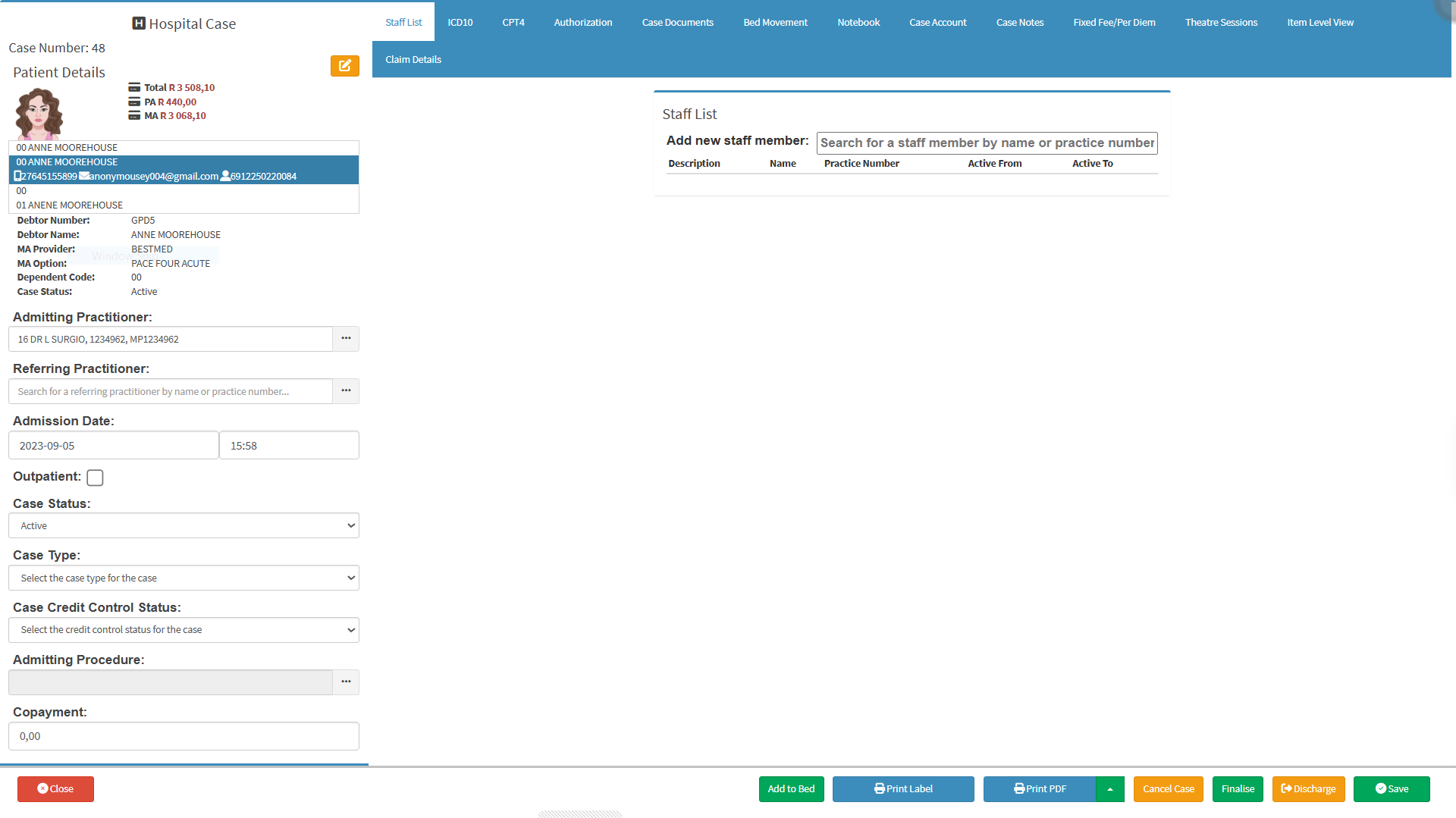
The Hospital Case Tabs organise the information and functions related to the selected Hospital Case into separate sections. The tabs provide access to the different areas needed to manage the patient and their Case while they are in hospital.
The tabs provide quick access to a wide range of clinical, administrative, and financial information without having to navigate through different areas of GoodX. Keeping these functions together makes it easier to find the information needed, manage the patient's Case, and complete the required actions throughout the patient's hospital stay.
Using the Hospital Case Tabs helps keep the Case organised and gives the practitioner a central point from which to manage the patient's information and hospital care.
Staff List: A comprehensive directory of all healthcare practitioners, administrative staff, and support personnel registered within the practice. For details, see Staff List Navigation.
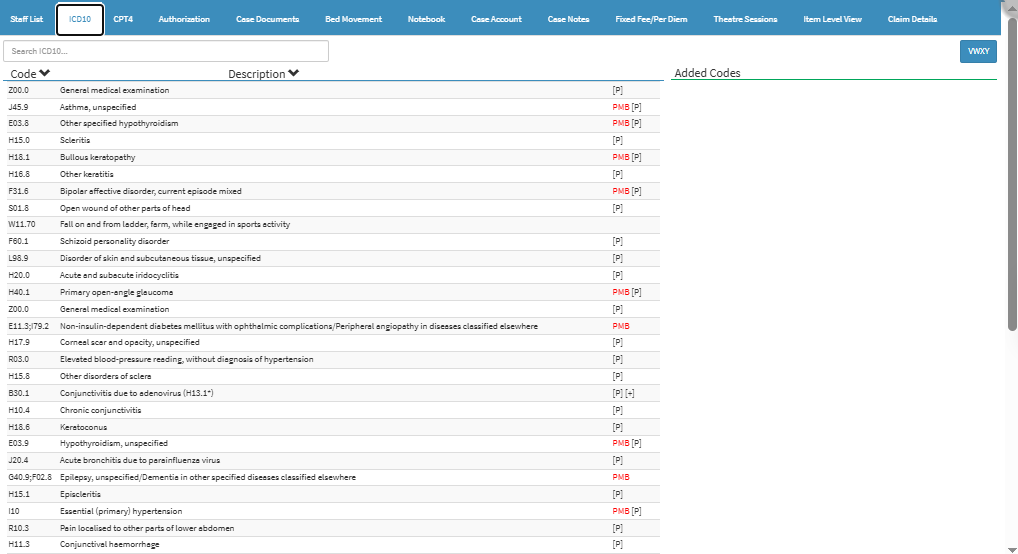
ICD10
ICD10: Search, select, and assign diagnostic ICD-10 codes to a patient's case for clinical tracking, billing, and medical scheme authorisation. For details, see Hospital Case: ICD10 Tab.
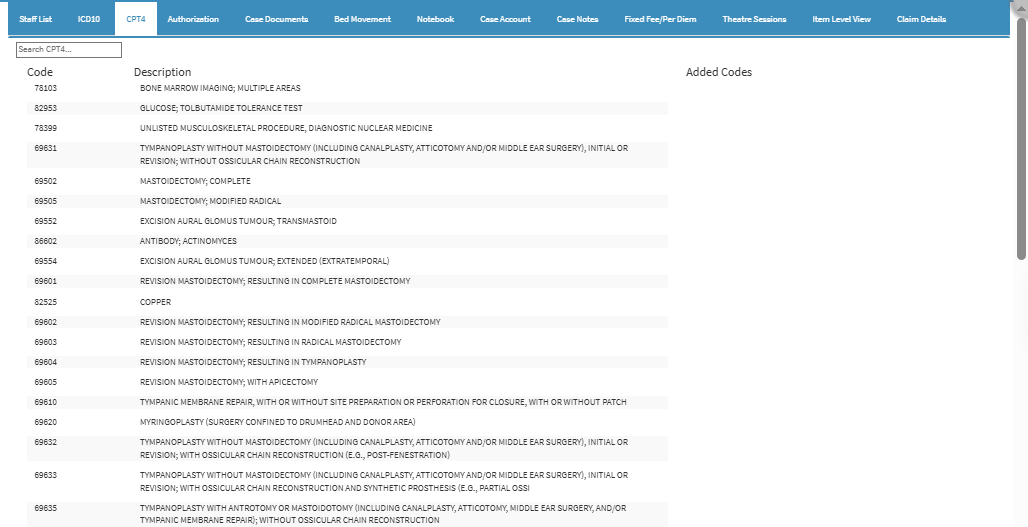
CPT4
CPT4: A section used to search, select, and assign procedure-based CPT-4 codes to a patient's case to record medical, surgical, and diagnostic services performed for billing and authorisation purposes. For details, see Hospital Case: CPT4 Tab.
Authorisation
Authorisation: A section used to record, manage, and track pre-authorisation details from medical schemes, including authorisation numbers, approved stay dates, length of stay, authorized amounts, and contact details for claim processing. For details, see Authorisation Tab Navigation.
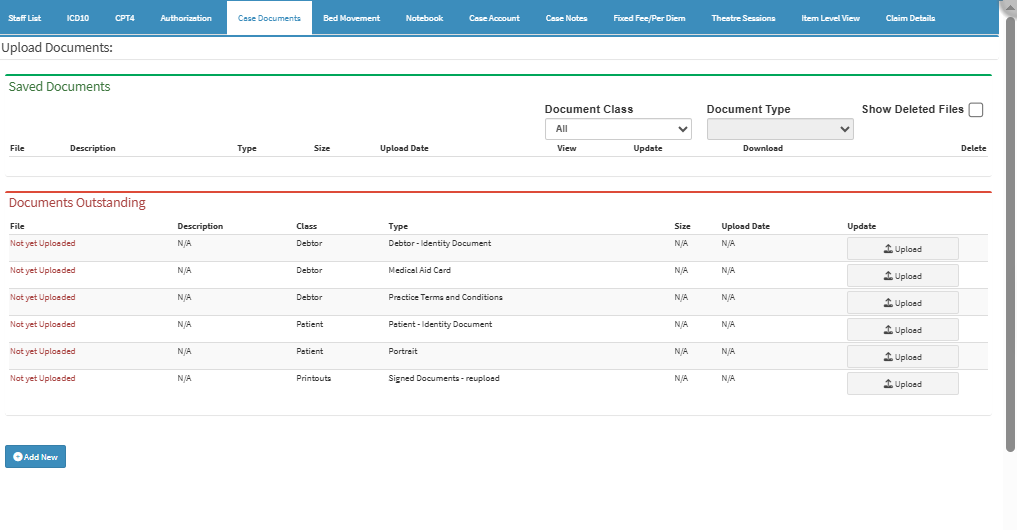
Case Documents
Case Documents: A section used to upload, store, and manage patient-specific files, forms, signed consents, and external medical reports associated with the case for centralized record-keeping. For details, see Case Screen - Case Documents Tab.
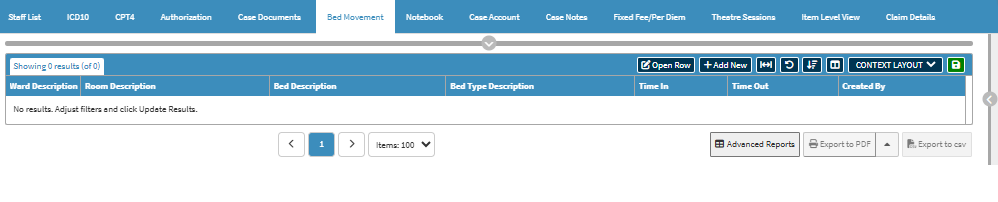
Bed Movement
Bed Movement: Tracks and manages all patient room or ward transfers, admission timestamps, and discharge records throughout a hospital stay. For details, seeFor details, see Case Screen - Bed Movement Tab.
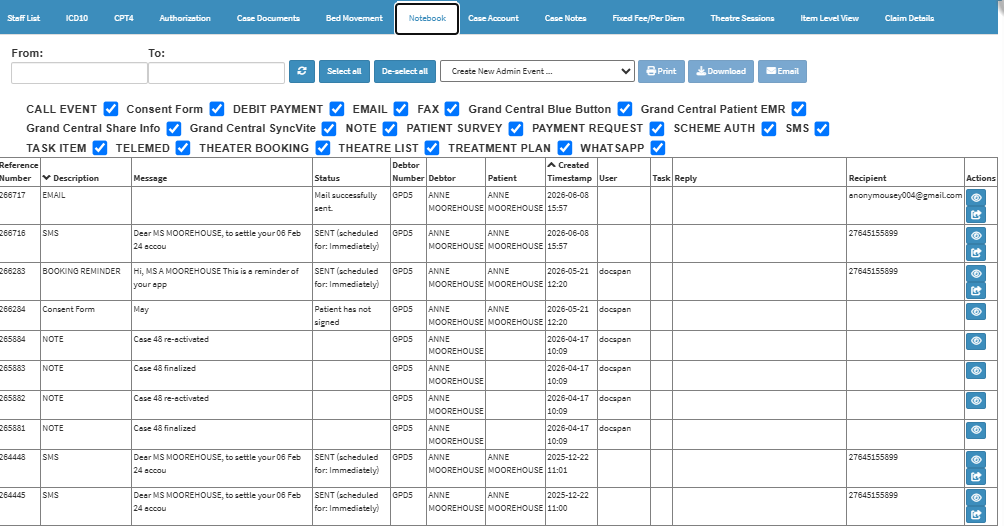
Notebook
Notebook: Stores administrative notes, system-generated logs, and a history of patient communications, including sent SMS messages. For details, see Case Screen - Notebook Tab
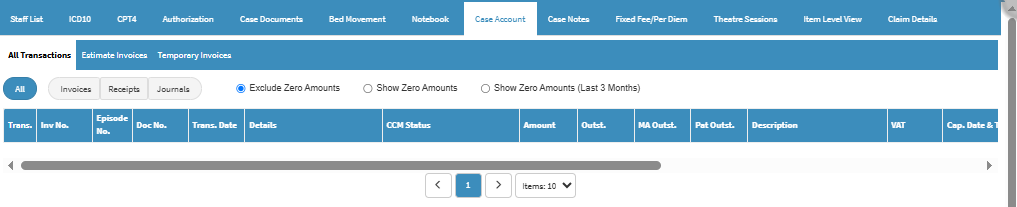
Case Account
Case Account: Handles all financial activity for the admission, including invoicing, payments, credits, and current balances. For details, see Case Screen - Case Account Tab.
Case Notes
Case Notes: Allows clinicians to enter, review, and maintain clinical documentation, consultation findings, and patient progress records. For details, see Case Screen: Navigating the Case Notes Tab.
Fixed Fee/Per Diem
Fixed Fee/Per Diem: Used to define, select, and manage agreed-upon fixed billing rates or daily (per diem) charges for a patient's hospital stay, replacing standard fee-for-service itemized billing where applicable. For details, see Case Screen - Fixed Fee/Per Diem Tab.
Theatre Sessions
Theatre Sessions: Used to record, track, and manage time spent in the operating room, including surgical procedures, room utilization, and associated surgical billing rates or block booking details. For details, see Case Screen: Navigating the Theatre Sessions Tab.
Item Level View
Item Level View: Used to display, inspect, and manage individual line items within a patient's bill or account, providing a granular breakdown of specific charges, services, and materials used. For details, see Case Screen - Item Level View Tab.
Claim Details
Claim Details: Used to view, review, and manage specific information related to an insurance or billing claim, including claim numbers, submission status, coverage determinations, and itemized payout details. For details, see Case Screen: Navigating the Claim Details Tab.