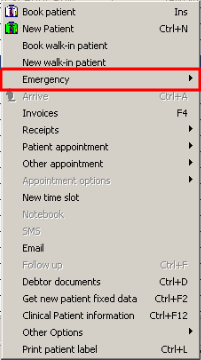
By booking a Walk-in Emergency Patient, you will create a new Appointment at the time shown on your computer. It will automatically mark the Patient as arrived.
Right-click on any time slot and choose Emergency.
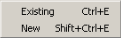
It will give the Option to choose between an Existing Patient (Patient that's on the System) or a New Patient.
Your next steps will be the same as booking a Normal Walk-in booking (New Walk-in Patient) or (Book Walk-in Patient); when the booking is made it will create a new time slot and it will have a symbol to alert you that it is an Emergency Appointment.
Appointments will look as follow on the Diary screen.