In the Desktop app, there is a follow-up function that allows the user if the patient needs a follow-up consultation and when, the function allows the user to phone the patient and arrange appointments with the follow-up consultation, for example, patients
with chronic diseases.
Log in to the GoodX Desktop App with your username and password
Double click on the Diary module
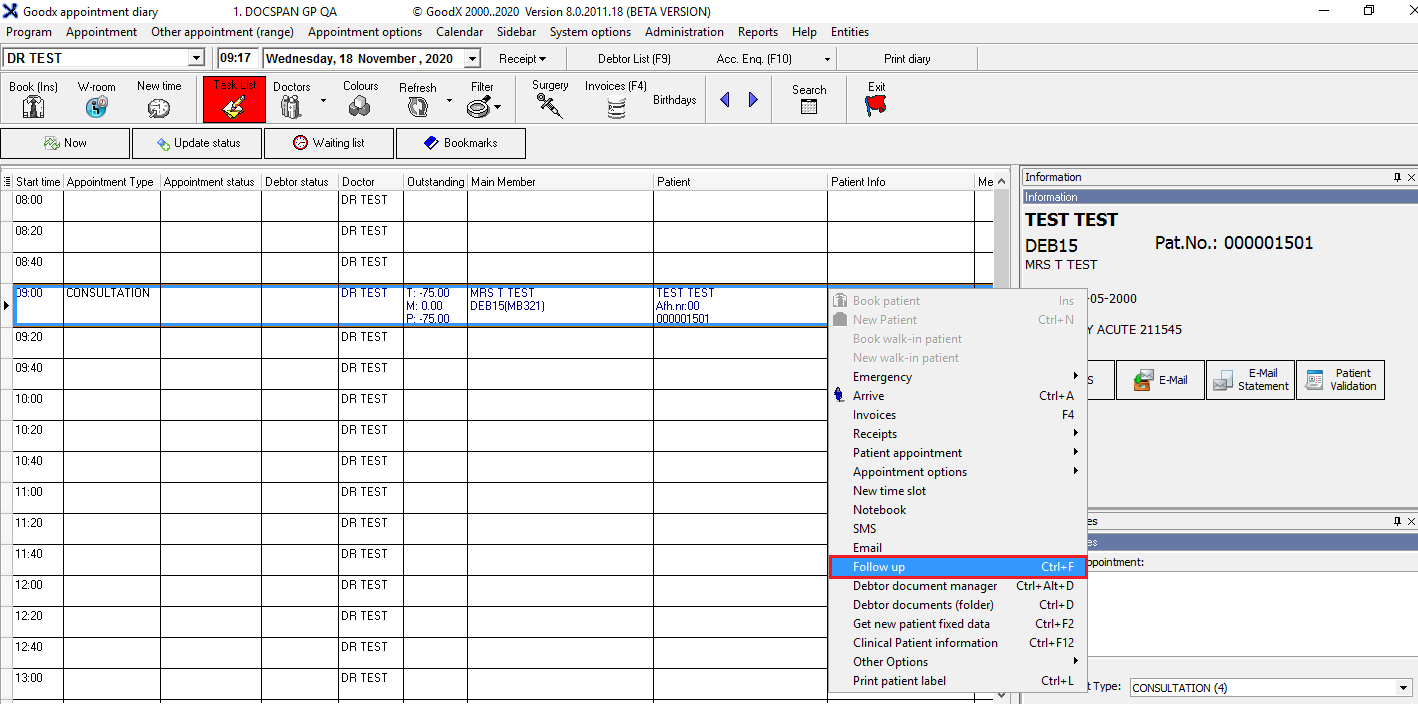
From the correct booking made, Right-click on the mouse
From the drop-down, click on Follow up or press Ctrl+F on your keyboard
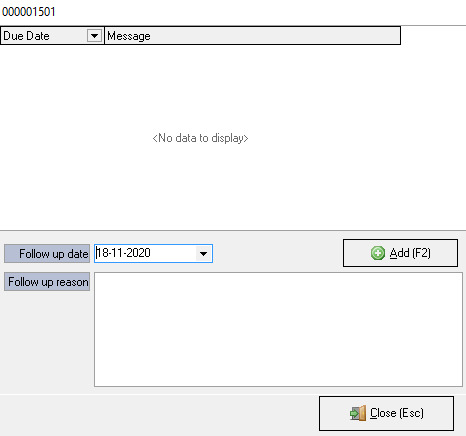
The follow-up screen will appear
Complete the following information:
Follow-up date: The date that the patient should be back for the follow-up treatment/consultation
Follow-up reason: The follow-up reason can be used to indicate why the patient should be back for a follow-up treatment/consultation
NB: Click on the Add button to add the new follow-up date to the list after you completed the follow-up date AND reason
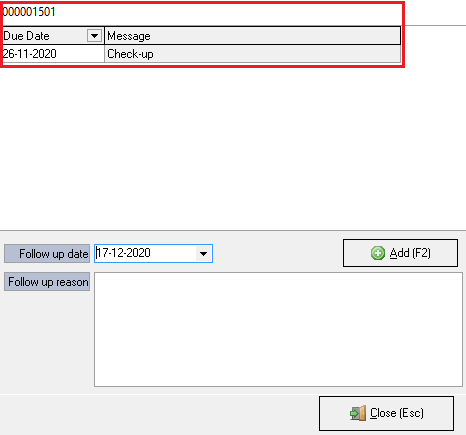
The previous appointments will show in the top block:
The following information will appear:
Due Date: The date when the patient should return to the doctor/hospital for their follow-up appointment
Message: A message to state the reason for the next appointment
Click on the Close button or Esc on your keyboard to return to the Diary
Last modified: Thursday, 17 December 2020, 8:43 AM