To book a New walk-in Patient open the Diary Screen.
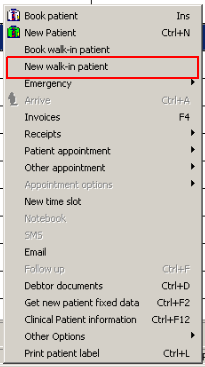
Right click on a preferred time slot (TAKE NOTE: You can only book a walk-in on the current day)
Click on New walk-in Patient
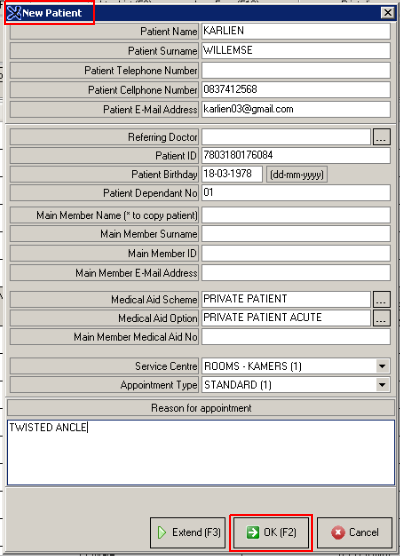
Capture the New Patient's Information
It is important that you capture the Patient's full Name, Surname and Contact Number. If possible, make a note of the ID number as well. This will help you trace the member if necessary.
Capture the Reason for Appointment
Click on OK (F2) to book the appointment
The details of the Appointment will reflect in the selected time slot.
You will see the "Walk-In Symbol" will be reflected on the booking