Before a Diary of a Doctor can be used, the tables for the year must be built first.
NOTE: Make a BACKUP first.
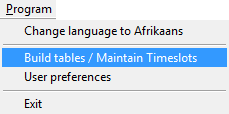
- Click on Program on the Main Menu and select Build Tables / Maintain Time slots.
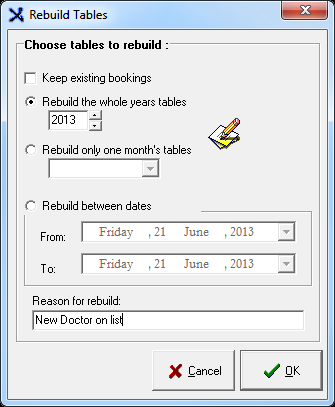
- Choose the tables that need to be rebuild by selecting the radio button of choice.
- Enter a Reason for the rebuild.
NOTE that all existing appointments for the selected year / month will be deleted unless the "Keep existing bookings" tick box has been selected.
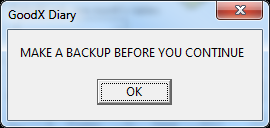
- Only click OK if a backup has been made.
Generate Timeslots:
- The empty Diary displays.
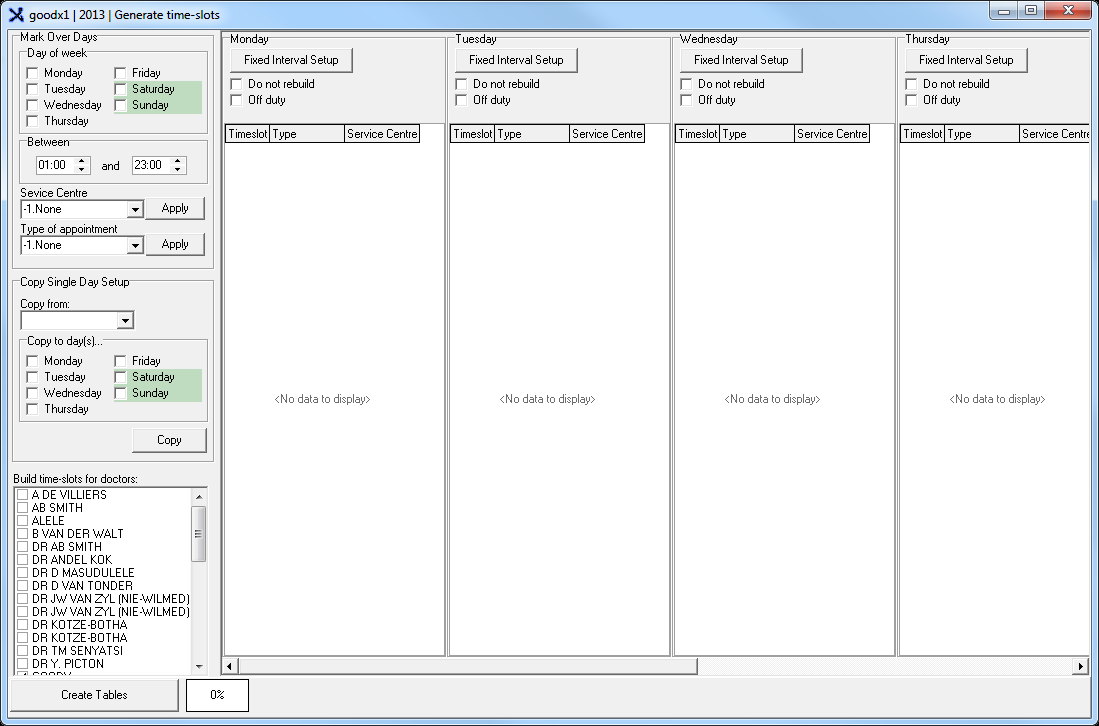
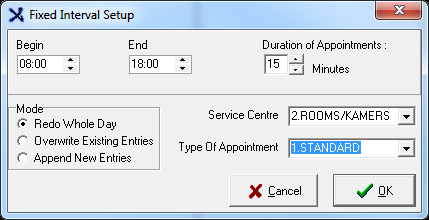
- Click on Fixed Interval Setup on Monday.
- Select the Begin and End time.
- The Duration of appointments.
- And the Type of Appointment.
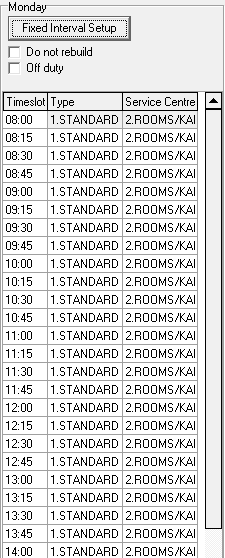
- The time slots for Monday is displayed.
- In the Copy single Day Setup section, select the day to copy from - this will be Monday.
- Copy to day(s): Select the rest of the days.
- Select the Doctors the time slots should be built for.
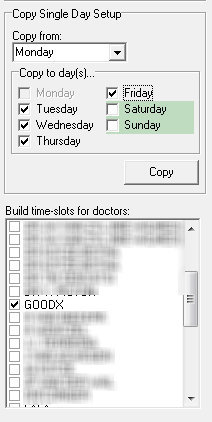
- When finished, the set up will display like this.
- Click on the Create tables button.

- It is very important to ensure that all of these precautions have been adhered to.
- Click on OK only when all of the actions have been taken.
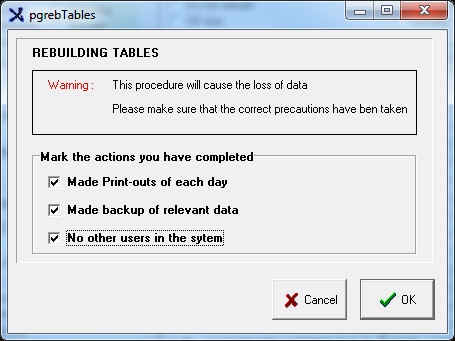
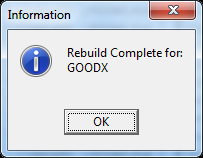
- When completed, the following message is displayed.
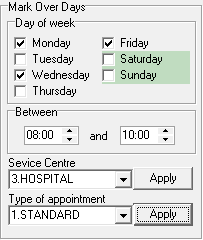
Mark over days:
- If the set-up of only certain days of the week should be different than the original setup, this option can be used.
- It can also be used to create different set-ups for one day (Use the Timeframe).
- Select the Day(s) of the week that you want to rebuild.
- Select the Service Centre and Type of appointment and click on Apply.
- Click on the Create tables button.
Last modified: Friday, 17 April 2026, 7:38 AM