How to Link a Default Referring Practitioner to a Debtor/Patient
Completion requirements
Why Use This Function:
Linking a Patient to a Referring Practitioner is essential for seamless communication and collaboration in healthcare. It ensures that specialists can share results efficiently, keeps all involved Practitioners informed, and supports better coordination in the Patient’s treatment plan. This connection enhances continuity of care, allowing for a well-organised and streamlined medical journey.
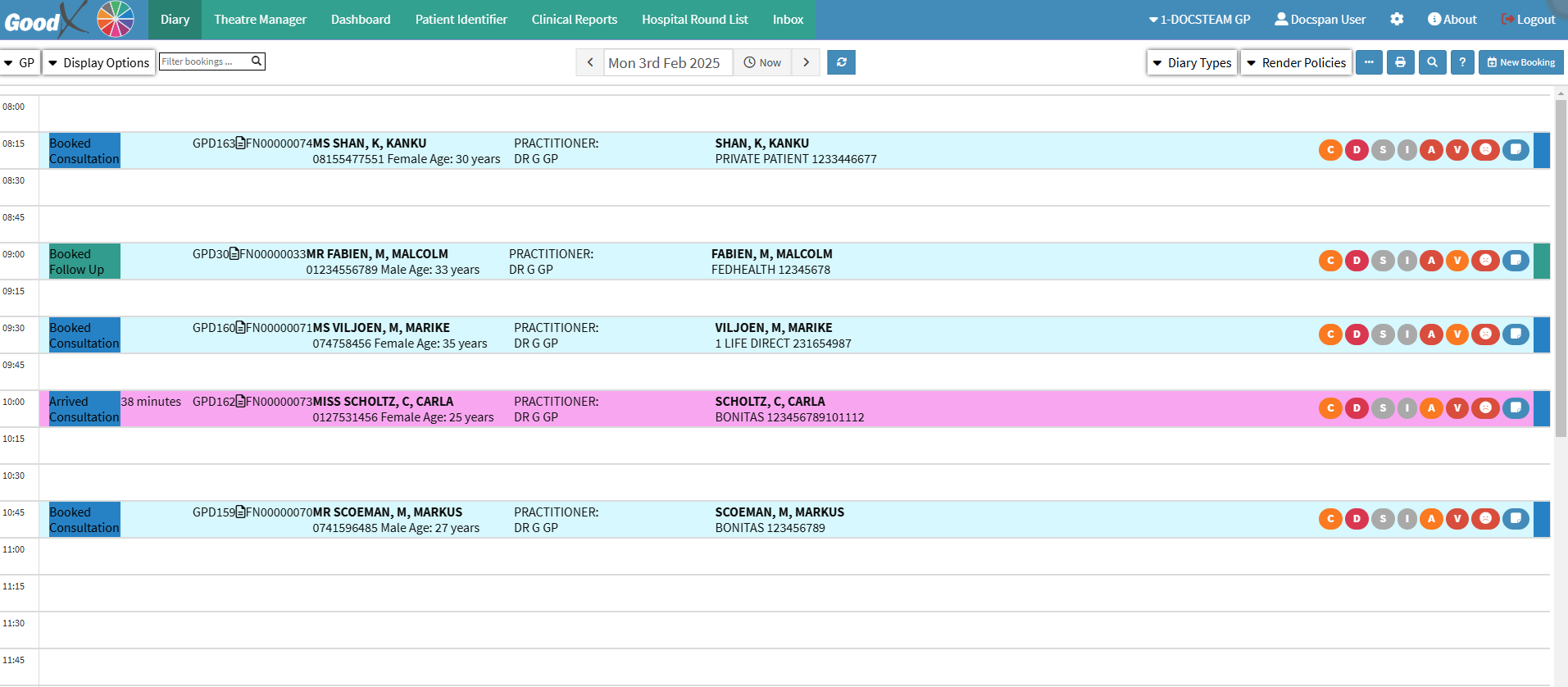
This user manual will start on the Diary screen.
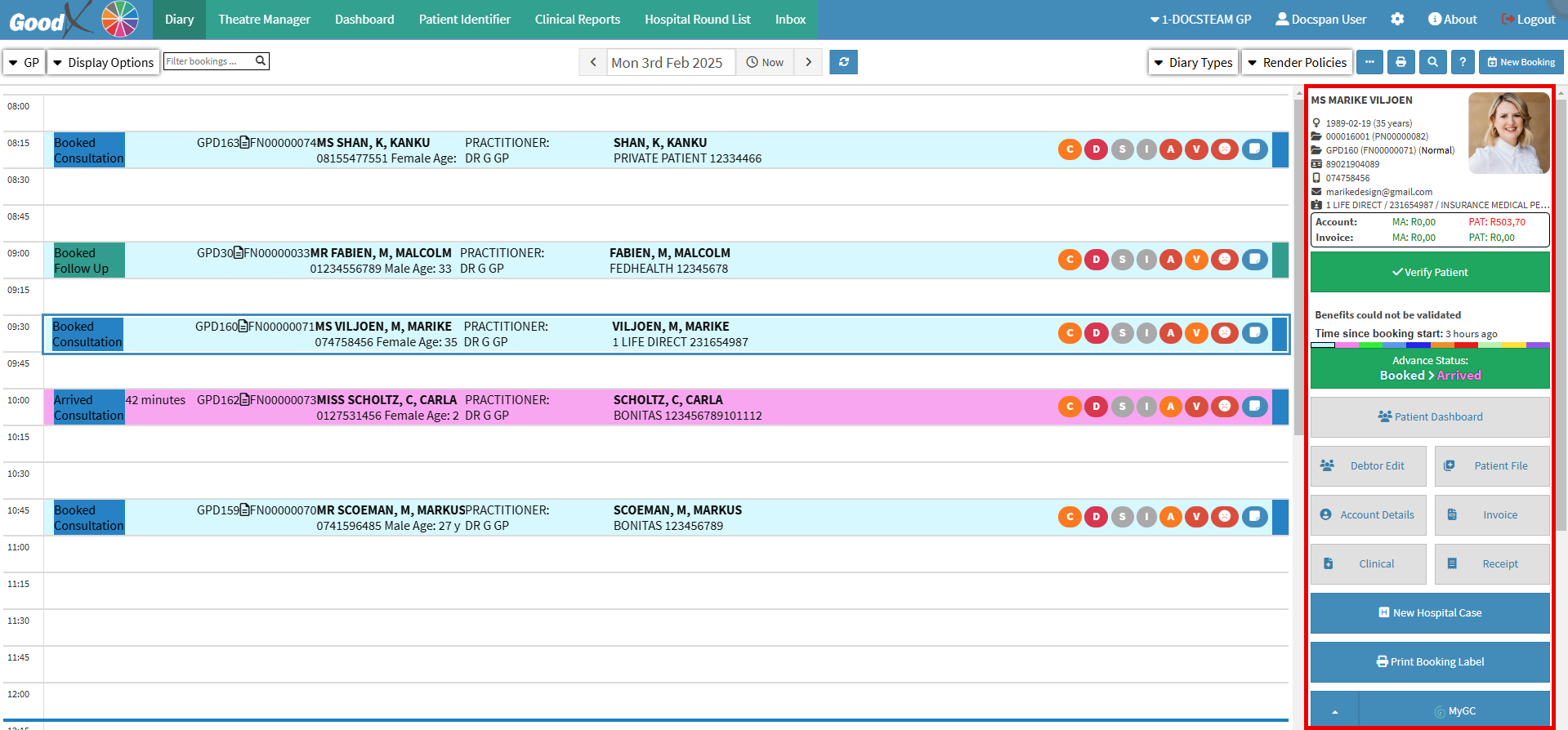
Click on the desired Booking.
The Diary sidebar will open.
Click on the Debtor Edit button.
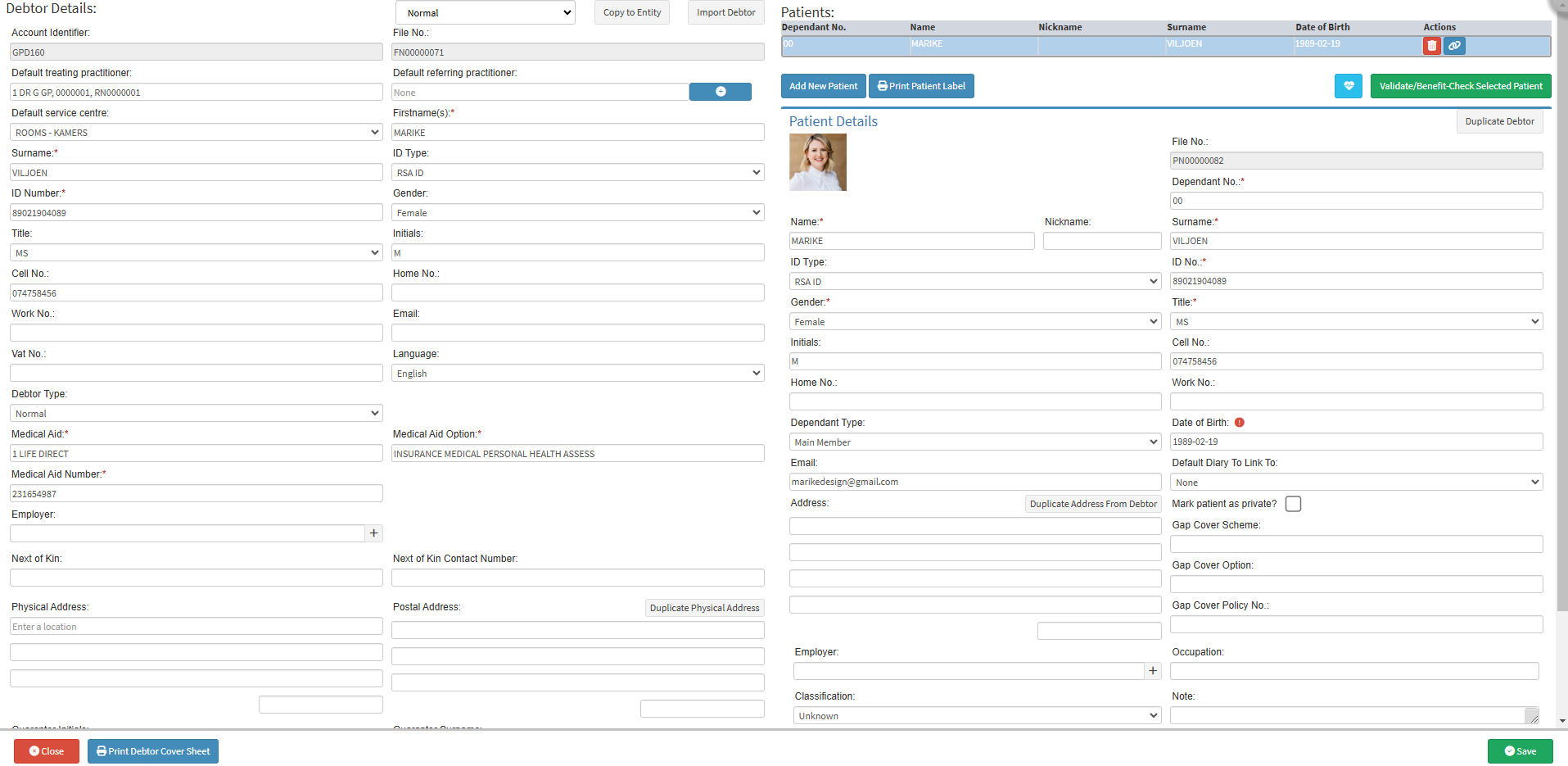
The Debtor Details screen will open.
Click on the Add buttonon the Default Referring Practitioner field.
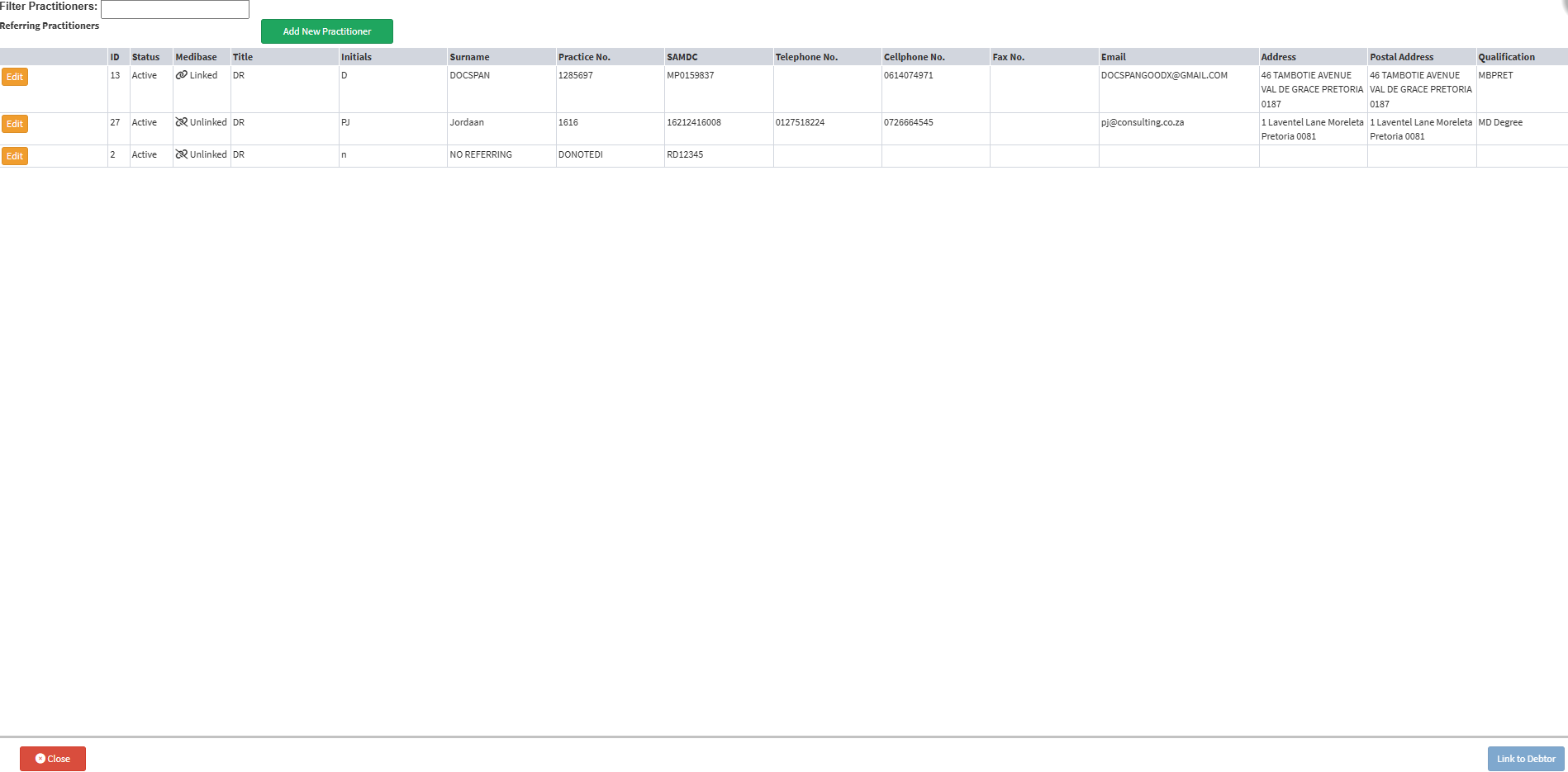
The Referring Practitioner screen will open.
Click on the desired Referring Practitioner.
Click on the Link to Debtor button to link the Referring Practitioner to the Debtor/Patient.
The Referring Practitioner screen will close and you will be directed back to the Debtor Details screen.
The Referring Practitioner that has been selected is now Linkedto the Debtor.