A medical aid levy is a percentage or an amount applied to specific medical aid schemes to apply a certain mark-up to billing codes based on the medical aid plan.
Please refer to the user manual Medical Aid Lists in order to follow the steps on where to make these changes.
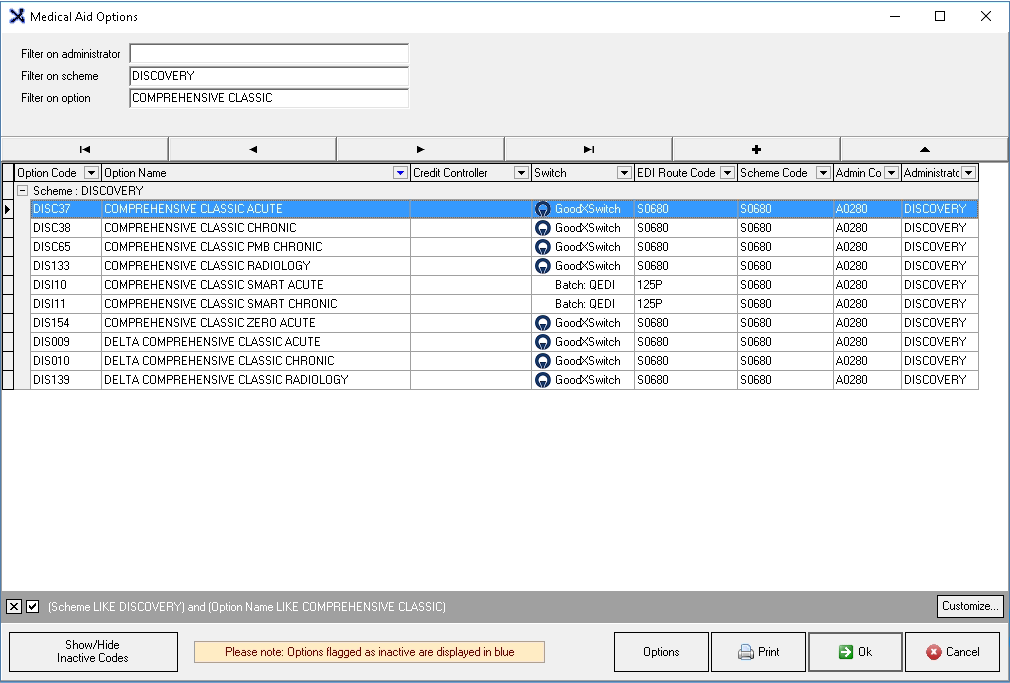
From the Medical Aid Options screen.
Use the Filter on options to search for a specific Medical Aid:
Administrator: Who manages this medical aid.
Scheme: Medical Aid Name.
Option: Plan name.
Click on the Medical Aid Option to select it.
Click on the Options menu button.
Click on Levy on the drop-up menu.
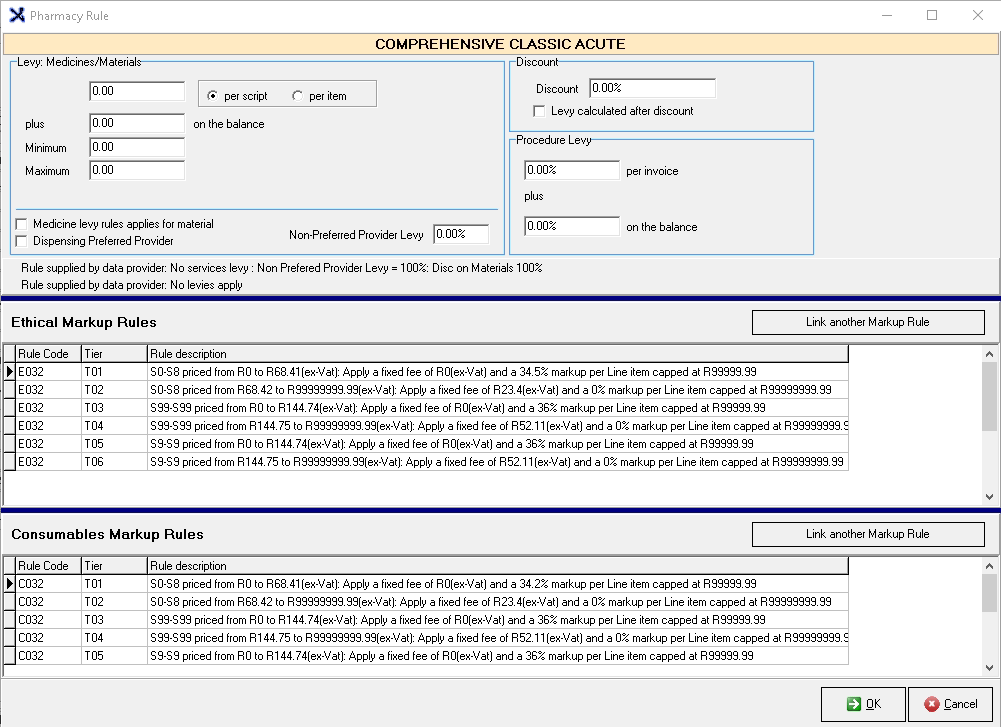
The Pharmacy Rule screen ofthe selected medical aidwill open.
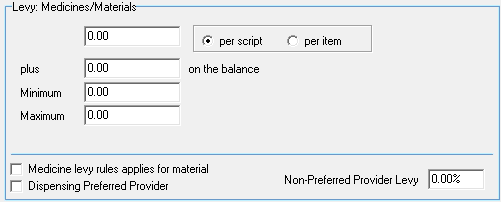
Levy: Medicines/Materials: The levies that are charged by the medical aid for medicine and material items.
Per script: The levy that will be charged per prescription, irrelevant of how many items have been prescribed.
per item: The levy that will be charged per item that has been prescribed.
plus ... on the balance: a levy amount that will be charged and added to the balance.
Minimum: the least that can be charged as levy.
Maximum: the most that can be charged as levy.
Medicine levy rules applies for material: The same levies will apply on material items that have been set up for medicine items.
Dispensing Preferred Provider: When a patient goes to a preferred provider a certain levy may be charged, but if they go to a Non-preferred provider the percentage as set up, will apply. A Preferred provider is a practice or practitioner that has a contract with the medical aid for special rates.
Non-Preferred Provider Levy: The percentage that will be charged by non-preferred providers, Medical Aids see all non-network doctors as Non-Preferred Providers.
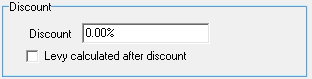
Discount: A reduction in the regular price.
Discount: The percentage by which the original price will be reduced.
Levy calculated after discount: This will allow the levy to be added after the discount has been applied, therefore there will be no discount on the levy.
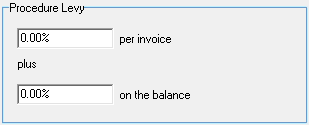
Procedure Levy: a levy that will be added to the procedure for example the procedure is high risk so a risk levy is charged to the procedure.
% per invoice: Adds a percentage to the entire invoice.
plus: To include a levy on both the invoice and the balance.
% on the balance: Adds a percentage to the balance of the procedure.
Rule supplied by data provider: A summary of what rules have been applied by Medprax.
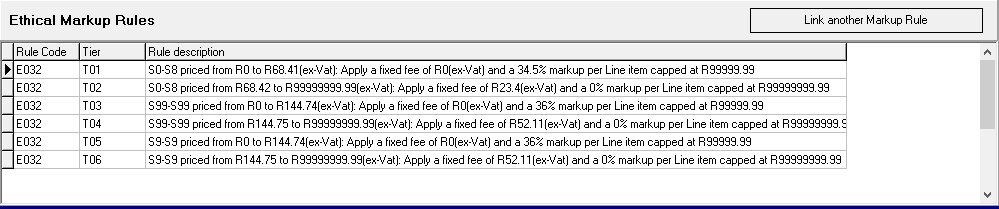
Ethical Markup Rules: Rules that will apply to Medicine Items regarding how the levy will be charged.
Consumable Markup Rules: Rules that will apply to Material and Surgical Items regarding how the levy will be charged.
Click on theLink another Markup Rule button to add a new rule.
The Med.Aid Markup Rules screen will open where a pre-setup or custom rule can be added to the list.
The Rules will be divided into columns:
Rule Code: A unique number allocated to the rule to identify it.
Tier: At what level the rule will be applied.
Rule Description: An explanation of what the rule consists of.
Click on Cancel to close the Pharmacy Rule screen without saving.
Click on OK to save the changes if changes have been made.
The Pharmacy Rule screen will close and return to the Medical Aid Options screen.
Click on OK to return to the main MedDebs screen.
To see if the Medical Aid Levies have calculated properly a new screen will advise the user how