Setting the Fixed Price on an item or procedure allows the user to set up the Fixed Price as R0.00 (zero), which can then be adjusted to a custom price in the Invoice screen.
This can be done from the following Modules:
MedDebs
GoodX Manage
MedDebs
Log in to the GoodX Desktop using your GoodX username and password.
From the Navigator Double Click on theMedDebs Module.
The mainMedDebs screen will open.
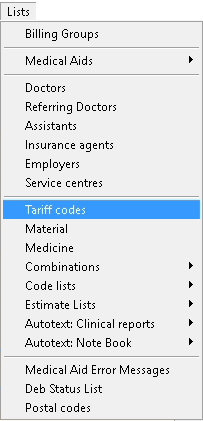
Click on Lists on the Menubar.
Click on
Tariff Codesfrom the sub-menu.
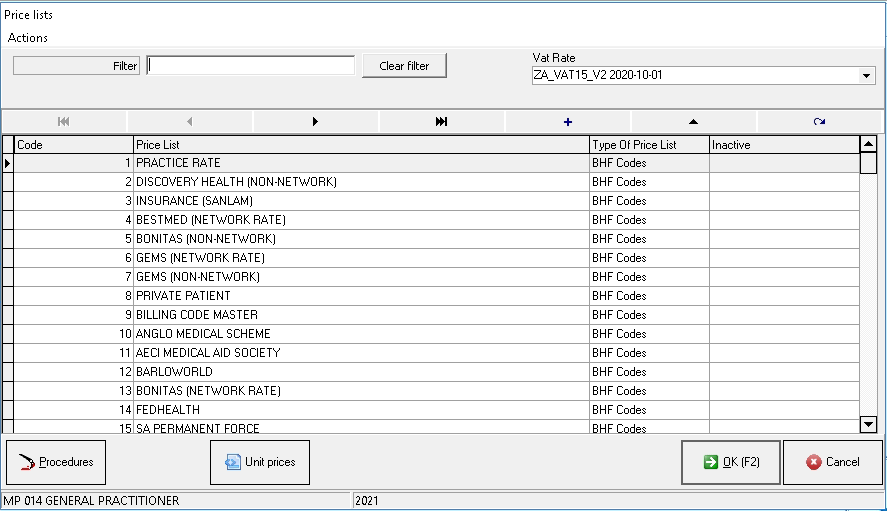
The Price Lists screen will open.
Select the Price List of which the prices should be changed to zero when billing them in the Invoice screen by clicking on it.
Clickon the Procedure button.
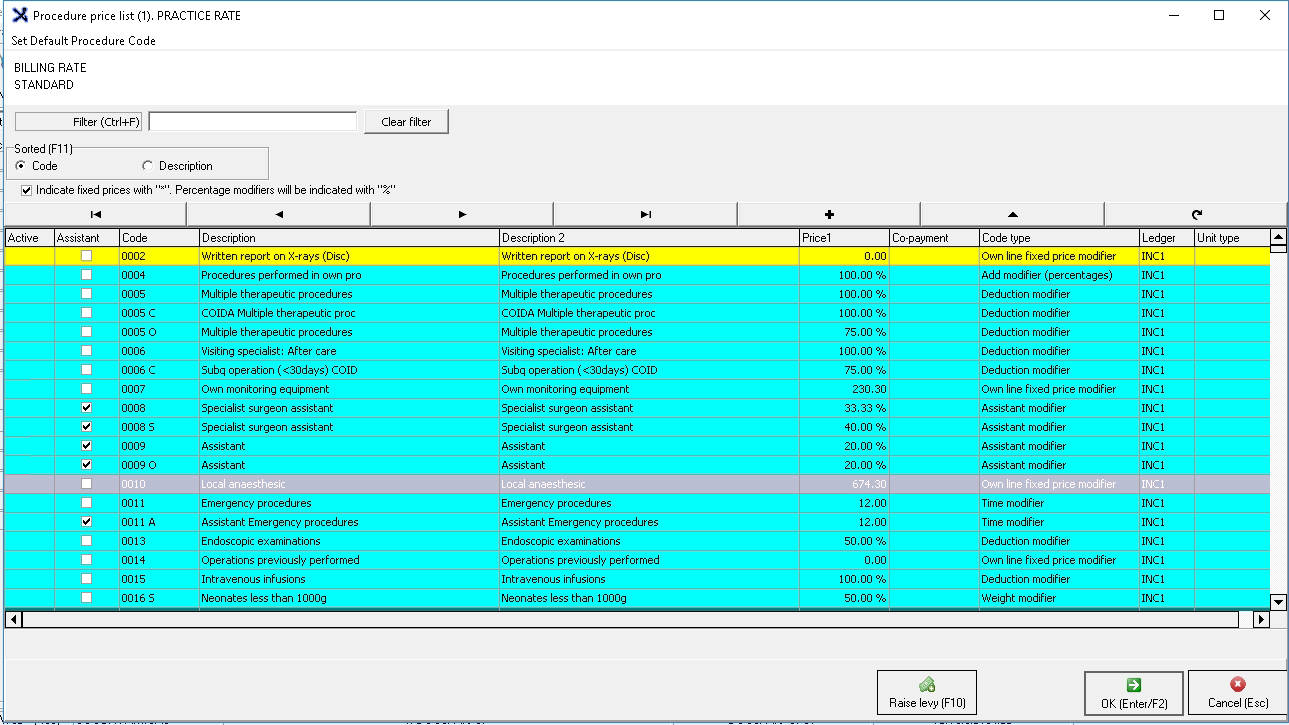
The Procedure Price List will open.
Filter to the item of which the price will be set to R0.00 by using the filter section.
Only the results of the filtered item will show on the screen.
Clickon the triangle button to edit the item.
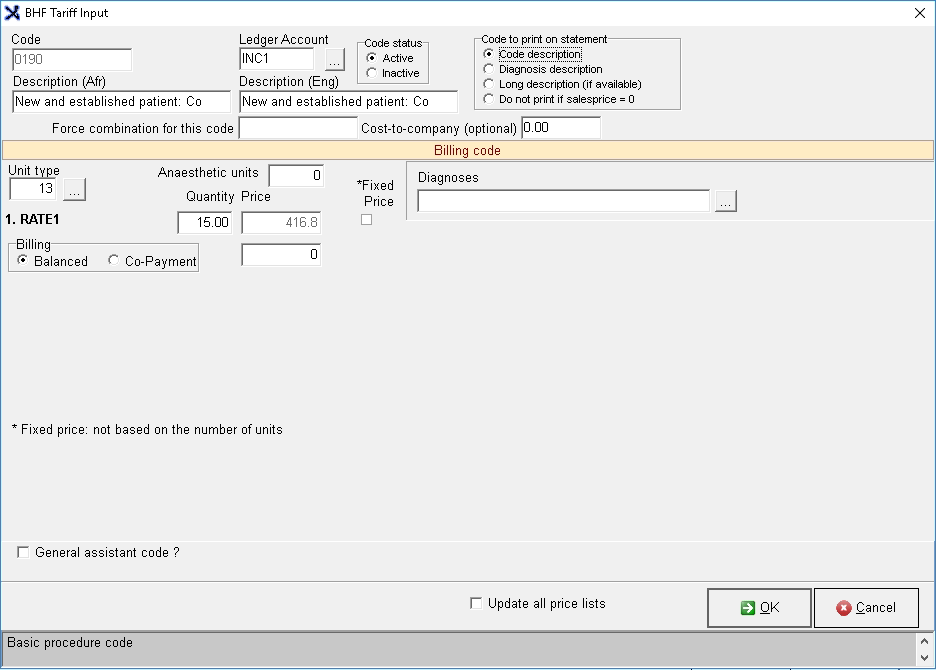
The BHF Tariff Input screen will open.
Tick the Fixed Pricecheck box in order for the price to be changed to R0.00.
Change the price to R0.00 in the Price field.
Click on Cancel to close the Tariff Codes page without saving.
Click on Okto save changes and proceed and return to the Procedure List screen.
Notice the asterisk* next to the price on the Procedure Pricelist this, will indicate that this is now a fixed price for this item on the selected pricelist.
In the Invoicing screen when this item is billed the price will now be R0.00 as set up with the fixed price.
For an extensive explanation of the Invoice screen please refer to the user manual: Multi Invoice.
GoodX Manage
Log in to the GoodX Desktop using your GoodX username and password.
From the NavigatorDouble Click on theGoodX Manage Module.
The main GoodX Manager page will open.
Click on Pricelist Management in the toolbar.
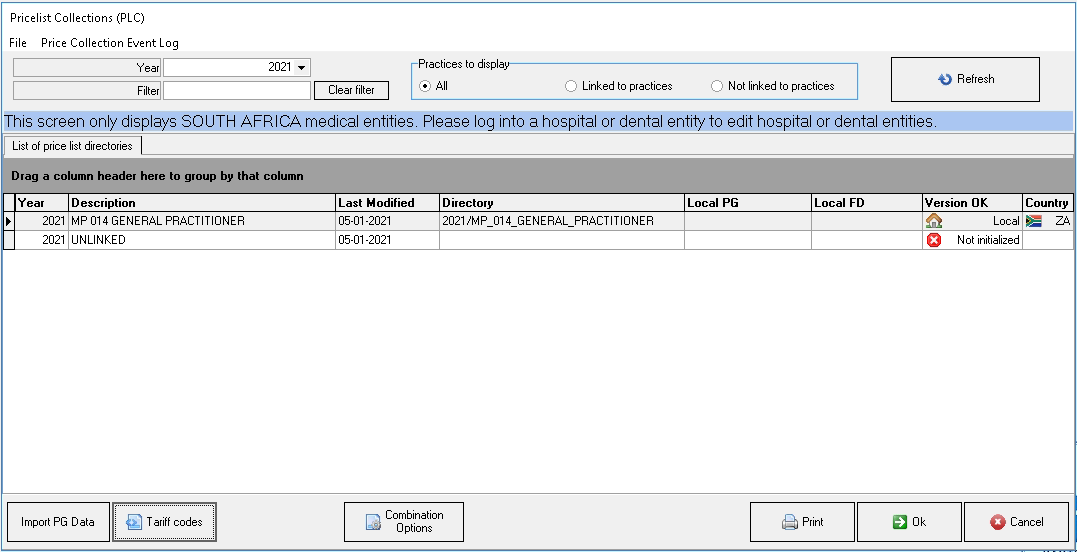
The Pricelist Collections screen will open.
Select the relevant price list by clicking on it.
Click on the Tarif Codes button.
The Price List screen will open.
Please follow the steps in the section: MedDebs, from where the Price List screen opens to set the price to R0.00.