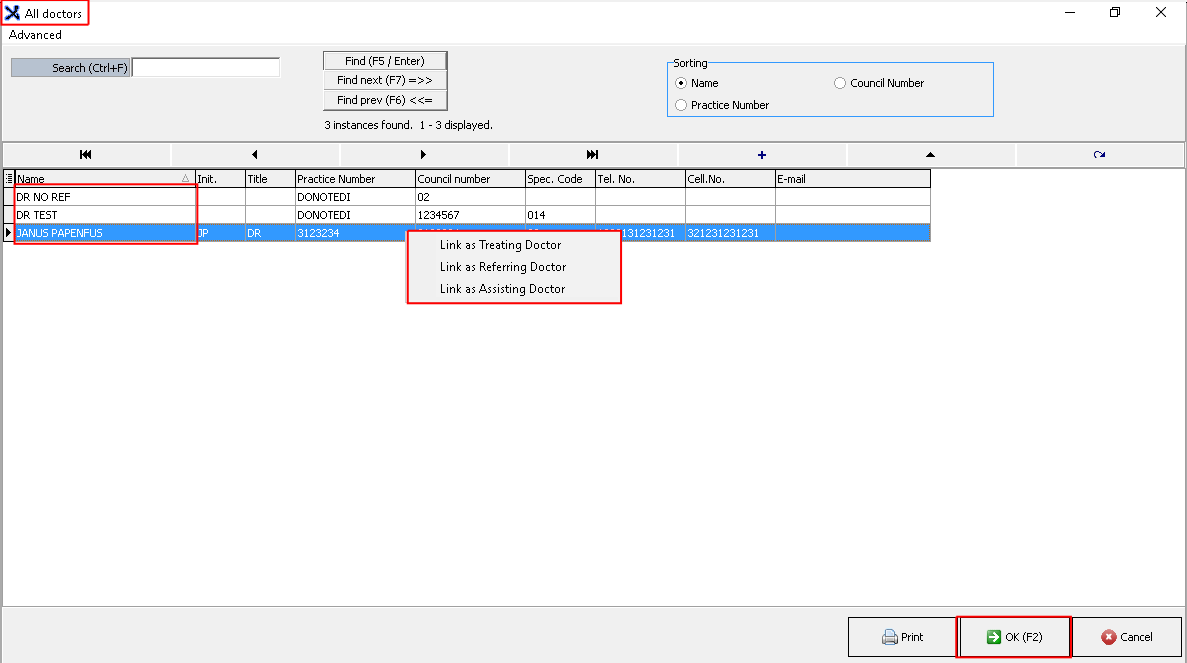
ist of all the doctors that have been loaded onto the system, from this function you can link a doctor to be a referring, treating or assisting doctor.
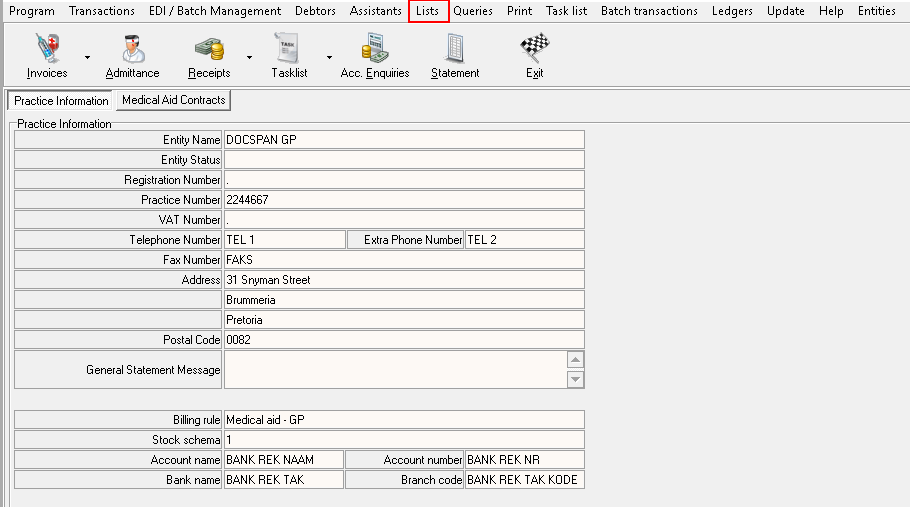
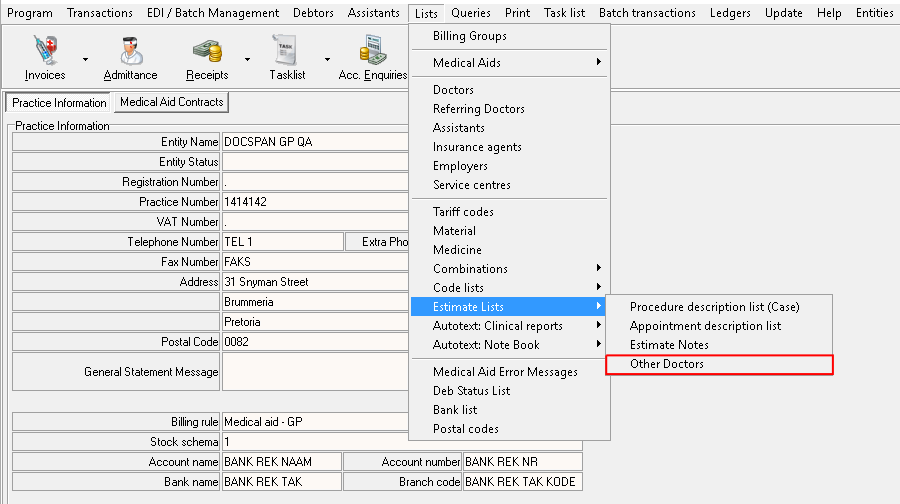
To go to the doctors list, navigate to the lists tab on the navigation panel
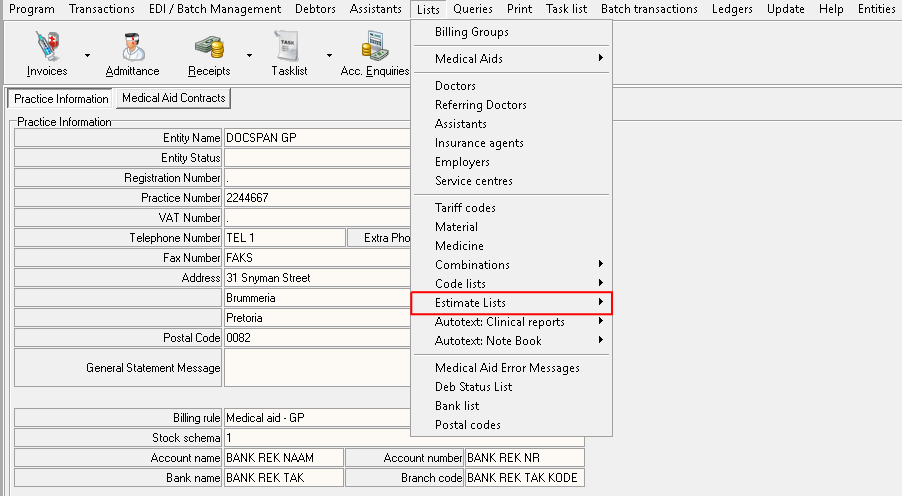
A new drop-down menu will open
Scroll down to Estimate lists, then click on it
Scroll over and click on Other doctors
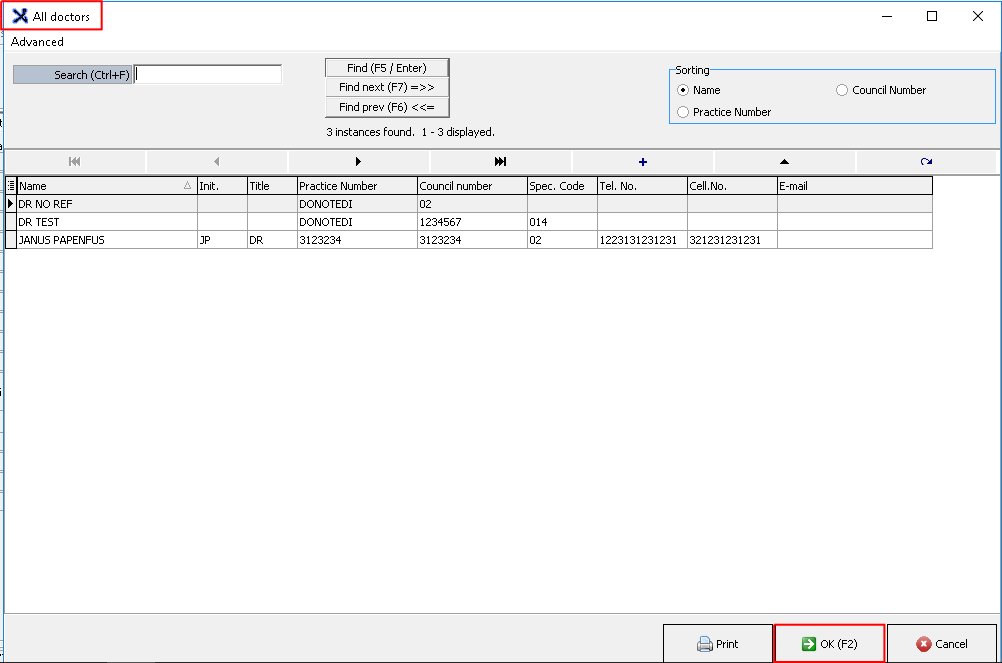
A new screen will open up with a list of all the doctors that have been listed onto the system.
If you do not want to add a doctor to the list then just click OK on the bottom to exit the screen.
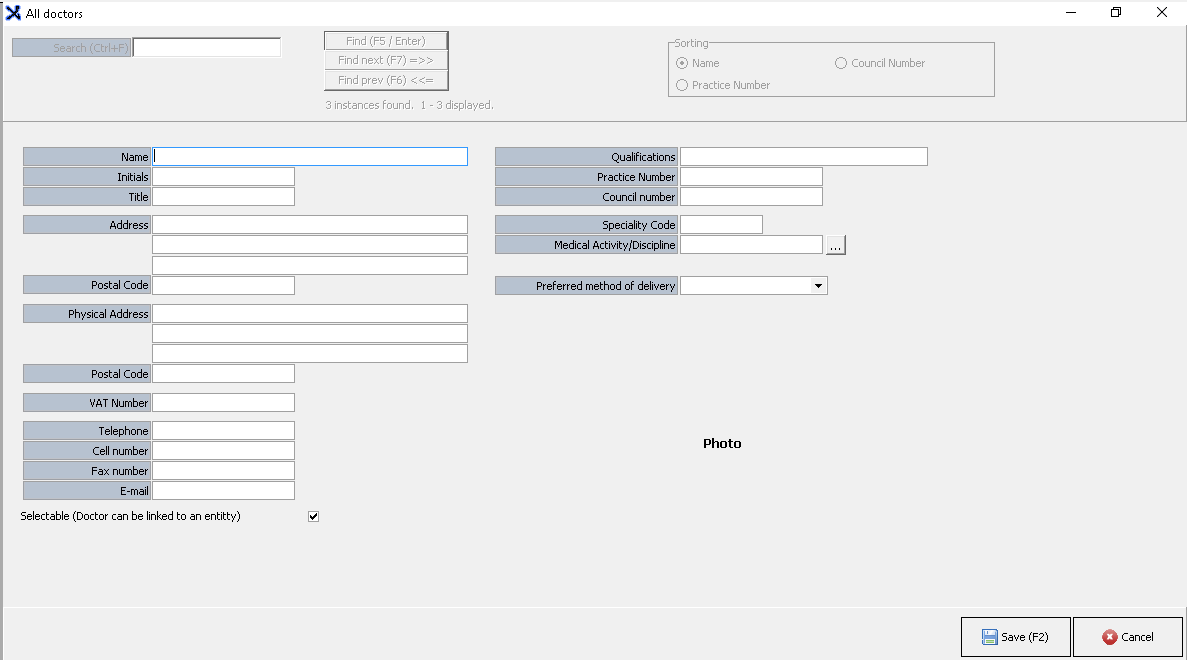
If you want to add a doctor to the list click on the plus button.
A new screen will open up, fill in all the fields that needs to be completed and click Save (F2) to save the entry.
There is also a function where you can link the doctor to a specific role for a procedure or for a practice.
On the All doctors screen, right click on the doctors name you wish to link to a certain role.
When you clicked right a small window will appear, where you can choose to which role you wish to link the doctor to.
Click OK to exit the screen and save the changes made on the screen.
Last modified: Wednesday, 4 November 2020, 7:49 PM
 button.