- Log into the GoodX Web App
- From the taskbar, select Debtors

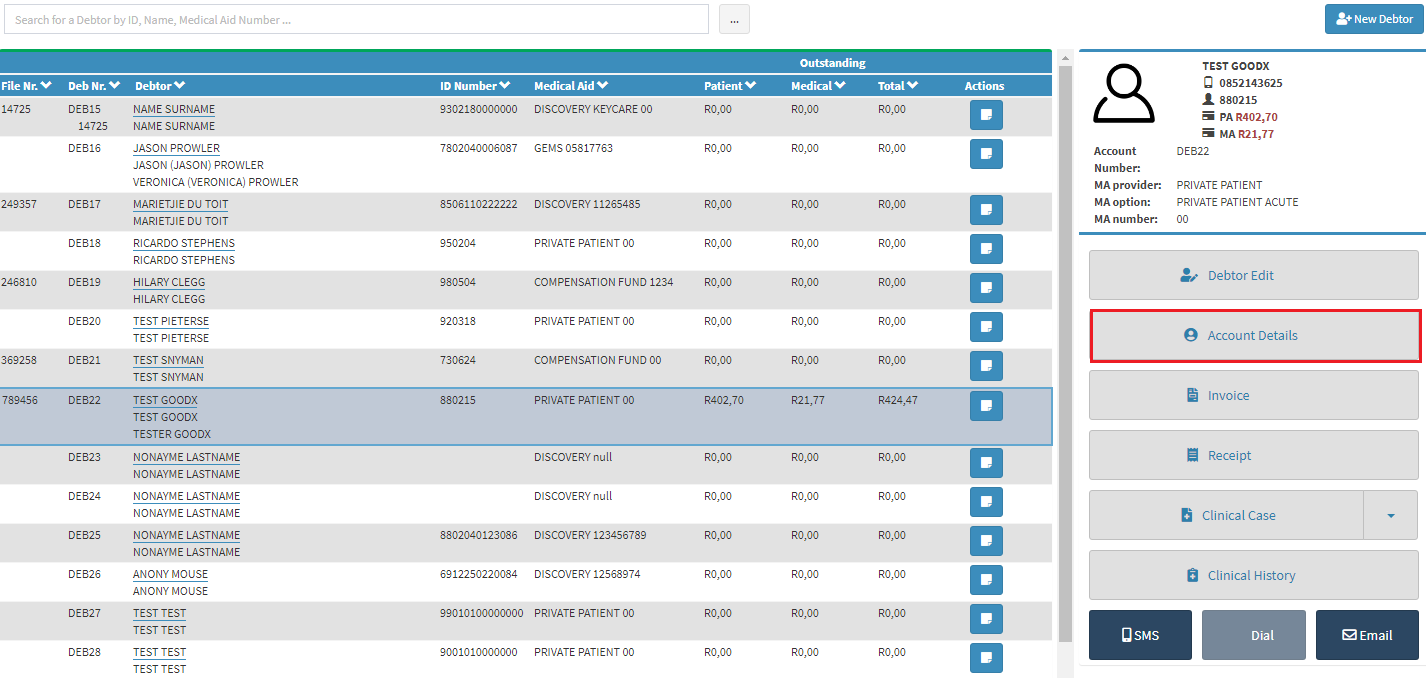
- Select the correct debtor to invoice, press Account Details
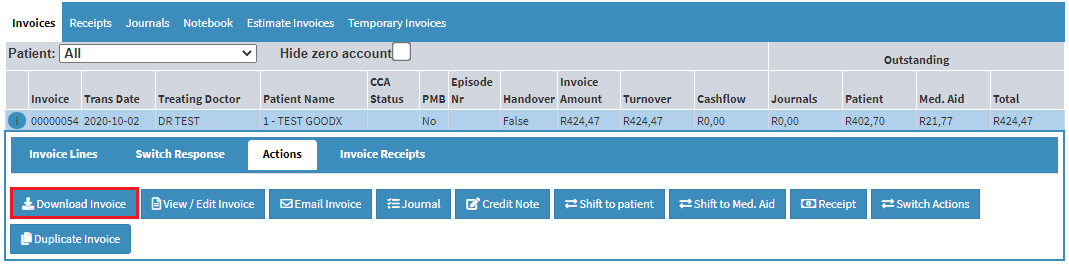
- An Invoice screen will open, click on the correct invoice, click on Download invoice
- The invoice will download in a pdf format, open the Invoice
Last modified: Tuesday, 31 March 2026, 10:14 AM