- To make a Patient Inactive when they are Deceased:
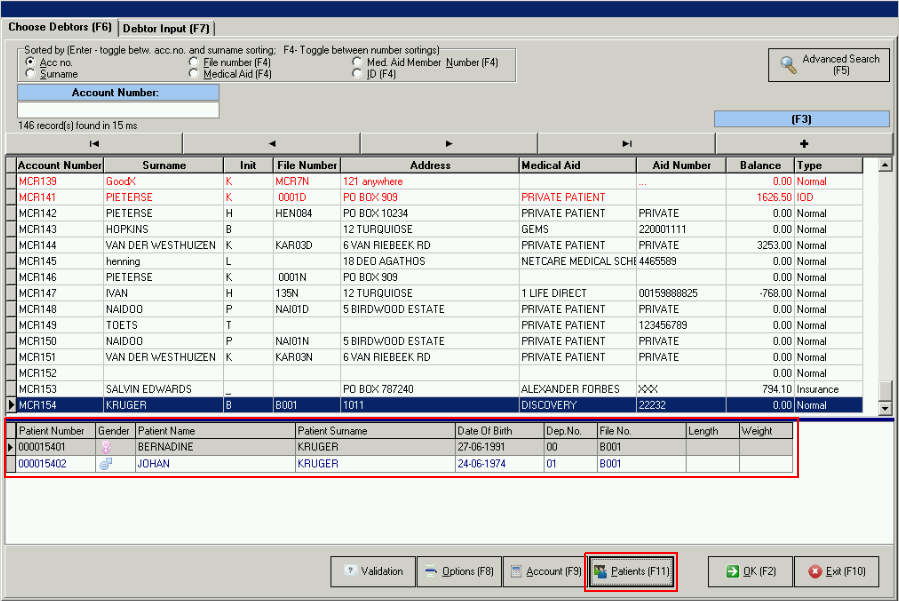
- From the Diary click on << Debtors List << select the Debtor << Patients.
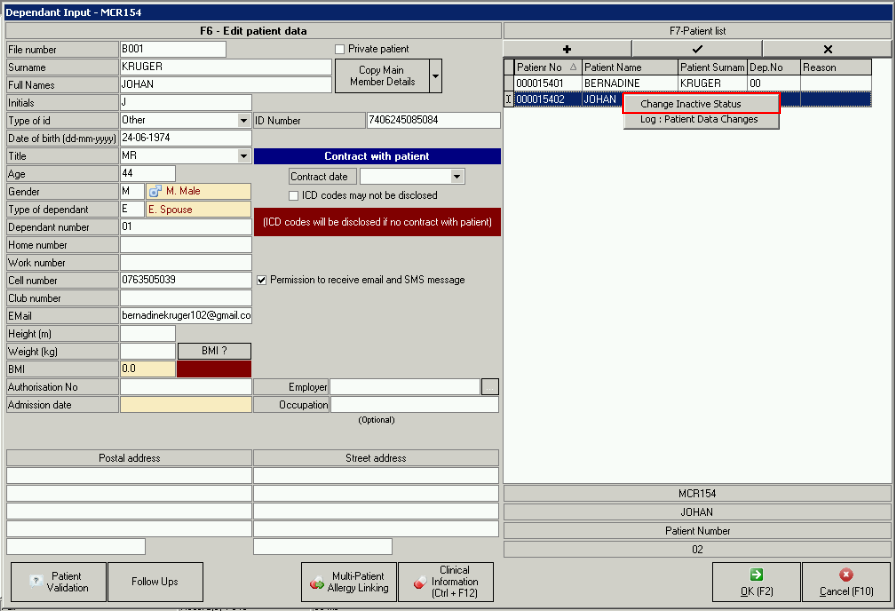
- Right click on the Patient in the Dependent Input screen and choose to Change Inactive Status.
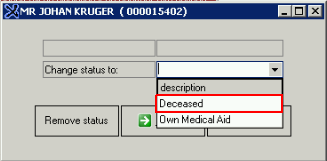
- Choose the reason for the change, in this case, "Deceased".
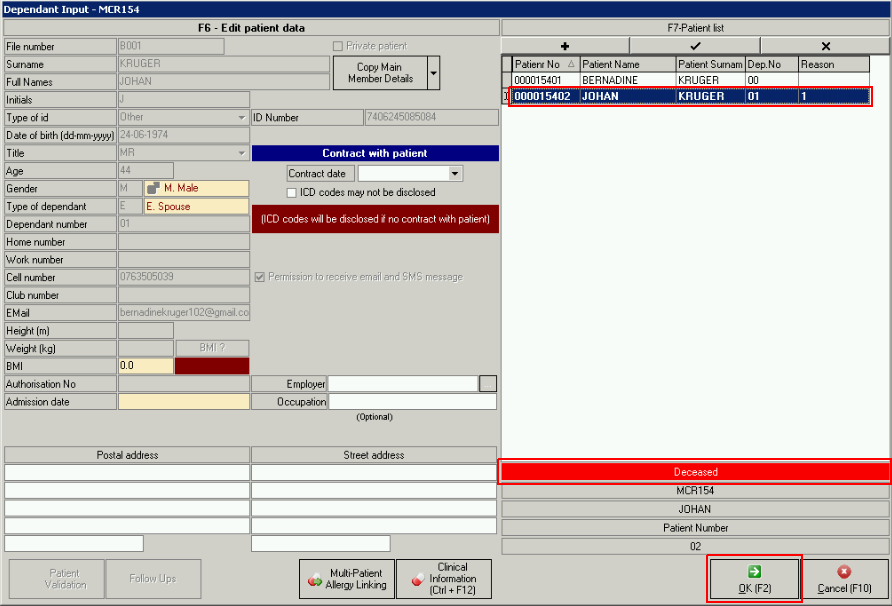
- Patients details will now be greyed out and be marked in red to show "Patient Deceased".
- The Patient that was made Inactive will also not be visible on the "Debtor" anymore.

Last modified: Thursday, 21 May 2020, 1:51 PM