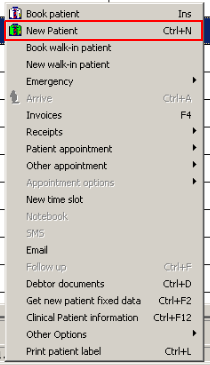
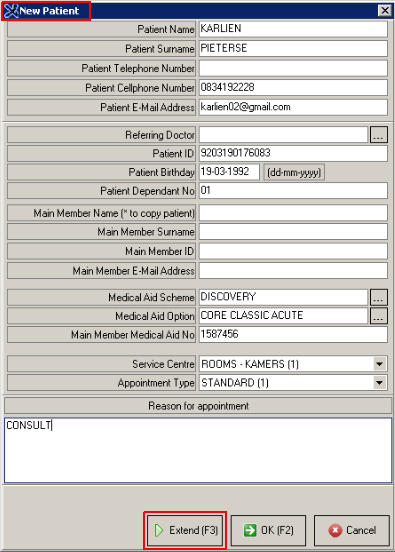
It is important that you capture the Patient's full Name, Surname and Contact Number. If possible, make a note of the ID number as well. This will help you trace the member if necessary.
Capture the Reason for Appointment
Click on OK (F2) to book the appointment
Click on Extend (F3) if you would like to extend the appointment (if the amount of time in one time slot is not enough)
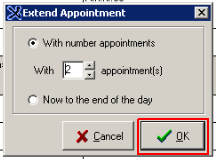
Extend the appointment with the number of appointments required by clicking on the dropdown menu.
Click OK
The details of the Appointment will reflect in the selected time slot.