Text size
Line height
Text spacing
The Repeat Booking screen contains the settings for creating a recurring booking. You can choose how often the booking repeats, set the start date, and specify whether it repeats a set number of times or until a specific date.
These settings give you greater control over the recurring schedule and make it easier to plan appointments in advance. Using the Repeat Booking Screen saves time, reduces repetitive data entry, and helps ensure that repeat bookings are created accurately and consistently, keeping the Diary organised and up to date.
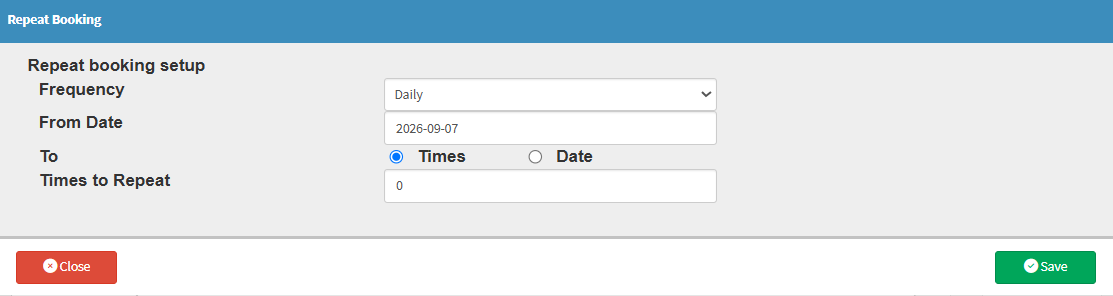
Times to Repeat: Specifies the total number of times the booking or appointment should recur in the schedule series.