An Electronic Remittance Advice is a digital version of the traditional paper Remittance from the medical aid. An ERA provides essential information regarding the claims that were sent and their responses, helping you to track and reconcile payments from medical aids.
ERAs are valuable as they save time and effort. Instead of paging through long paper remittances, the system automatically organises, matches, and displays the information clearly and accurately. This reduces manual errors, speeds up reconciliation, and gives the Practice immediate insight into claim outcomes, making your financial processes cleaner, quicker, and more efficient.
💡Please Note: To access and utilise Electronic Remittance Advice (ERA) features, it is necessary to advise us that you would like to use these features. The setup for using ERAs is done during your installation process.
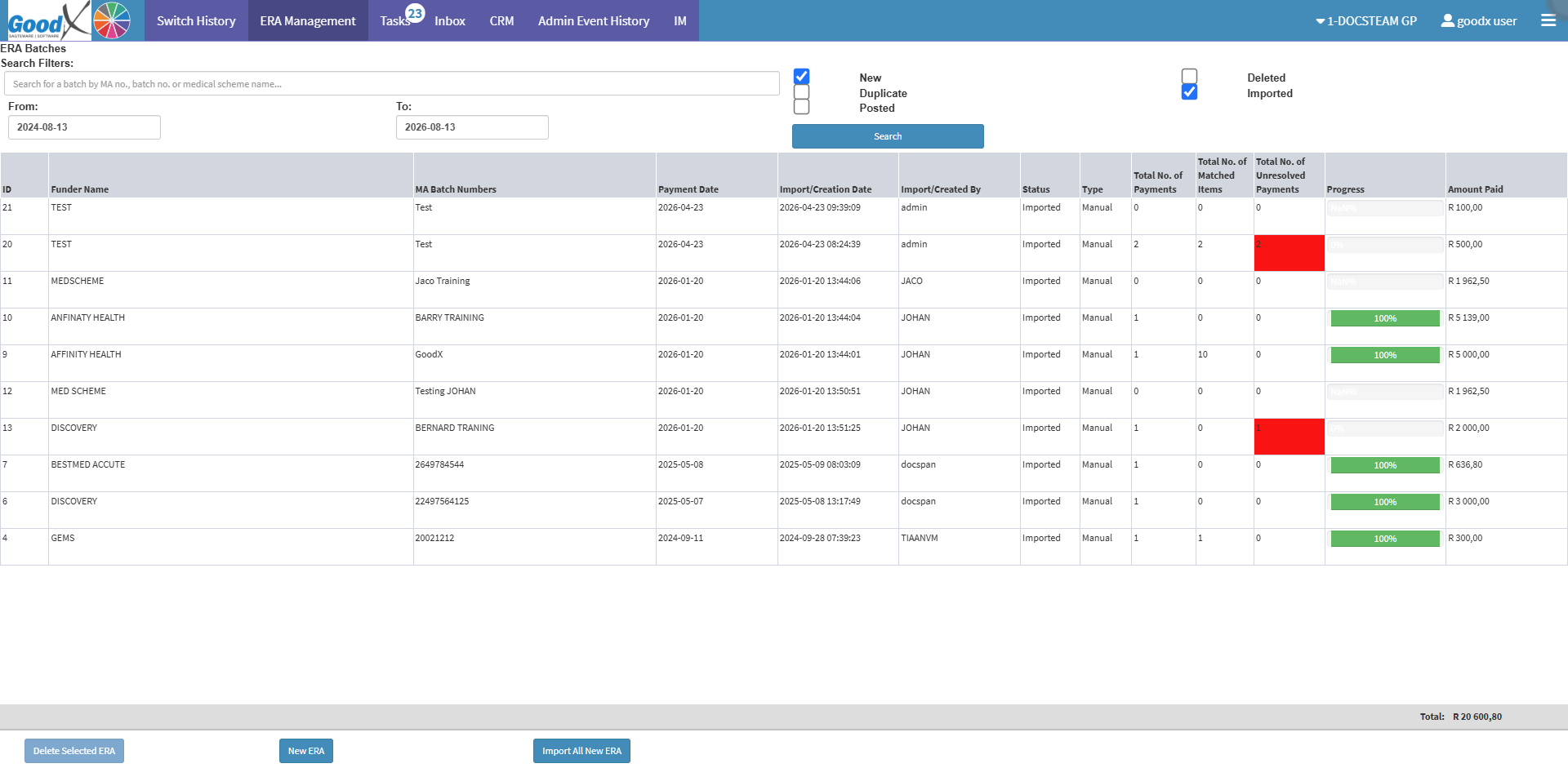
Search Filters: Refine search results by entering the MA number, batch number, or medical scheme name into the search field.
From: The starting date to view ERAs captured on or after this date.
To: The end date to view ERAs captured on or before this date.
New: Remittances available for import.
Duplicate: Shows allERAs with identical information.
Posted: All Remittances that have been processed.
Deleted: Shows theRemittances that have been deleted.
Imported: All Remittances that have been Matched/Imported and are ready to be posted.
Search Button: Applies the selected criteria and updates the displayed list to show only the matching Electronic Remittance Advices (ERAs).
Columns
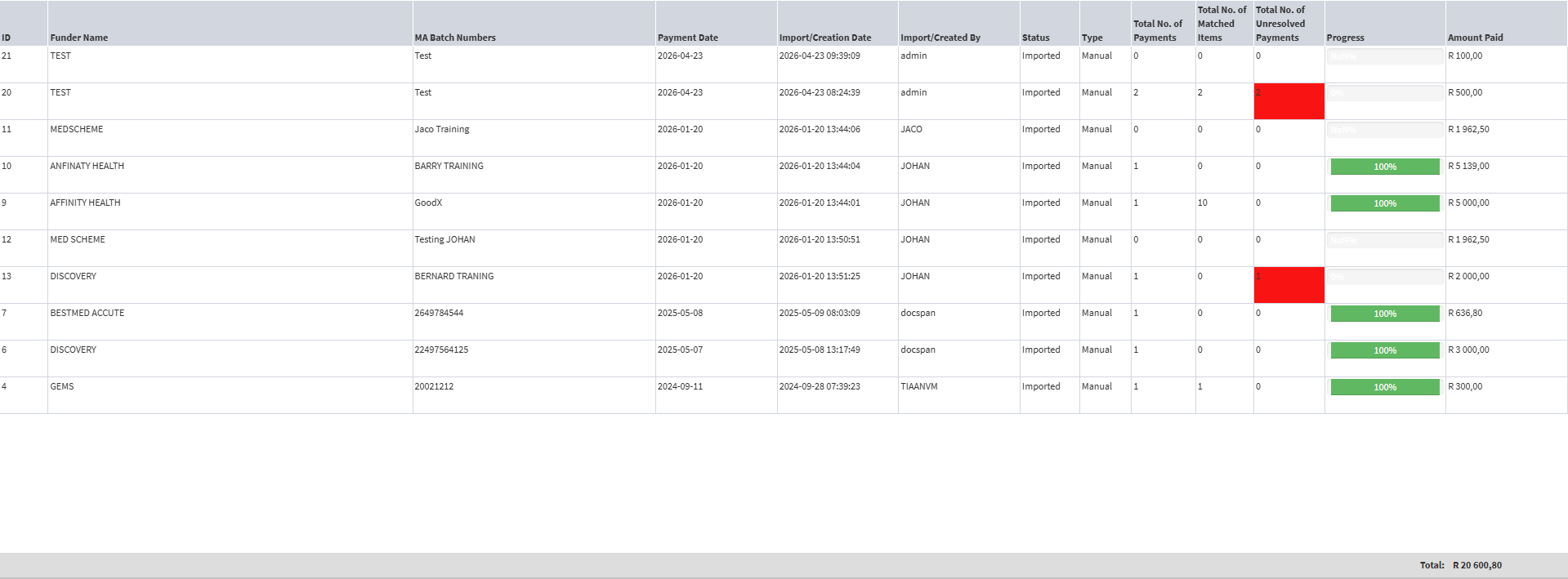
ID: The number in which order the specific ERA was imported/added.
Funder Name: The name of the medical aid from which theremittance was received.
MA Batch Numbers: The reference number that the medical aid allocated to theRemittance.
Payment Date: The date that the payment was made.
Import/Creation Date: The date the ERA was imported from medical aid or manually captured.
Import/Created By: The name of the user who imported the remittances.
Status: Will indicate if the ERA isnew/imported/duplicate.
Type: How the remittance was captured, via ERA/Manually.
Total No. of Payments: The number ofpayments made from the specific medical aid to the practitioner/practice.
Total No. of Matched Items: The number of lines that were matched exactly from the Payment.
Total No. of Unresolved Payments: Payments that were notmatched correctly to Invoice lines. These Payments need manual intervention to determine why they did not match.
Progress: Shows the percentage of how far the ERA has progressed.
Amount Paid: The total amount that was paid on this specific remittance.
Total: The total Amount of ERA's on the screen based on the filters.
Options
💡Please Note: You will first need to click on the desired ERA in order to access some of these options.
Delete Selected ERA: Removes the selected ERA entry from the list.
New ERA: Opens the interface to manually capture a new ERA. For details, see How to Manually do an ERA.
Import All New ERA: Imports all pending ERAs that have not yet been pulled into the system.
💡Please Note: If anynew ERAs have been added, they will be visible on the list.
Edit Selected ERA: Opens the selected ERA to modify its details. For details, see How to Edit an ERA
Re-Import Selected ERA: Reloads and updates the selected ERA to apply any recent changes.
Last modified: Thursday, 10 September 2026, 6:26 PM