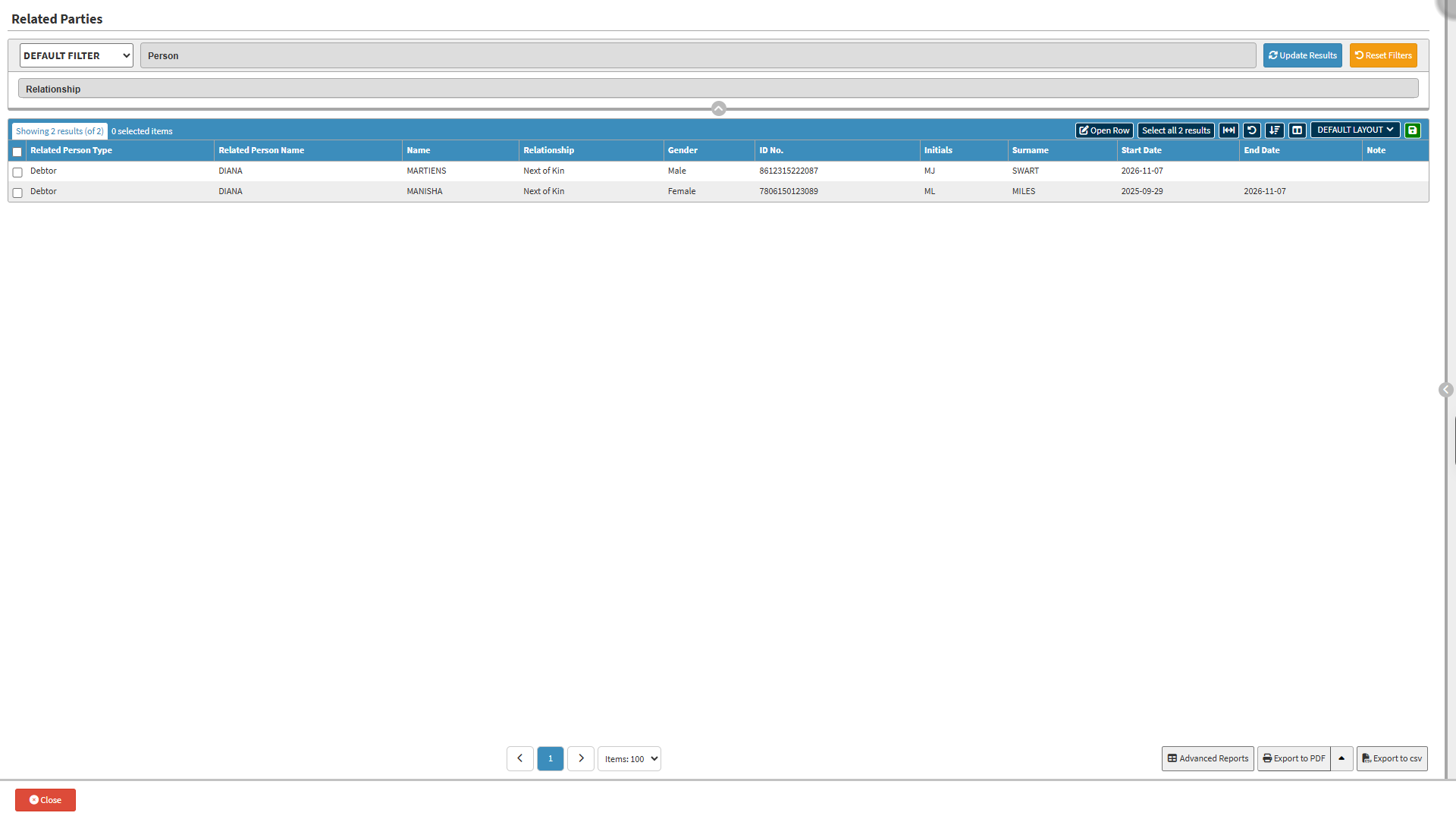
The Add Related Parties screen provides an organised and structured way to manage all individuals connected to a Debtor, such as Dependants, Guardians, or Next of Kin. Accurate related party information ensures that communication, account management, and administrative actions are linked to the correct people. By using this screen, you can easily search for existing related parties, add new relationships, review important demographic details, and update links as needed. The layout and available tools help streamline data management, improve accuracy, and maintain clear records for every Debtor profile.
Relationship: Association between the individual and the related party.
Next of Kin: Primary family member or legal relative.
Guarantor: Person who legally assumes financial liability if you default.
Power of Attorney: Legally authorized representative for financial, medical, or legal decisions.
Caregiver: Person providing daily physical or medical assistance.
Guardian: Court-appointed legal representative.
Emergency: Contact to notify immediately in urgent situations.
Other: Any relationship category not listed above.
Reset Filters button: Clear all entered filter criteria.
Update Results button: Apply the completed filter criteria to update the Results list.
Screen Columns Action Buttons
Screen Column Action Buttons: Provides tools to customise displayed columns and save preferred layouts for future use. For details, see Screen Column Action Buttons Navigation.
Columns
Related Person Type: Category of primary individual.
Related Person Name: First name of primary individual.
Name: First name of related party contact.
Relationship: Connection between primary individual and contact.
Gender: Gender of contact.
ID No.: ID number of contact.
Initials: Initials of contact.
Surname: Surname of contact.
Start Date: Date when the related party's contact detail became active.
End Date: Date the related party's contact detail was deactivated or replaced.
Note: Additional context or comments.
Page Options
Page Options: Provides tools to navigate between pages, adjust the number of Items displayed, and export or save data for further use. For details, see Page Options Navigation.