Text size
Line height
Text spacing
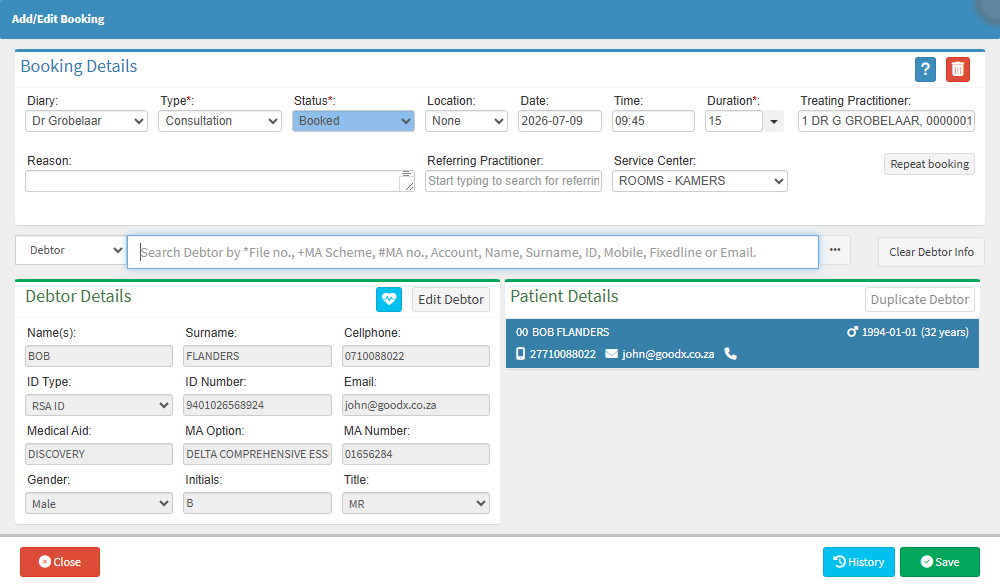
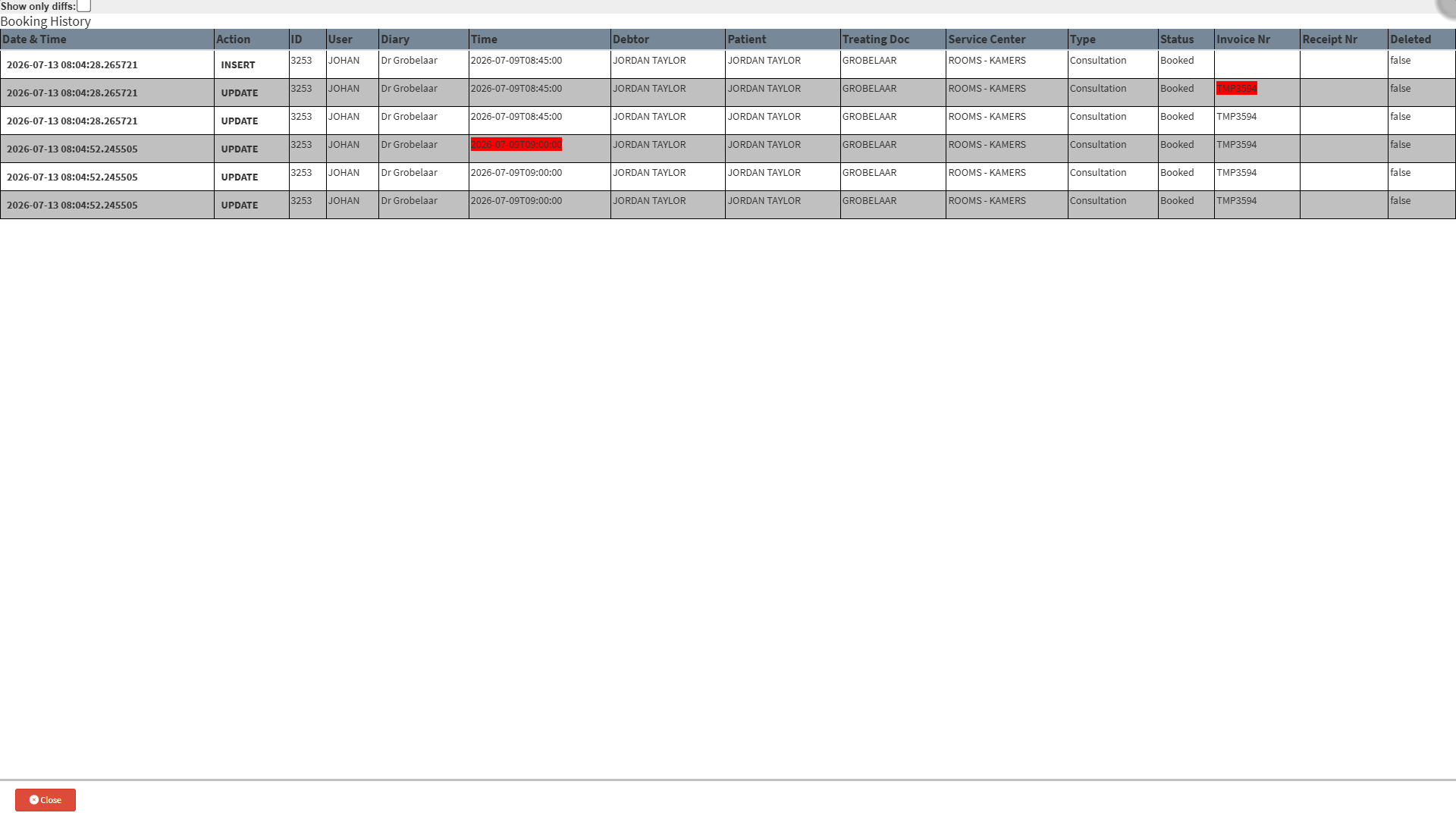
The Booking History Log tracks the progress of a patient's booking throughout the day, from the time the booking process starts until it is completed. It records each booking status change together with the date and time it occurred, providing a clear timeline of the patient's journey through the practice.
This history makes it easier to measure how long a patient spends at each stage of their visit, identify delays or workflow bottlenecks, investigate queries, and evaluate the efficiency of the patient flow. This information can help the practice improve processes, reduce waiting times, and create a more efficient patient experience.