Allows you to create a new Stock Adjustment Code that can be used when adjusting stock levels after a stock take.
Stock Adjustments are performed for three primary reasons:
- Lost Stock: Items that have gone missing and need to be accounted for in the inventory.
- Broken Stock: Items that are broken or have damaged packaging, rendering them unusable.
- Expired Stock: Items that have passed their expiration date and are no longer safe or viable for use.
- This user manual will start on the Stock Setup screen, Stock Items tab.

- Click on the Adjustment Codes tab.

- The Adjustment Codes screen will open.
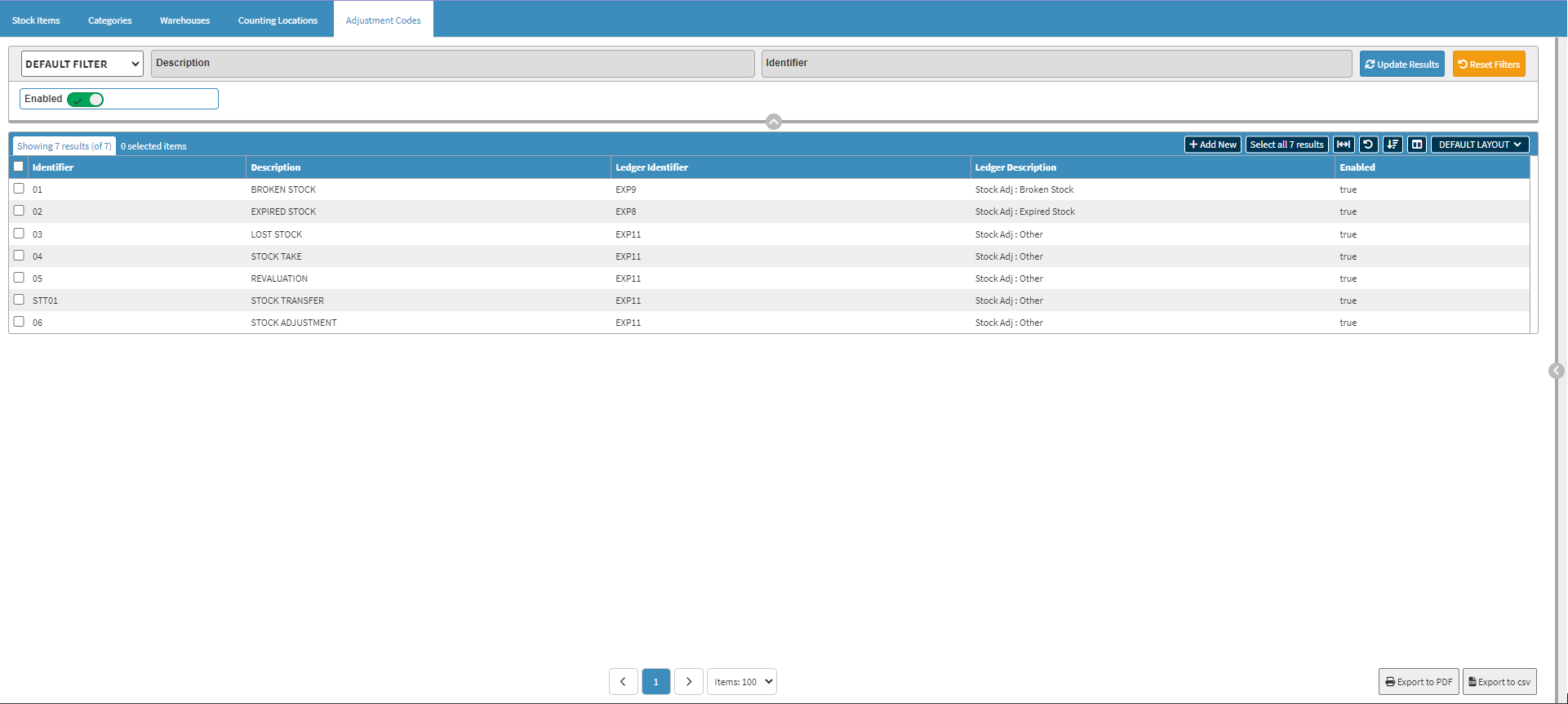
- Click on the +Add New button to create a new Adjustment Code.

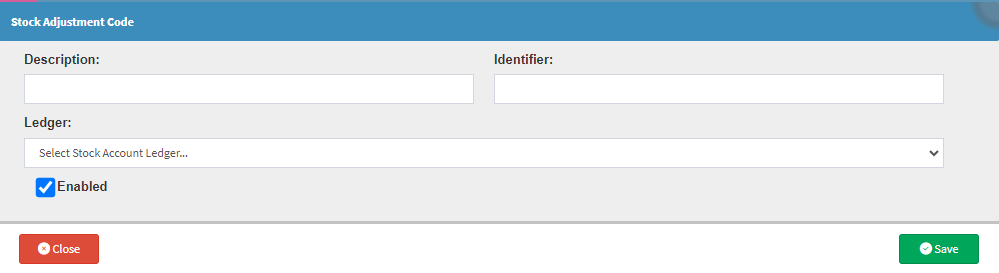
- The Stock Adjustment Code screen will open.
Last modified: Tuesday, 13 January 2026, 11:14 AM