By Creating a new Creditor/Supplier the user creates an account on the GoodX System. With the account, a user can document goods and services that the Practice receives from the Creditor. An organisation, business, or individual of a legal type who has given a Practice product, service, or financial loan is referred to as a Creditor. Once a Creditor has delivered the goods/service, the payment is expected at an agreed-upon date.
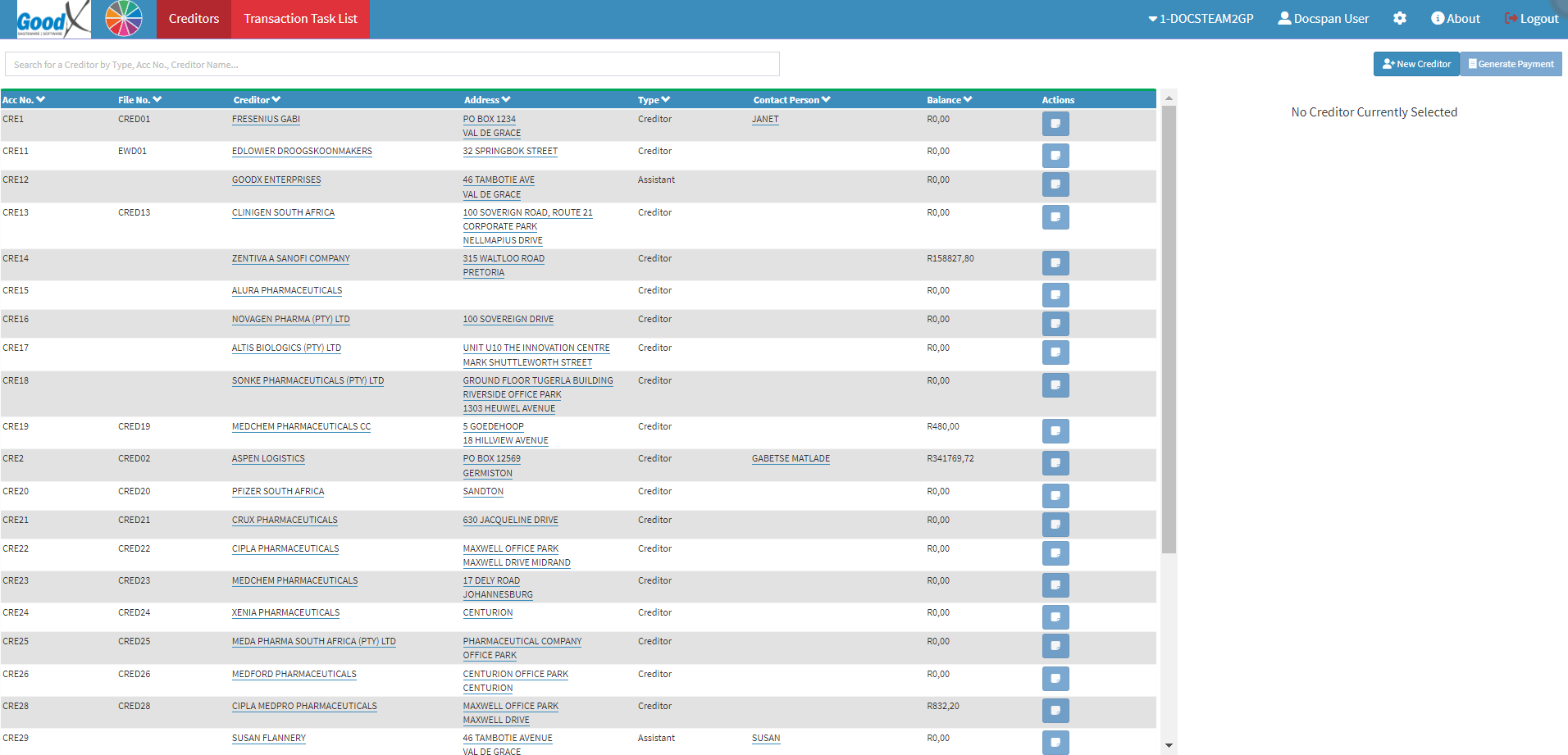
This user manual will start on the Creditors screen.
Click on the New Creditor button, to add a new Creditor.
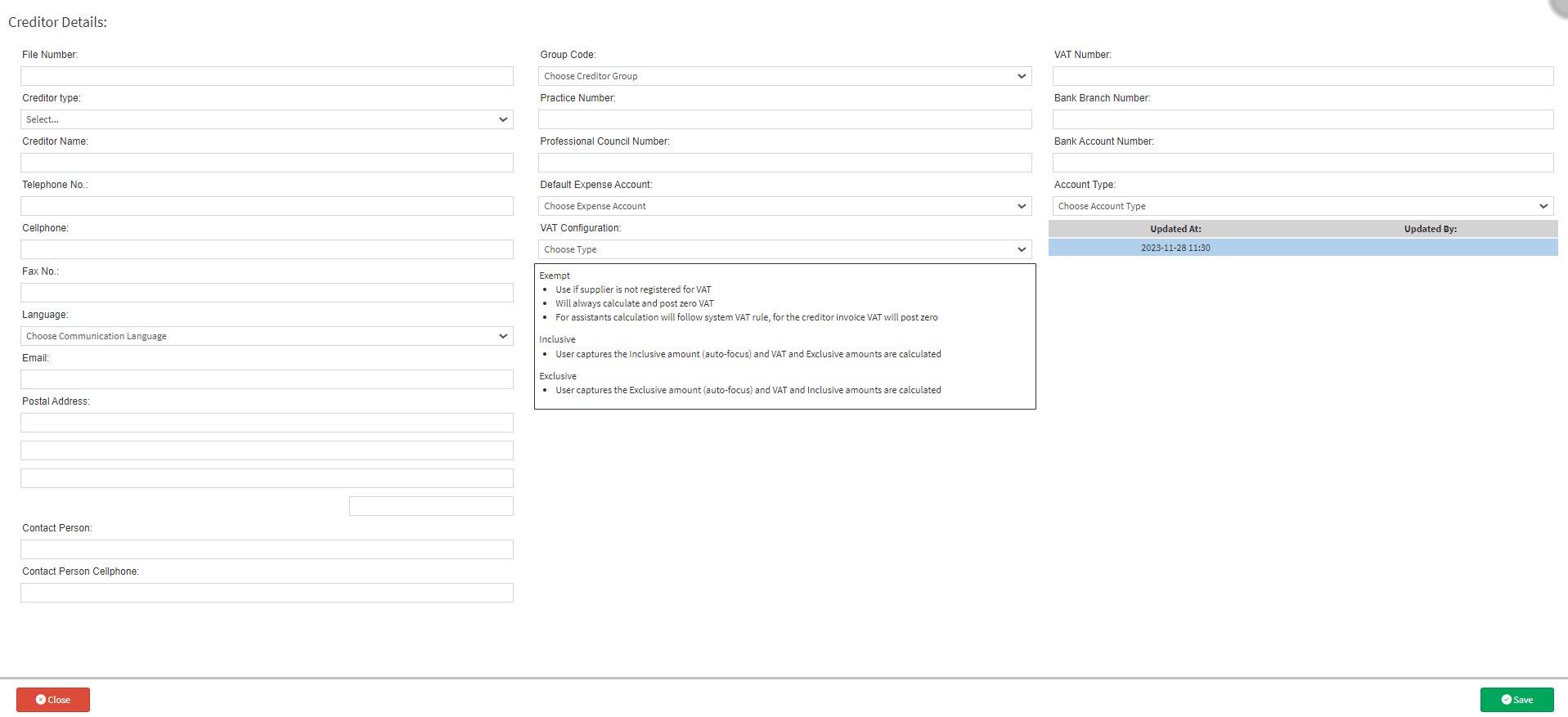
The Creditor Details screen will open.
The following information needs to be completed in order to create a new Creditor/Supplier:
File Number: A unique number or ID for the specific Creditor/Supplier that references back to the hardcopy file.
Creditor Type: Determines the type of Creditor/Supplier that will be created.
Assistant: The Assistant option is used when Practitioners have an assistant that is contracted by them, when assisting in operations or surgical procedures.
Creditor: The Creditor option is used when the Creditor is a Supplier of services to the Practice.
Manufacturer: The Manufacturer option is used when the company is a manufacturer of products and supply them to the Practice for example: Pharmaceutical companies.
Creditor Name: The name of the company who is supplying the service or items to the Practice, for example: Fresenius Kabi who is a Pharmaceutical manufacturing company.
Telephone No: Contact number of the Creditor.
Cellphone: Cellphone number of the Creditor.
Fax No: Facsimile number of the Creditor.
Language: The Language which is preferred for communication between the Practice and the Creditor.
Email: Email address of the Creditor for enquiries or placement of orders.
Postal Address: Postal Address of the Creditor.
Contact Person: Name of the Contact Person, who represent the Creditor with queries or placement of orders.
Contact Person Cellphone: Cellphone number of the person representing the Creditor.
Group Code: The Creditor's group which has been set up to indicate which type of Creditor they are, for example: Pharmaceuticals.
Practice Number: If the Creditor is a Practitioner or Assistant who owns their own practice, they need to complete their Practice number.
Professional Council number: If a Creditor is a Practitioner or Assistant they need to add their Council number.
Default Expense Account: The Creditor's account needs to be assigned to a certain Expense Account in order to ensure that the correct expense is going to the correct ledger account.
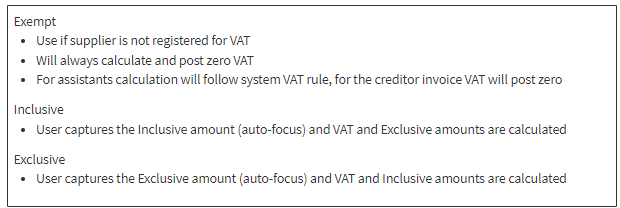
VAT Configuration: The Creditor's VAT status needs to be indicated to ensure that the Practice's VAT report is correct each month. There are three options to choose from.
If you are not sure what the difference is between the different VAT options, read the information in the block below the field.
VAT Number: The VAT Number of the Creditor/Supplier.
Bank Branch Number: Branch Number of the bank account of the Creditor.
Bank Account Number: Bank Account Number of the Creditor.
Account Type: Type of Bank Account of the Creditor, Transmission, Cheque or Savings Account.
Click on the Save button to Save the new Creditor/Supplier.
After Creditors have been added, they will appear on the Creditors List, indicating whether they are Creditors, Manufacturers or Assistants.