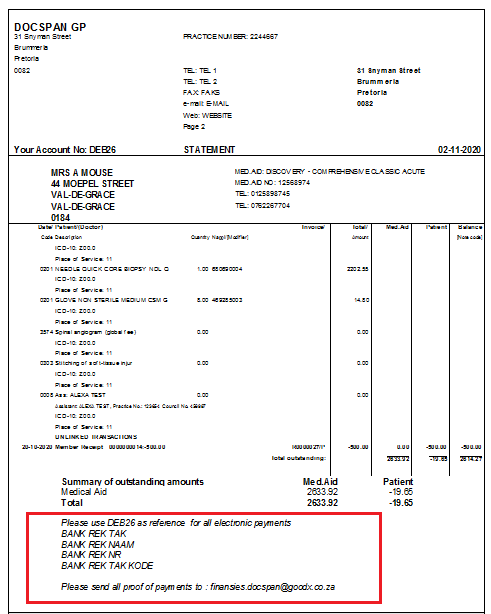
The system has been set up to print a fixed general message stating the banking details on a statement. This message will serve as a general message on all the statements.
Sign in to the GoodX Desktop using your GoodX username and password.
From the Navigator Double Click on theMedDebs Module
Set-Up of Message
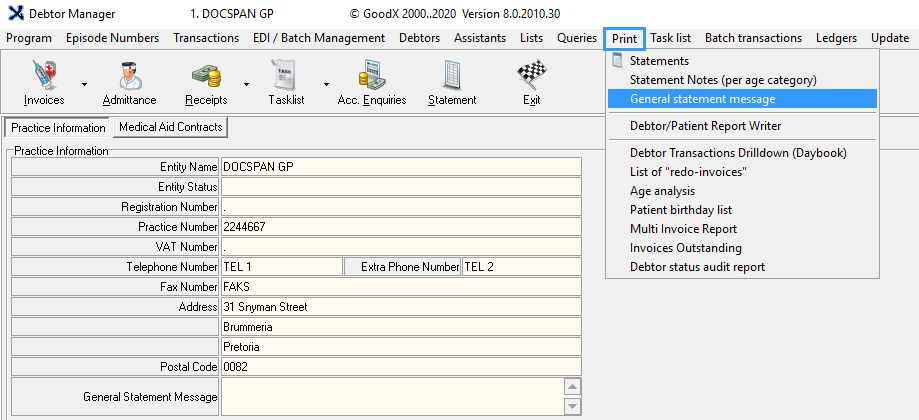
On the main MedDebs Page, in the menubar Click on Print
Click on General Statement Message
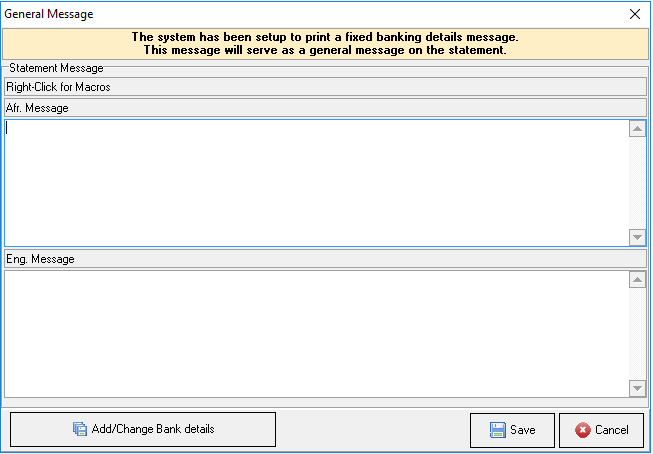
You will be directed to the GeneralMessage screen
From this screen, you can set-up the message you would like to display on the statements
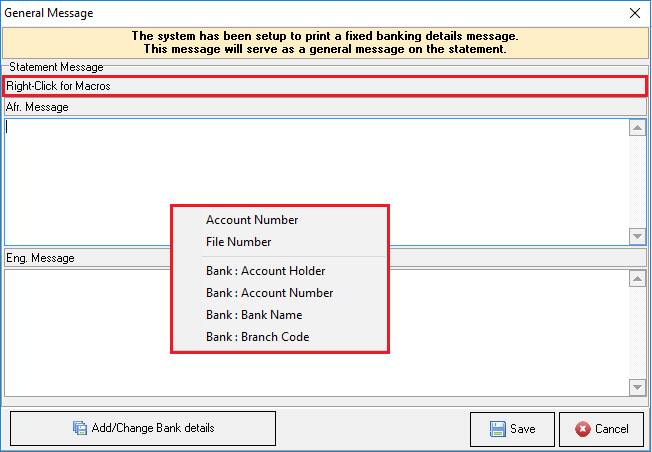
Right Click on your mouse to access the macros associated with the statement to set up your message
The following Macros are available :
Account Number: Patients Account Number
File Number: Patients File Number
Bank: Account Holder: The Practices bank account name
Bank: Account Number: The Practices bank account name
Bank: Bank Name: The Practices Bank branch name
Bank: Branch Code: The Practices branch code
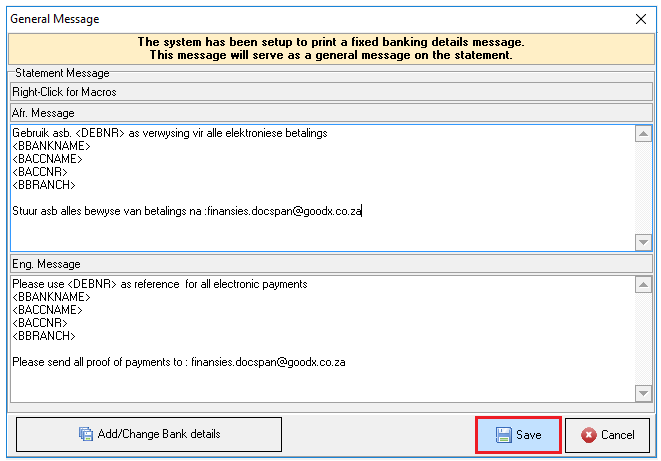
By using the macros you are able to have an automatic personal generated message without having to add information for every patient
The details that are used is the information set up by the practice and appears on the main MedDebs screen in the Practice Information section
By Clicking on the Add/Change Bank details button, you are able to change the banking details of the practice
When you are done and satisfied with the content of your message you can click on Save to save your message
You will be directed back to the main MedDebs screen where you will see your set up message will appear in the General Statement section on the practice information
An example of what it will look like on your statement
Last modified: Wednesday, 18 November 2020, 2:43 PM