Hospital Case Navigation
Why This Matters?
A Hospital Rounds Case groups the information and visits related to a patient who requires ongoing Hospital Rounds from a Practitioner during their hospital stay. It provides the central record for managing the patient's Hospital Round visits, clinical information, and related administrative details.
Using a Hospital Rounds Case keeps the patient's Hospital Round information together, making it easier for the Practitioner to follow the patient's progress, manage each visit, and access the information needed throughout the hospital stay.
💡 Please Note: A Hospital Rounds Case is created when a patient is added to Hospital Round Management and remains available for managing their Hospital Round visits until the Case is discharged.
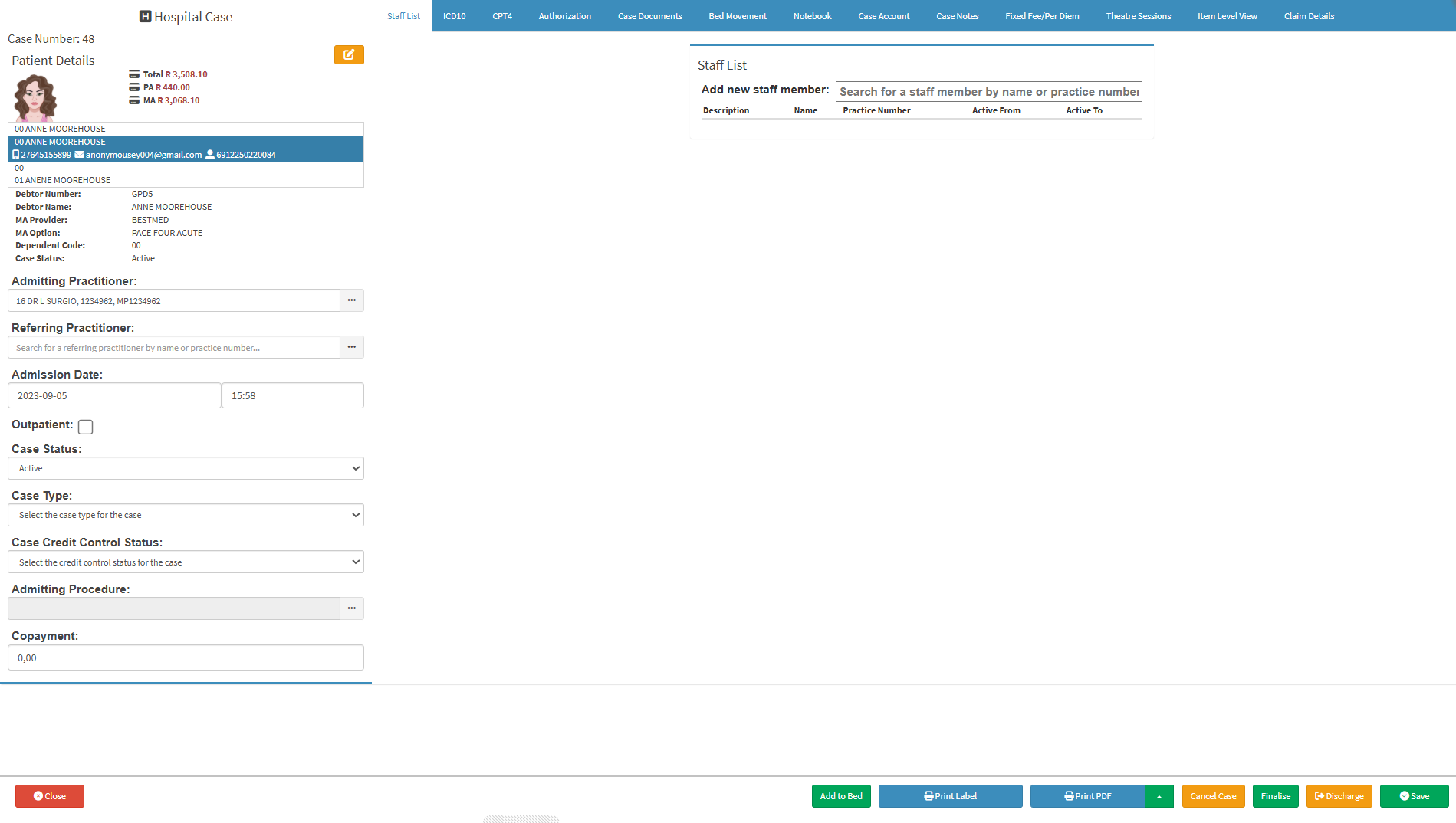
- Start on the Hospital Case screen.

-
- For navigation, see Hospital Case List Screen: Navigation and Use.
Sections
- Patient Details
- Admission and Case Details
- Action Buttons
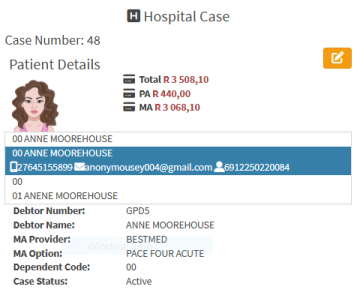
Patient Details

-
- Totals/Balances: The total amount owed, split between the patient and the medical aid.
- Case Number: Unique number assigned to the Hospital Case.
- Patient Name: Name of the patient.
- Patient Photograph: A picture of the patient.
- Contact Details: The patient's phone number and email address.
- Patient Number: The patient's identifying number.
- Debtor Number: The account code for the person responsible for paying the bill.
- Debtor Name: The name of the main account holder.
- MA Provider: The patient's medical aid scheme.
- MA Option: Medical aid plan or option.
- Dependent Code: The code indicating whether the patient is the main member or a dependent.
-
Case Status: The current status of the case.
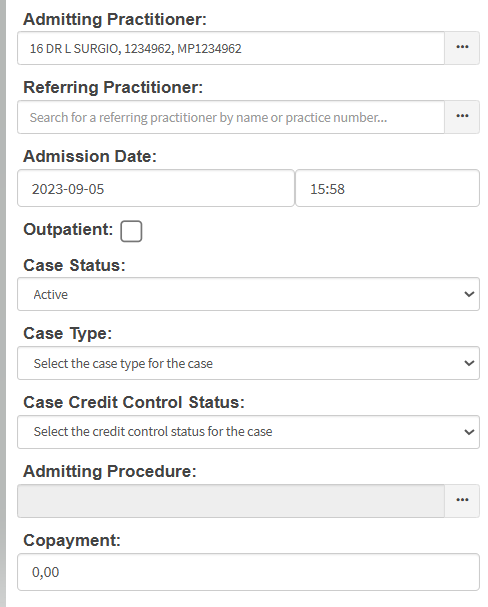
Admission and Case Details

- Admitting Practitioner: Practitioner responsible for admitting the patient.
- Referring Practitioner: Practitioner who referred the patient for admission.
- Outpatient: Indicates whether the patient is being treated as an outpatient.
- Case Status: Current status of the Hospital Case.
- Case Type: Indicates the type or classification assigned to the Hospital Case.
- Case Credit Control Status: Credit control status assigned to the Hospital Case.
- Admitting Procedure: Procedure associated with the patient's admission.
- Copayment: Amount the patient is required to pay towards the account.
Action Buttons

- Add to Bed: Assign an admitted patient to a specific bed or ward.
- Print Label: Print an identification label for the patient's file, specimens, or medication.
- Print PDF: Generate and print the displayed case information as a PDF document.
- PDF Options: Open additional options for generating or printing the PDF.
- Cancel Case: Cancel the current patient case if created in error or no longer needed.
- Finalise: Complete and close the current case to prevent further editing.
- Discharge: Officially discharge the patient, ending their hospital stay or treatment.
- Save: Save any changes or updates made to the patient's case details.