Why Use This Function:

The Finalise function is used to formally conclude a Hospital Case, ensuring that all clinical and administrative records are locked and the Patient is properly discharged. By using this function, the Practitioner ensures that the case status is updated correctly in the system, preventing further unauthorised changes while triggering the necessary discharge workflows for a seamless transition out of hospital care.

  • This user manual will start on the Hospital Case List sidebar screen.
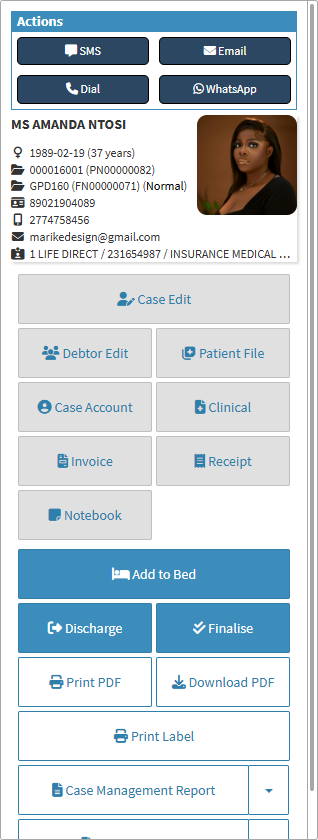
  • Click on the Finalise button.

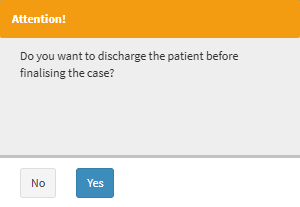
    • An Attention pop-up will appear to ask if you want to discharge the Patient before the case is finalised.

    • Click on the Yes button.

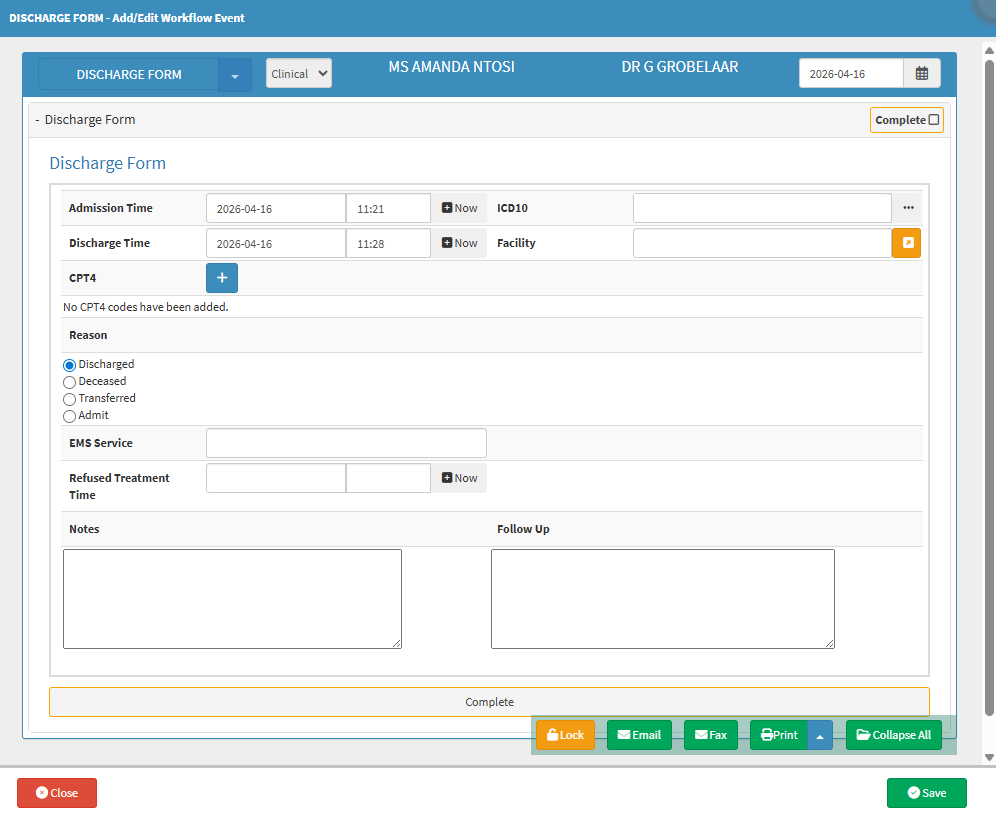
  • The Discharge Form - Add/Edit Workflow Event screen will open.

    • For more information on the Discharge Form - Add/Edit Workflow Event screen, please refer to the user manual: How to Discharge a Patient
  • Once the Discharge screen has been filled out and saved, the button will change to Re-Open.

Last modified: Friday, 17 April 2026, 3:13 PM