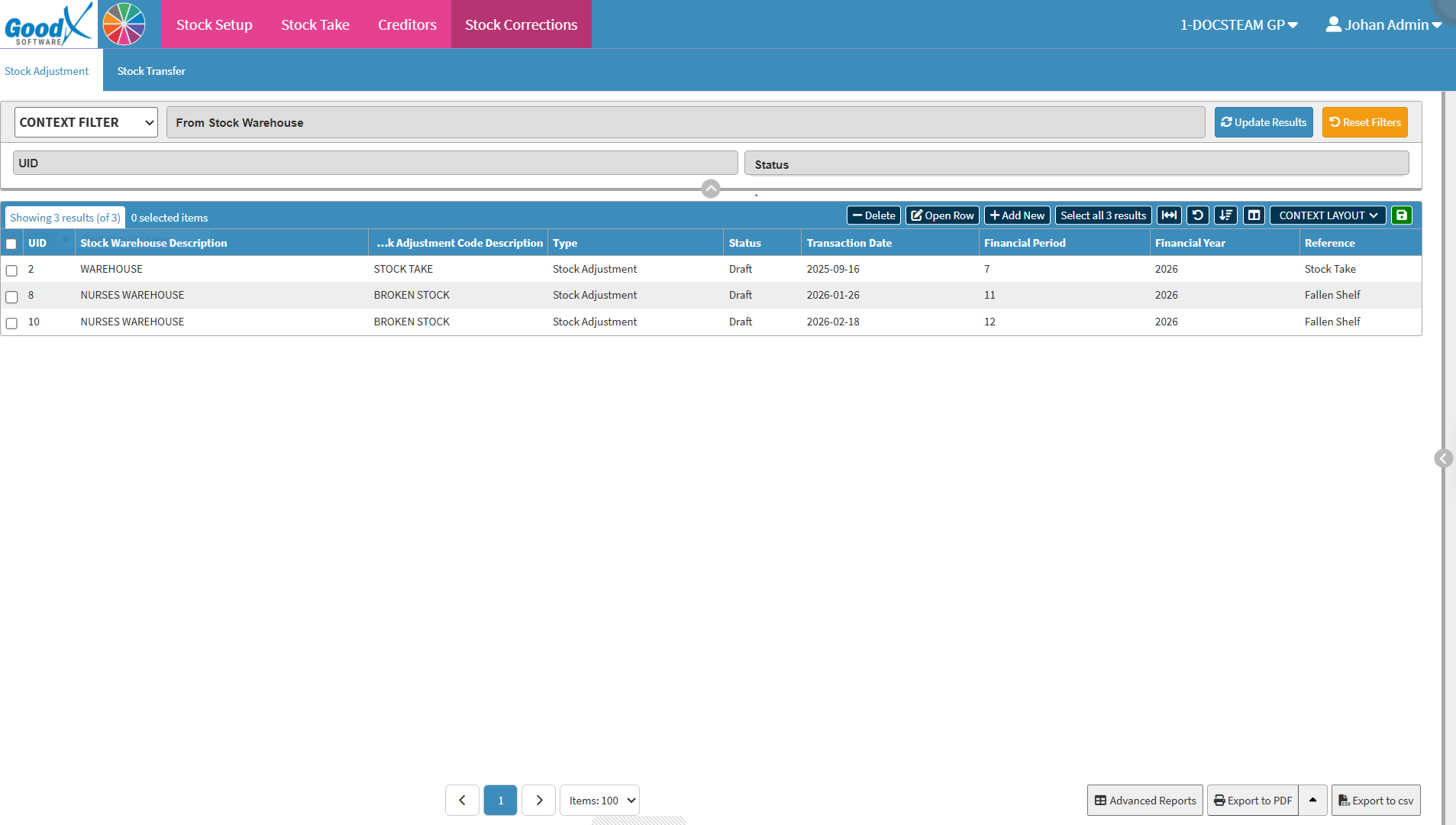
Stock Adjustments update the quantity of a stock item recorded in the system when physical stock differs from the system quantity.
Adjustments are typically made for three main reasons:
Lost Stock: Items that are missing and can no longer be accounted for.
Broken Stock: Items that are broken or have packaging too damaged to use.
Expired Stock: Items that have passed their use-by date and can no longer be used.
Recording a Stock Adjustment updates the quantity recorded in GoodX and removes the adjusted quantity from the stock on hand. Keeping stock information up to date gives the practice an accurate view of available stock, reduces discrepancies, and supports effective stock and financial management.
Context Filter: Gives extra filter options to refine the information of the List.
Default Filter: Predetermined filters that will always be available to search with.
From Stock Warehouse: Select the warehouse where the stock adjustment originates.
To Stock Warehouse: Select the destination warehouse for the stock adjustment.
UID: Unique identifier code generated for the transaction.
Status: Current progress status of the stock adjustment.
Reset Filters button: Resets all fields entered.
Update Results button: Apply all the completed filters.
Screen Column Action Buttons
Screen Column Action Buttons: Provides tools to customise displayed columns and save preferred layouts for future use. For details, see Screen Column Action Buttons Navigation.
UID: A unique number automatically given to the stock adjustment.
Stock Warehouse Description: The warehouse where the stock adjustment took place.
Stock Adjustment Code Description: The reason for the adjustment, such as stock take.
Type: The type of adjustment, for example, stock adjustment or transfer.
Status: The progress of the adjustment, such as draft or completed.
Transaction Date: The date the stock adjustment was created.
Financial Period: The accounting period (month) linked to the transaction.
Financial Year: The accounting year of the transaction.
Reference: A note or label attached to describe the adjustment.
Page Options
Page Options: Provides tools to navigate between pages, adjust the number of Items displayed, and export or save data for further use. For details, see Page Options Navigation.