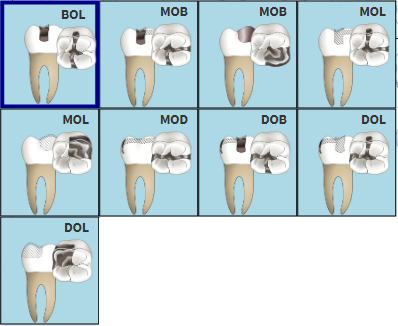
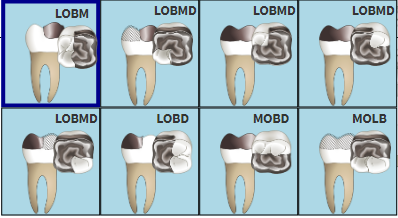
Tooth restorations are the various ways a dentist can replace missing teeth or repair missing parts of the tooth structure. Tooth structure can be missing due to decay, deterioration of a previously placed restoration, or fracture of a tooth. There are many different methods to do restorations on teeth using different materials to fix the damage on the teeth namely Porcelain, Amalgam and Resin.
The contents of this User Manual will comprise of the following information:
Filter by Restoration Position
Filter by Number of Surface Restoration
Sign in to the GoodX WebApp using your GoodX username and password.
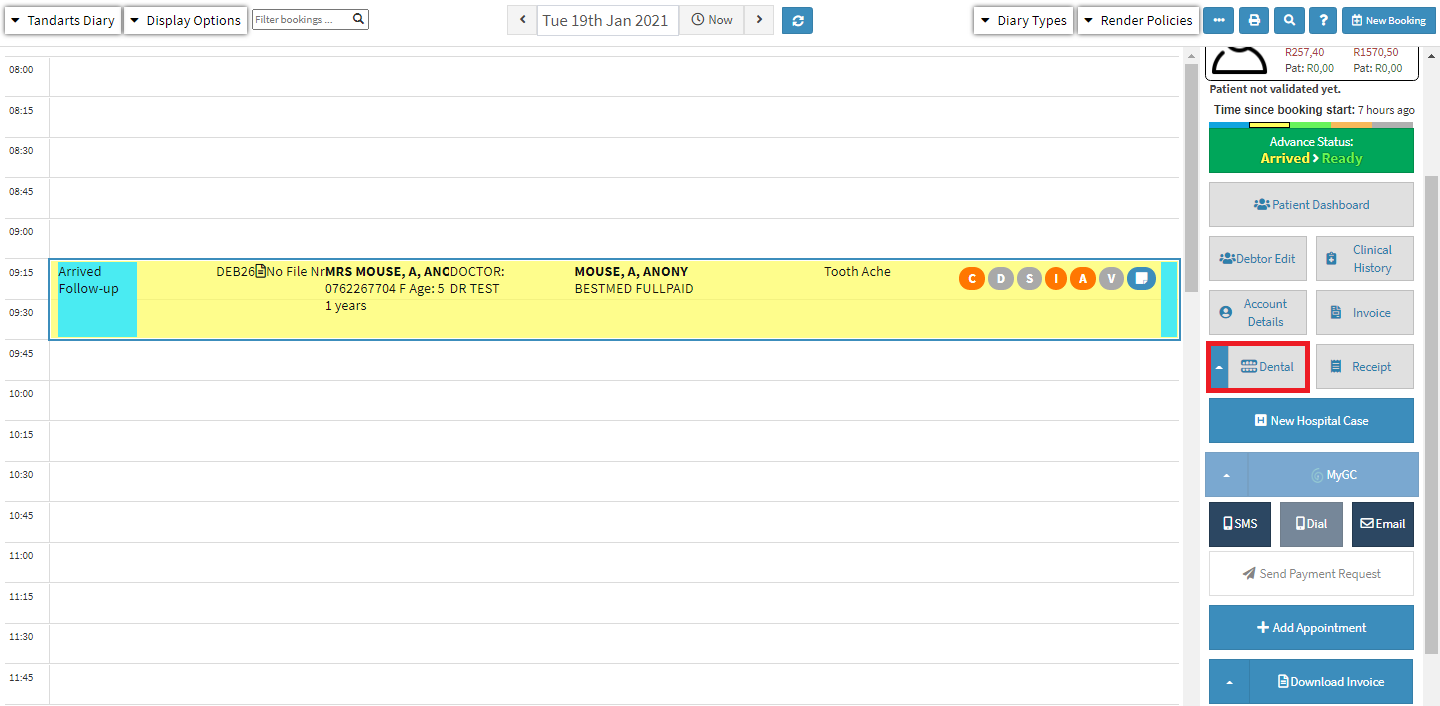
On the main diary screen, select the patient who is being treated.
On the side panel, Click on Dental.
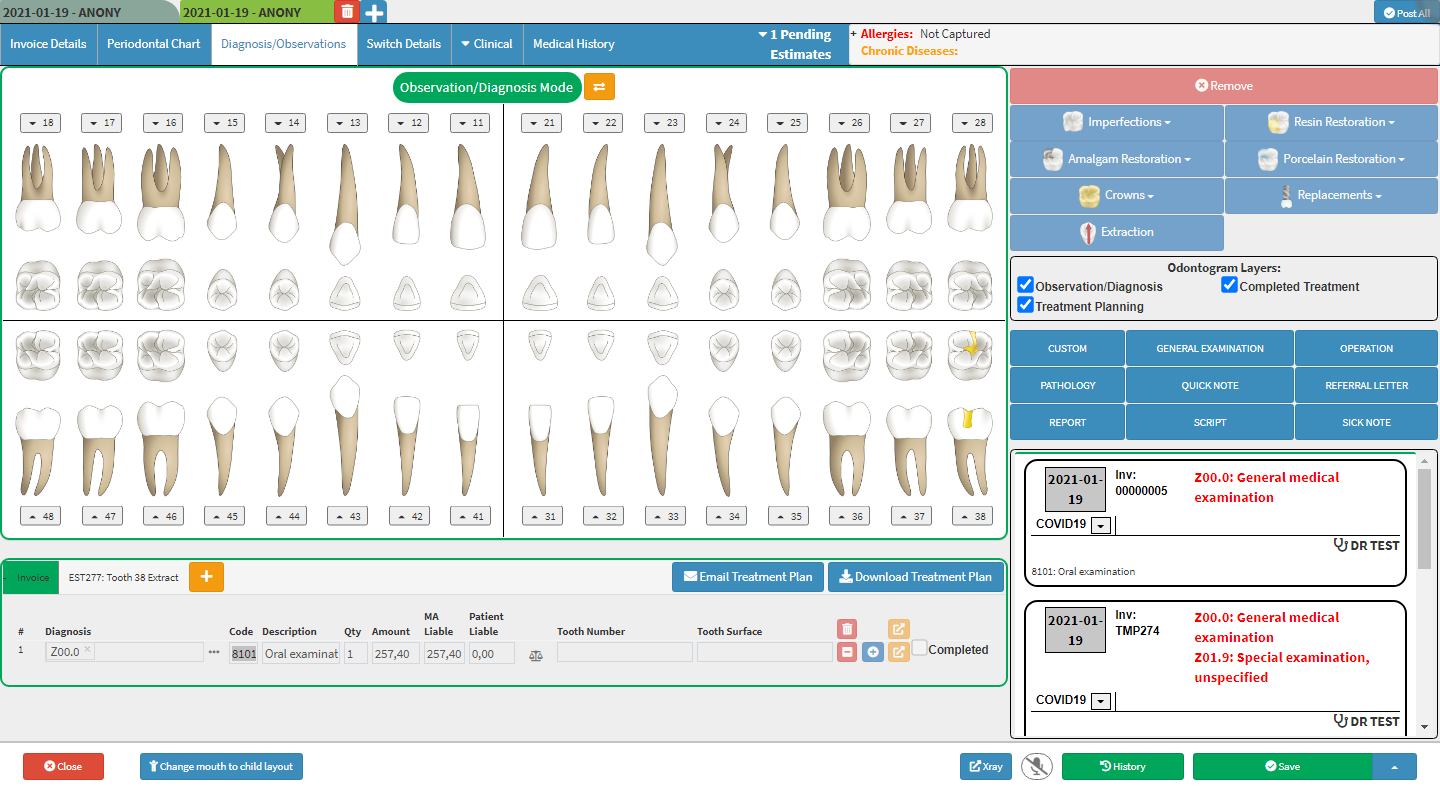
The Diagnosis/Observations screen will open.
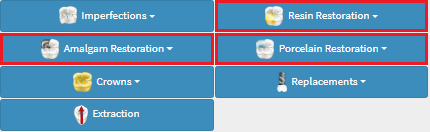
On the side panel, there are 3 restoration option drop-down menus: Resin, Amalgam and Porcelain Restoration
Click on the tooth where the restoration will take place for the options to become available.
Click on the preferred method of restoration to open the drop-down menu.
The three restoration method options are: Resin, Amalgam and Porcelain Restoration as indicated above.
Resin Restoration: Dental composite resin is a tooth-coloured restorative material used to replace a decayed portion of tooth structure. Typical composite resin is composed of a resin-based matrix, such as bisphenol A-glycidyl methacrylate and inorganic filler like silica.
Amalgam Restoration:Dental amalgam is a mixture of metals, consisting of liquid (elemental) mercury and a powdered alloy composed of silver, tin, and copper. Approximately half (50%) of dental amalgam is elemental mercury by weight.
Porcelain Restoration:Dental porcelains are composed of natural feldspar (both potassium and sodium aluminosilicate glasses). Early porcelain-laminate veneers used the same porcelains used in all-porcelain restorations.
Filter by Restoration Position
On the drop-down menu of the preferred restoration method, Click on Filter.
These filters are available on all 3 restoration methods: Resin, Amalgam and Porcelain Restoration.
The example used here is Amalgam Restoration.
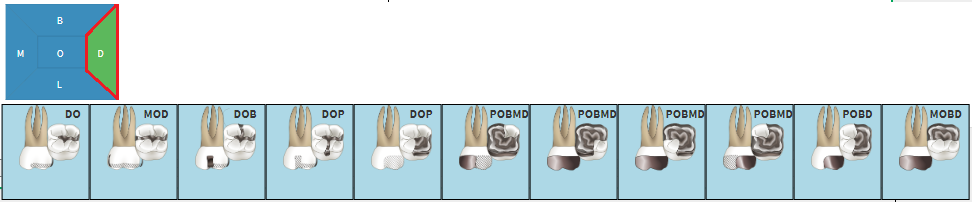
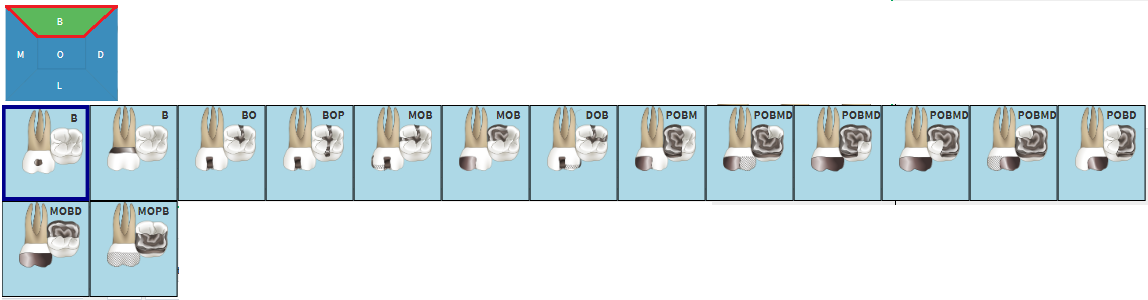
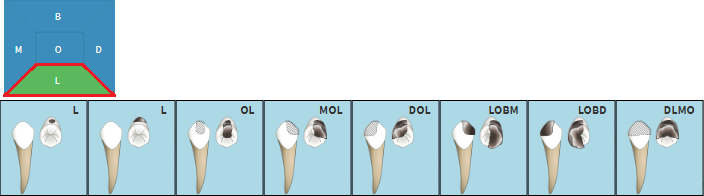
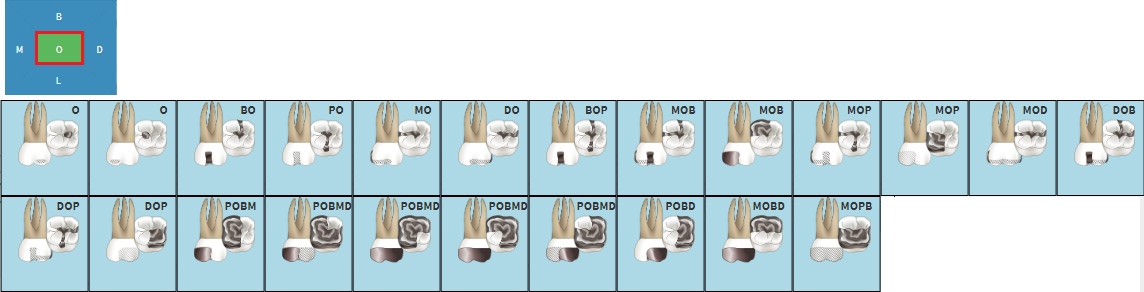
A comprehensive menu will open where the restoration area can be selected.
Click on the most accurate option to select it.
By Clicking on the different letters in the blue block the teeth can be filtered by categories.
More than one option can be selected.
Unselect a selected letter, click on it to change to blue.
M: Mesial – the front edge of the tooth.
D: Distal – the back edge of the tooth
B: Buccal – the outer edge of the tooth (nearest to the cheek)
L: Lingual – the inside edge of the tooth (nearest to the tongue)
O: Occlusal – the biting surface of the tooth of the molar and premolar teeth.
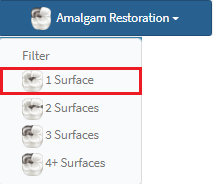
Filter by Number of Surface Restorations
Filter options can be applied by the number of surfaces that need to be restored.
Click on the preferred restoration method to open the drop-down menu.
Click on the number of surfaces that need restoration.
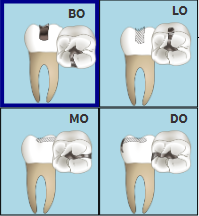
Click on the most accurate option to select it.
1 Surface: Shows all possibilities of 1 surface area restorations.
2 Surfaces: Shows all possibilities of 2 surfaces area restorations.
3 Surfaces:Shows all possibilities of 3 surfaces area restorations.
4+ Surfaces: Shows all possibilities of 4 or more surfaces area restorations.