Text size
Line height
Text spacing
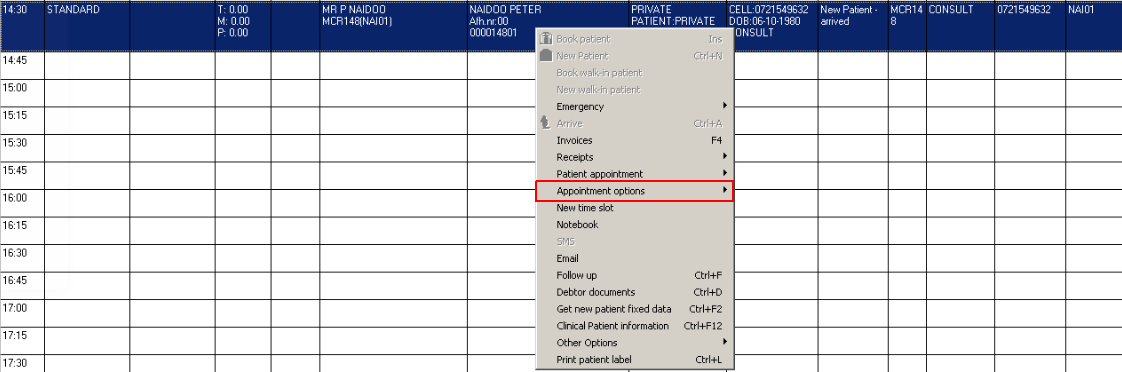
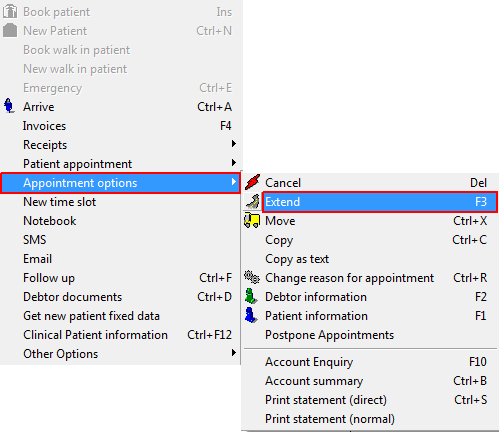
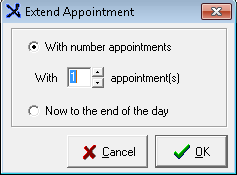
Purpose: The diary is set up with pre-fixed time slots eg 15 minutes. The purpose of this function is to extend / make your appointment longer. Eg If you book a procedure that will take longer than the normal time slot OR the medical practitioner needs more time with the patient, you can extend the appointment by adding more time slots to the same appointment. You don't have an option to extend it by indicating extra time, but only by adding the already created time slots available. You can choose between two setting options:
TAKE NOTE: The next time slot/slots must be empty