This function can be used when an appointment was marked as Arrived by accident and the patient is not at the practice yet.

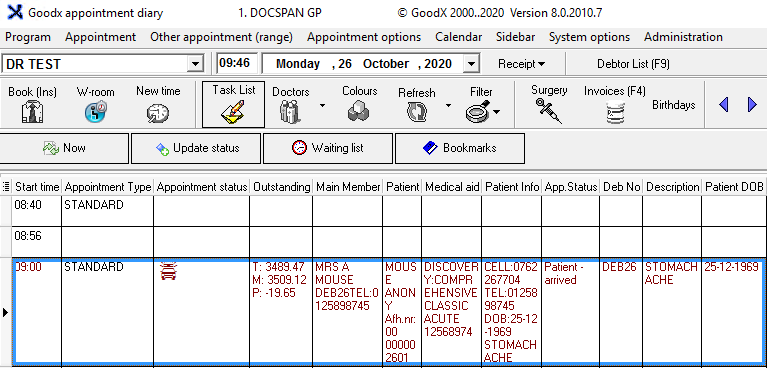
- From the main Diary screen select the patient whom you have accidentally arrived by mistake (text colour is red -depending on your set-up)
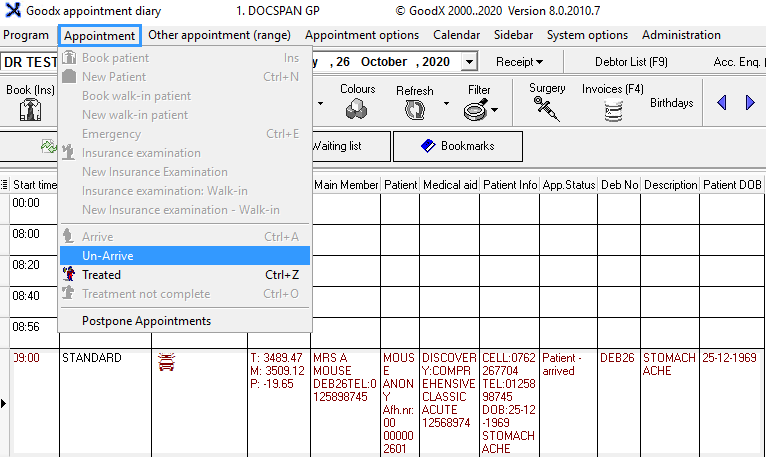
- From the menu bar, click on appointment
- From the drop-down and click Un-Arrive
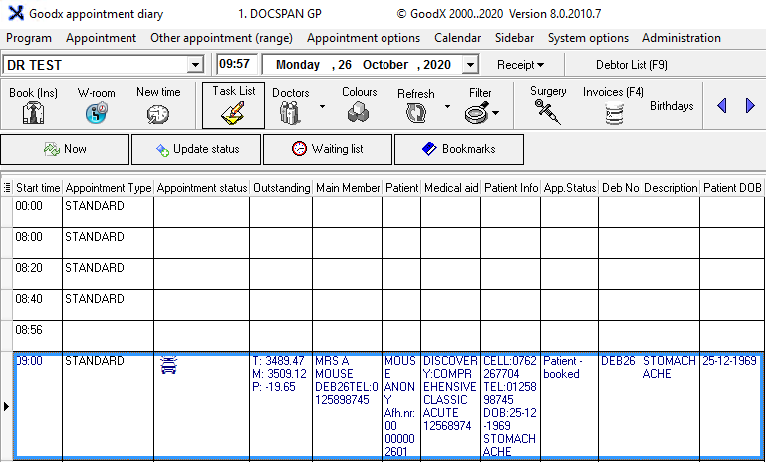
- Your booking will automatically change back to an un-arrived status (text colour is blue - depending on your set-up)
Last modified: Friday, 17 April 2026, 10:52 AM