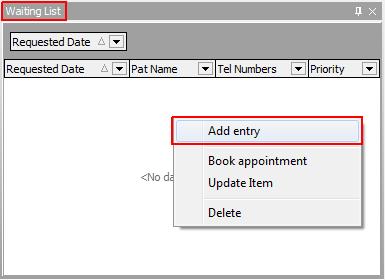
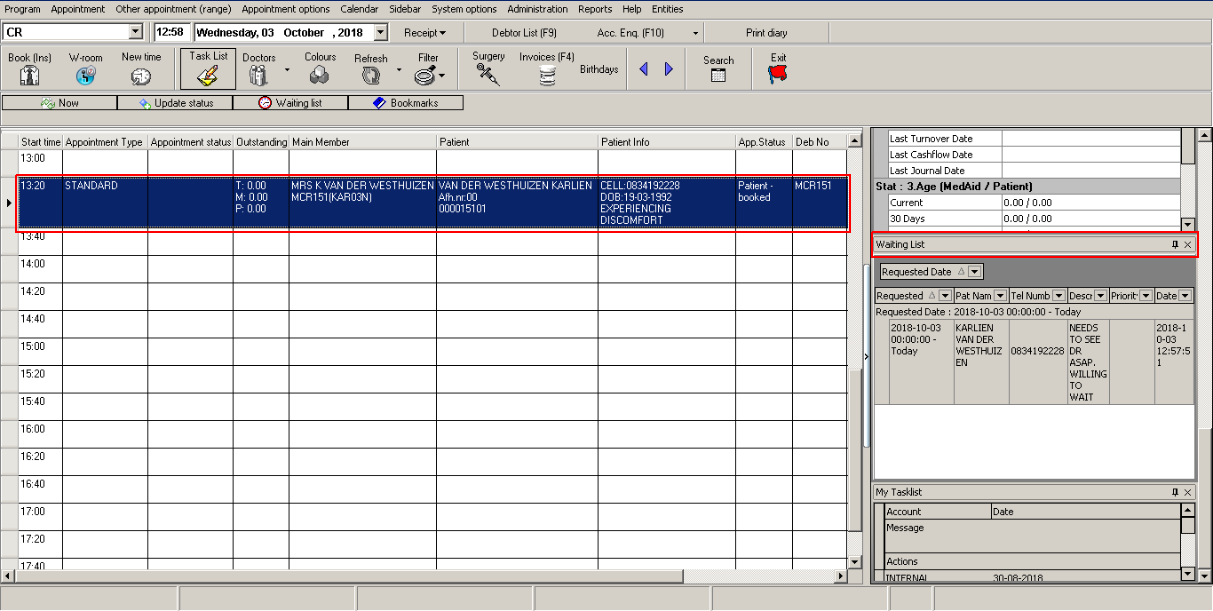
The columns in the Waiting List can be selected in User Preferences under the Diary View tab.
The Waiting List is used when a Patient wants to book an Appointment, but the Diary is already fully booked.
The Patient is then placed on the waiting list with the requested date and can be booked as soon as a time slot becomes available.
To access the Waiting List, on the Diary screen click on "Waiting List" in the taskbar like seen on example.
The following screen will pop up.
Right click on the Waiting List to Add an entry.
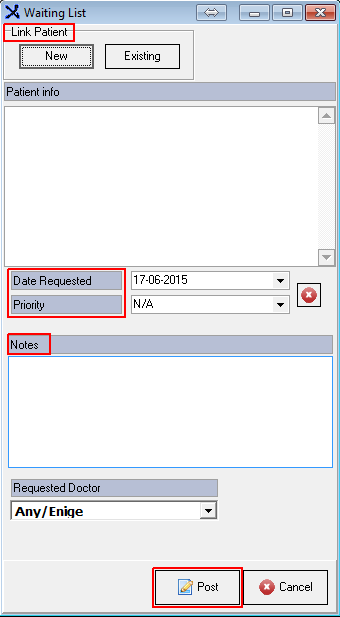
Book a New or Existing Patient, select the Date Requested, Priority, Notes and Requested Doctor and click Post.
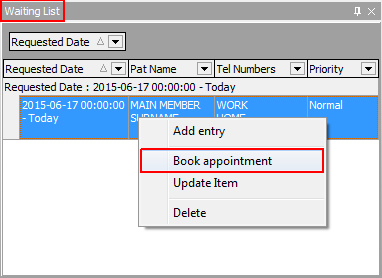
To book the Appointment on the Diary, Click on the specific time slot, Open the Waiting List, right click on the Patient booked on the Waiting List and select Book Appointment.
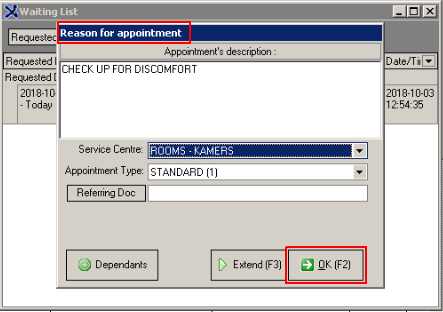
Following tab will pop up. Complete a "Reason for Appointment", select the Service Centre and click on "OK."
The patient will be booked in the selected time-slot and will be taken off the Waiting List.