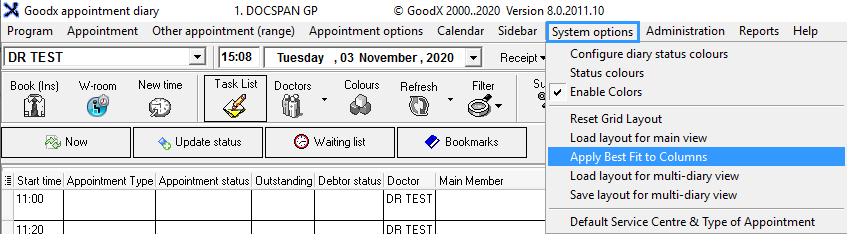
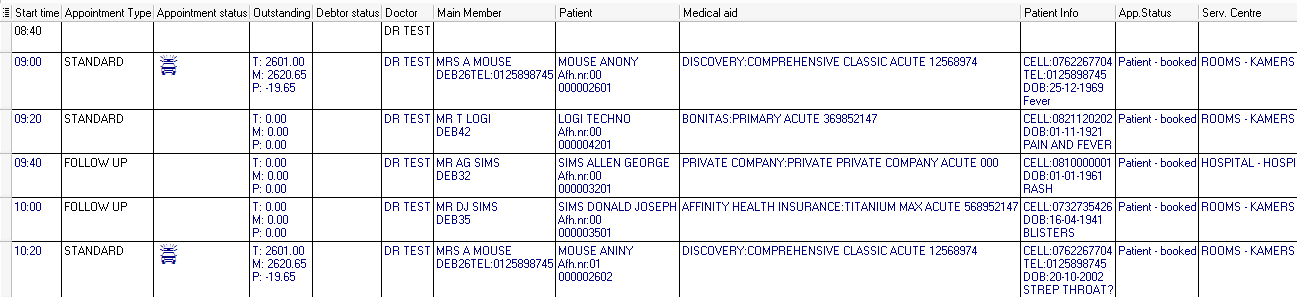
Apply best fit to columns will resize all the columns on the diary screen to show the data in the column perfectly without cutting the information off.
Sign in to the GoodX Desktop using your GoodX username and password.
From the Navigator Double Click on the Diary Module
From the Menu Bar, Click on System Options
Click on Apply Best Fit to Columns
Before the Changes are made
All the Data is cramped
After the changes have been applied :
All the data has now been expanded to fit onto the screen