Text size
Line height
Text spacing
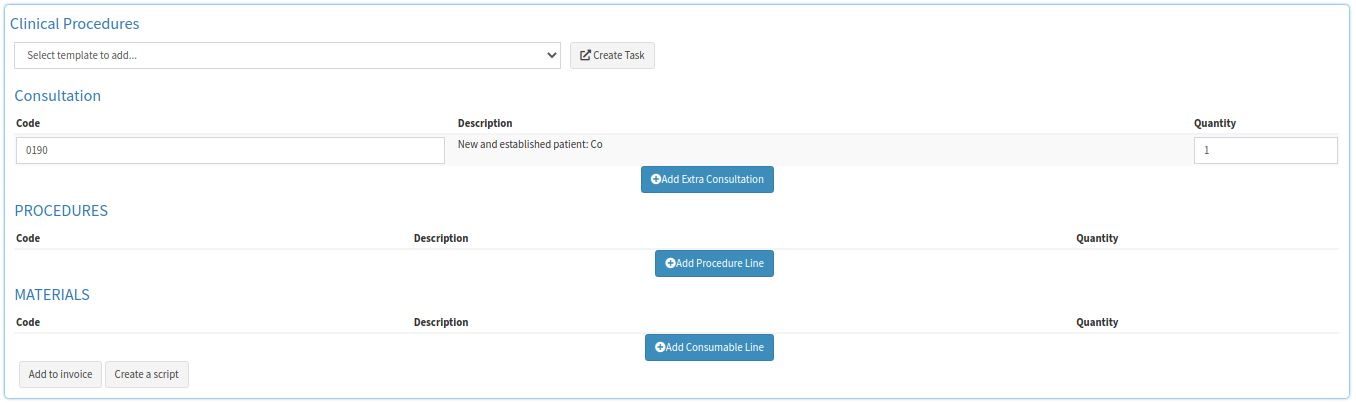
The Diagnosis and Plan of a General Examination is where the conclusion of the visit with the Patient is made note of. The Diagnosis is finalised in the form, which allows the Practitioner to plan any Clinical Procedures necessary. The Procedures and Materials used can also be directly added to the invoice of the Patient, which assists the Practitioner in a quicker invoicing process. The Outcome is the conclusion of the Diagnosis and Planning, and whether the Patient has received a Script or Sick Note, as well as whether the Patient will need to be transferred to a different facility or referred to an additional Specialist.

Please Note: For more information on how to access the General Examination form, please refer to the user manual: General Examination Form: Navigation and Use.


A Diagnosis is the detection of a medical issue that has been identified by a Practitioner, through various tests and procedures. Once identification of the illness has been made, the Diagnosis is added to the form with an accompanying ICD-10 code. The ICD-10 code is linked to a diagnosis, which assists the Practitioner with identifying the Patient's illness. Knowing the code allows for the planning of any further Clinical Procedures necessary.

A Clinical Procedure is a course of action that takes place within the Practice on a regular basis, for example, sutures. The setup of these templates will make the billing effortless and quick for the Practitioner to add the applicable procedures for the Patient.
The Outcome of the General Examination form is completed once the visit with the Patient has been concluded. If a Sick Note or Script has been issued, the Practitioner is able to make note of these changes. Additional outcomes can include whether the Patient requires a transfer of facilities, as well as the name of a referred Specialist if required.

Please Note: Please complete the How to Use the Review of Systems Panel on the General Examination Form and How to Use the Physical Examination Panel on the General Examination Form sections in order to finalise the General Examination form.