PMB Registration - Suggested Setup Using Smart Sticker Protocols
The suggested setup of the Smart Sticker PMB Registration is a guideline of the suggested configuration of how you are able to set up your PMB Smart Sticker protocol. A suggested setup often takes into account best practice guidelines for how to manage the workflow of PMB Registrations within the Practice.
The contents of this user manual will consist of the following information:
Default State
State: Not Registered
State: Submitted
State: Approved 3/12
State: Approved 6/12
State: Approved12/12
State: Approved Ongoing
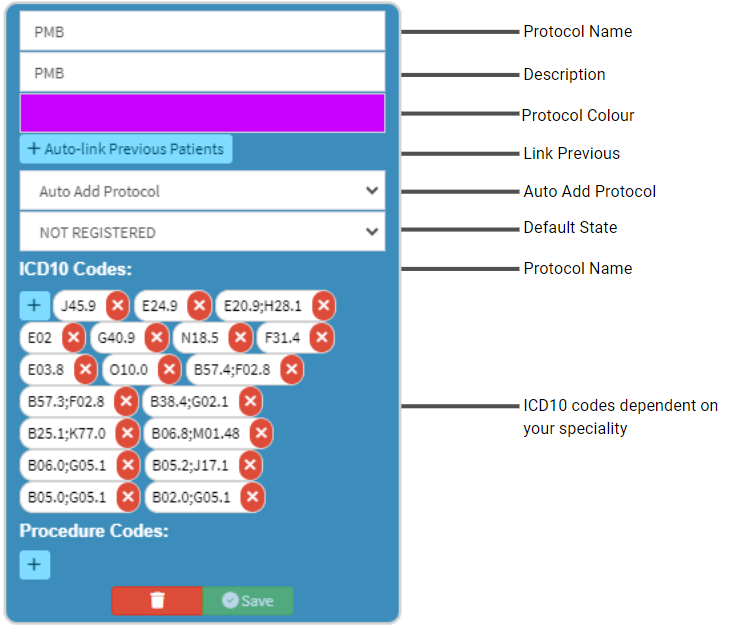
On the Smart Sticker screen sidebar set up the Smart Sticker workflow process as indicated below.
Default State
Where the process will start.
Please Note: In this instance, Not Registered will be the Default state where the process of registering a Patient for PMB benefits will start.
State: Not Registered
Indicates the Patient has not yet been registered for PMB benefits.
State: Submitted
The PMB Registration has been sent to the Medical Aid.
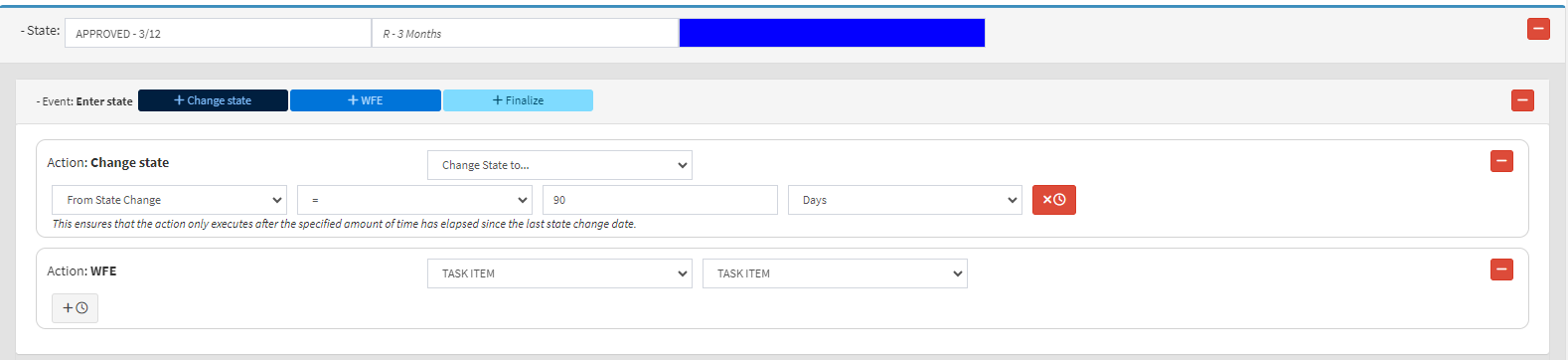
State: Approved 3/12
The Medical Aid has given feedback and the benefits have been approved for 3 months.
Add a Change State for the period of 90 days.
Add a Workflow Event that will trigger a Task Item as a reminder that the benefits have expired and will need to be resubmitted, as the Patient is no longer registered for PMB benefits. For more information regarding how to add a Workflow Event to a state, please refer to the user manual: How to create a Smart Sticker State.
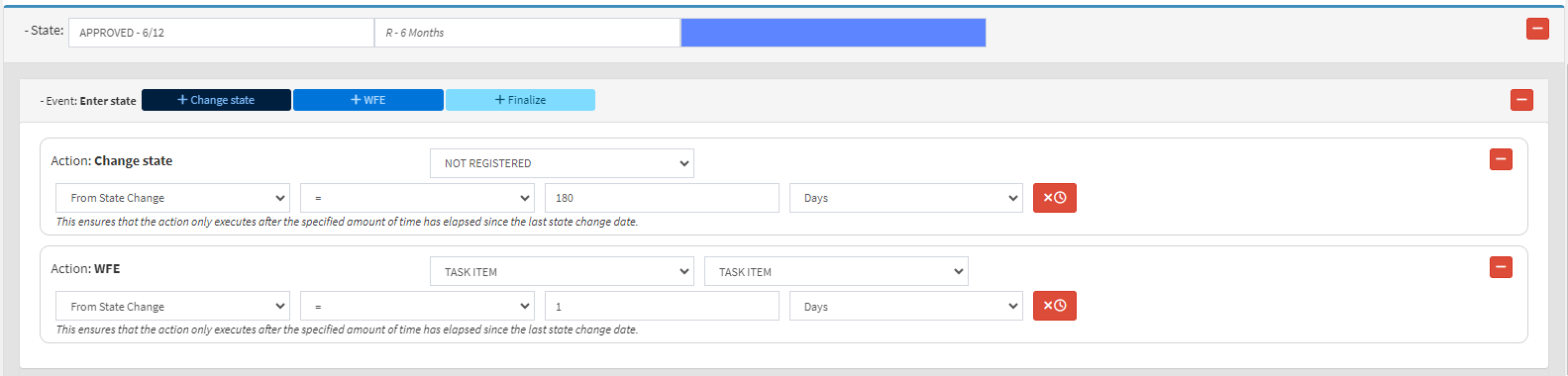
State: Approved 6/12
The Medical Aid has given feedback and the benefits have been approved for 6 months.
Add a Change State for the period of 180 days.
Add a Workflow Event that will trigger a Task Item as a reminder that the benefits have expired and will need to be resubmitted as the Patient is no longer registered for PMB benefits. For more information regarding how to add a Workflow Event to a state, please refer to the user manual: How to create a Smart Sticker State.
State: Approved 12/12
The Medical Aid has given feedback and the benefits have been approved for 1 year.
Add a Change State for the period of 365 days.
Add a Workflow Event that will trigger a Task Item as a reminder that the benefits have expired and will need to be resubmitted as the Patient is no longer registered for PMB benefits. For more information regarding how to add a Workflow Event to a state, please refer to the user manual: How to create a Smart Sticker State.
State: Approved Ongoing
The Medical Aid has approved the Patiets' benefits on a continuous basis.
Please Note: When the Patient is registered and has been approved for continual benefits, their status will never expire and their benefits will be ongoing.