Allows you to quickly copy and paste a Booking to a different Timeslot or date using keyboard shortcuts. Which simplifies duplicating appointments, saving time and ensuring accuracy within the Diary Screen.
This user manual will start on the Diary screen.
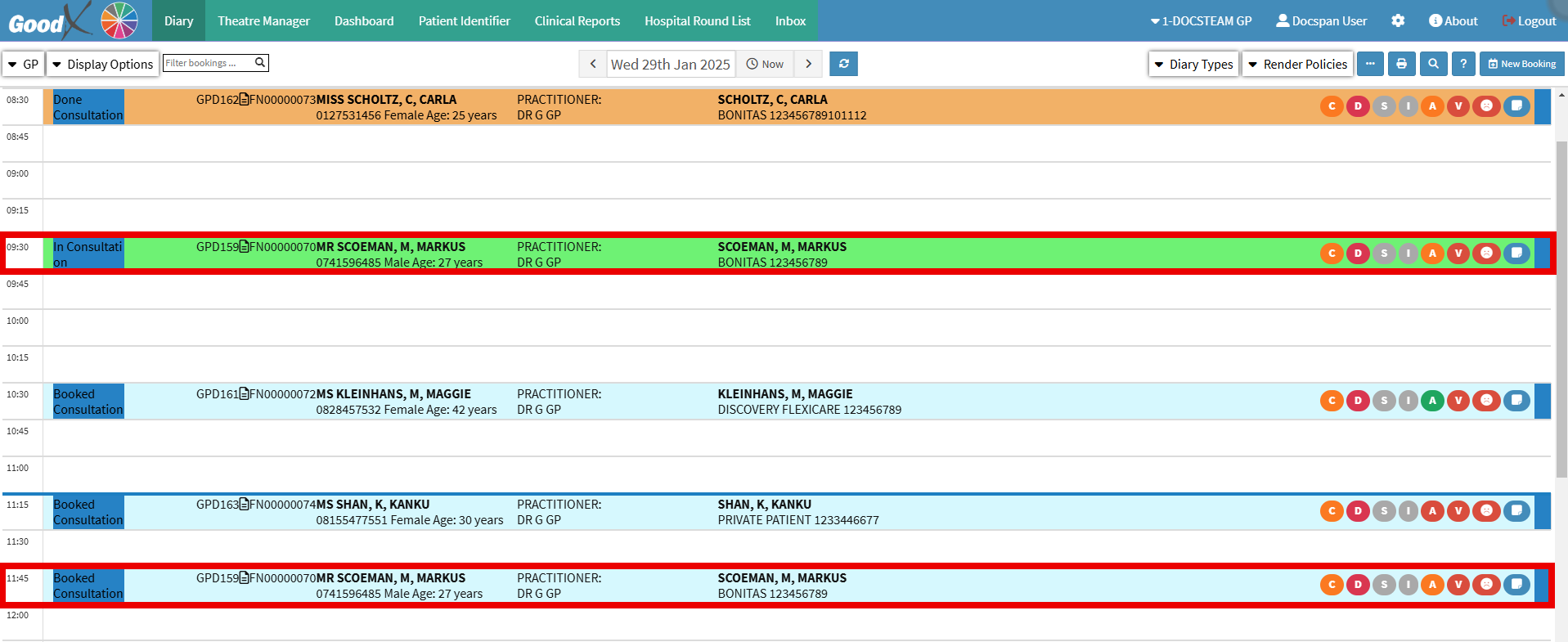
Click on the desired Booking.
Press the Ctrl + C key on the keyboard simultaneously.
Click on the desired Timeslotwhere you would like to copy the booking.
Press the Ctrl + V key on the keyboard simultaneously.
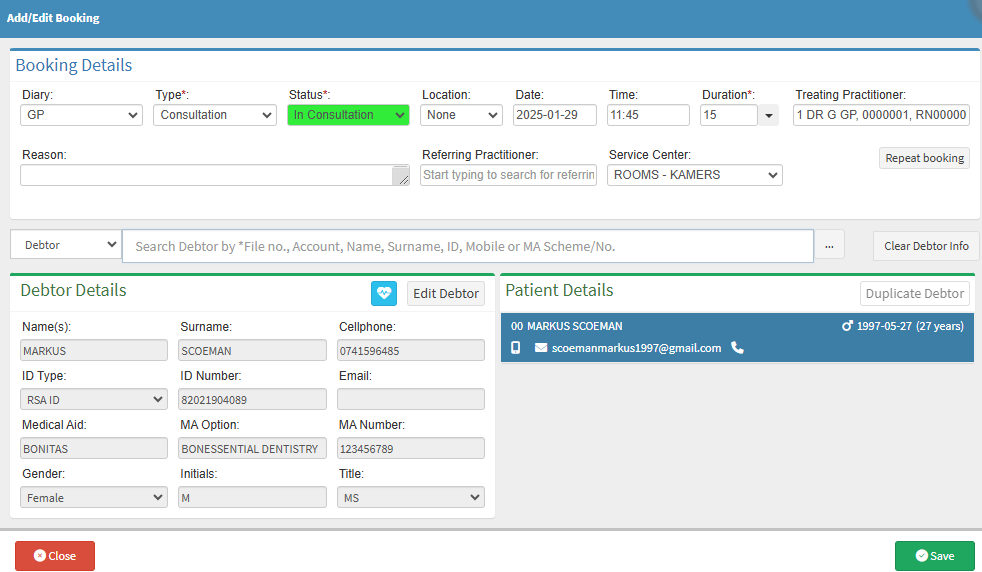
The Add/Edit Booking screen will open; ensure all the information is correct.
Click on the Save button to save all the changes.
The Copied Appointment will appear in the new timeslot.