Purpose: The purpose of this function is to show the doctor which patients have arrived for their appointments. Reception should thus finalise all paperwork before arriving the patient so that only patients who are waiting in the waiting room and
are ready for the appointment have been marked as arrived.
How to arrive an existing patient:
Open the Diary module from the navigator
Search for the correct patient
Right-click on the Existing Patient Appointment
Click on Arrive (Ctrl+A)
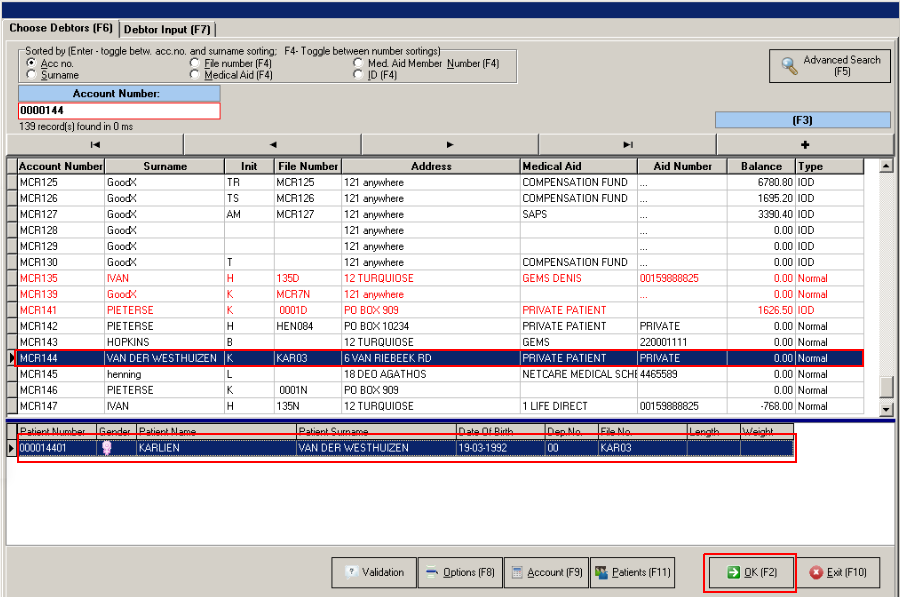
The Debtors List (Admittance Screen) will display with the debtor already selected
Select the correct Patient and confirm the details
Click on OK (F2) or Press F2
The Appointment Status in the time slot will change to "Arrive"