How to Add a Treating Doctor / Referring Doctor / Assistant:
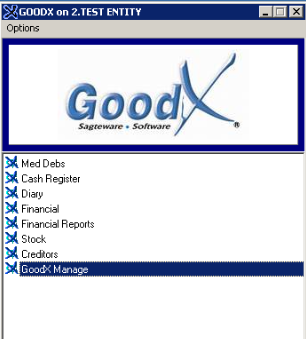
- From the Navigator, go into GoodX Manage:
- Click on Global Lists >> Lists >> Doctors: Master List.

- If its a New Doctor / Assistant:
- Add details. Click on the (+) button.
TAKE NOTE: Be sure to use the following correct information:
- 7 digit Practice Number (Will be sent to the Medical Aids)
- Speciality Code
- MP Number - Council Number (Must be Unique per practitioner)
After
Doctor / Assistant details have been completed click on
"SAVE" or F2.
- Right-click on a Name.
- The menu will pop up:
- Link to Treating Doctors.
- Link to Referring Doctors.
- Link to Assistants.

- To "EDIT" a Doctor / Assistant you can click on the
 Icon.
Icon.
TAKE NOTE: Please follow the link on Adding an Assistant as a Creditor, Link Assistant to a Creditor and View Creditor Account for more information.
Last modified: Tuesday, 18 February 2020, 3:28 PM
