Skip to main content
Skip accessibility options
Reset settings
Close
Accessibility profiles
Visual impairment
Seizure and epileptic
Color vision deficiency
ADHD
Dyslexia
Learning
Content adjustments
Readable font
Dyslexia-friendly font
OpenDyslexic
Highlight headings
Highlight links
Highlight buttons
Hide images
Tooltips
Stop animations
Text size
+
+ +
+ + +
Line height
+
+ +
+ + +
Text spacing
+
+ +
+ + +
Color adjustments
Dark contrast
Light contrast
Invert colors
Change colors
High contrast
High saturation
Low saturation
Monochrome
Orientation adjustments
Reading guide
Reading Mask
Big black cursor
Big white cursor
After Discharge: Hospital Patient Administration
Open sidebar
Sections
Blocks
Close tab
Search
Home
Courses
GoodX for Hospitals
After Discharge: Hospital Patient Administration
Debt Management
Print/Save Statement as PDF
Print/Save Statement as PDF
Completion requirements
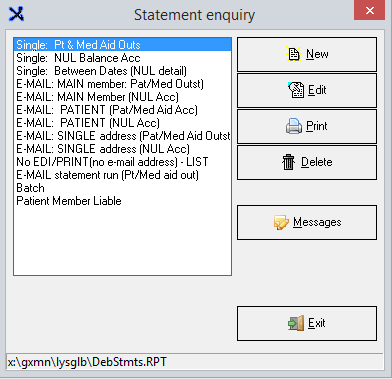
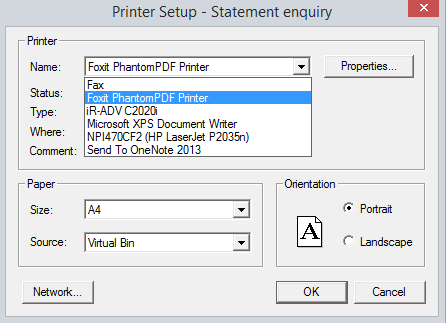
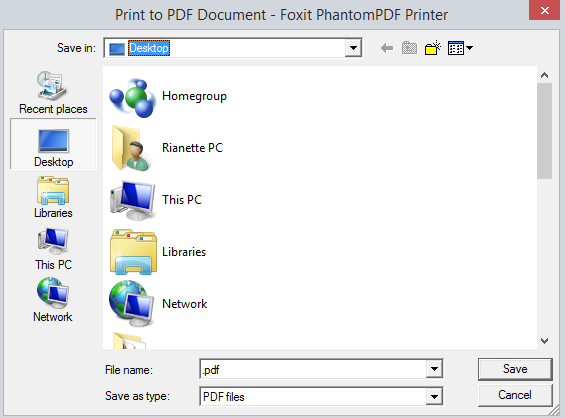
Print the statement that you want but choose your printer PDF print and save the document.
Last modified: Tuesday, 12 May 2020, 10:23 AM
Previous
How to Create a Credit Note
Next
How to Post a Journal for Hospitals